
What does upscaling actually change?
Upscaling technologies such as DLSS and FSR render a game at a lower internal resolution, then reconstruct a higher-resolution image. The GPU does less pixel work, so frame rate usually rises when the GPU was the limiting part. A quality mode generally looks cleaner than an aggressive performance mode.
Upscaling does not make the CPU faster. The CPU still runs game logic, prepares draw calls, and feeds the GPU each frame. If it was already struggling, giving the GPU less work just moves the wait from one part to the other. If frame rate barely rises as GPU load falls, the CPU is probably setting the pace.
Why can upscaling expose a CPU bottleneck?
Think of the CPU and GPU passing frames along a line. When the GPU is slow, frames queue behind it and the CPU waits. Remove that queue with upscaling, and the line moves only as fast as the CPU can hand over frames. The symptoms are familiar: GPU usage drops, one or two CPU cores sit near maximum, and frame rate stops improving as settings drop. See our guide on how to check a CPU bottleneck.
The effect is strongest at high refresh rates, at 1080p, and in simulation or strategy games. At 4K, the GPU usually stays the limit, so the same PC can look CPU-limited at one resolution and GPU-limited at another. That is why the PC bottleneck calculator shows ranges by resolution instead of a single figure.
What does frame generation add, and what does it not?
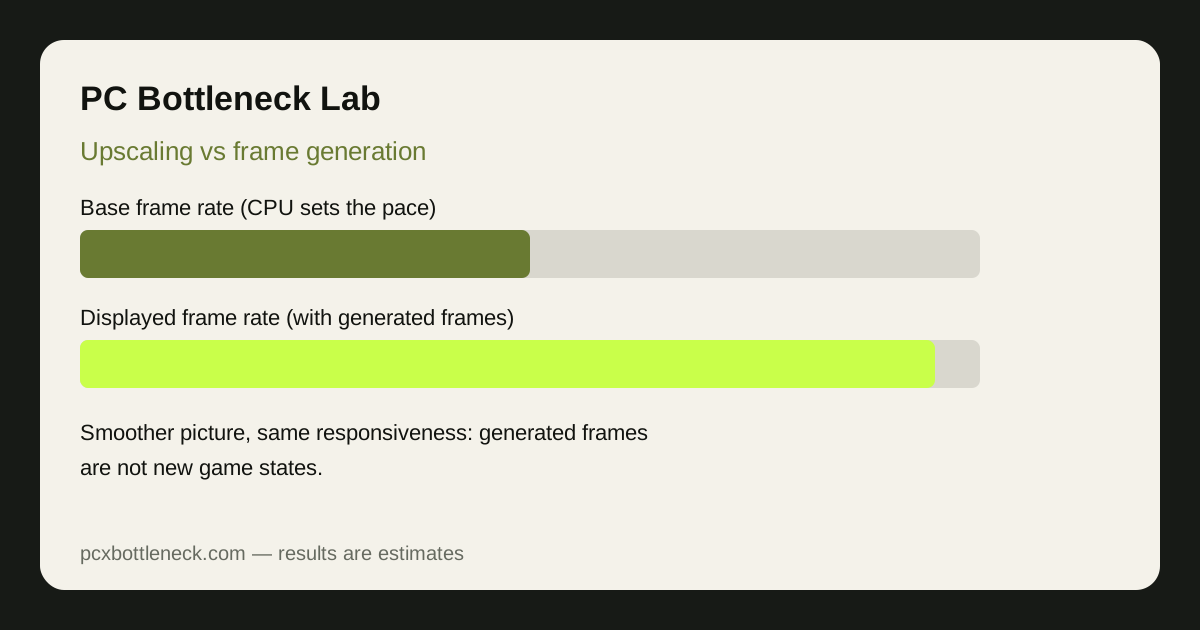
Frame generation inserts AI-generated frames between genuinely rendered ones. The on-screen counter climbs and motion looks smoother. But generated frames are not new game states: inputs are still sampled at the base frame rate, and the world still advances at that rate. Responsiveness and aiming feel therefore follow the base rate, not the displayed one.
Generation also adds a little latency, since the system needs neighbouring real frames before creating the one between them. When the base rate is low, the game can look smooth while feeling delayed, the worst combination for fast competitive play.
Upscaling vs frame generation at a glance
| Technique | What it changes | What it does not fix |
|---|---|---|
| Upscaling (DLSS, FSR) | Lowers GPU render load | CPU speed or per-core limits |
| Frame generation | Raises displayed FPS, smoother motion | Base FPS, latency, or a CPU limit |
| Upscaling + frame generation | Highest displayed FPS | Responsiveness below the base rate |
| Lower resolution or settings | Also lowers GPU load | A CPU limit |
When does each one actually help?
Upscaling helps most when you are GPU-bound and want higher frame rates or settings without new hardware. If it barely changes frame rate, stop chasing GPU settings and investigate the CPU side.
Frame generation helps most in slower-paced, visually demanding games where the base rate is already comfortable and you want smoother motion on a high refresh-rate screen. It is a weaker choice for competitive shooters, where latency matters more than smoothness, and for games whose base rate is already low. See our comparison of CPU bottlenecks in esports vs AAA games.
If a CPU limit is confirmed, the honest fixes are unglamorous: close background tasks, check cooling and RAM configuration, lower CPU-heavy settings such as draw distance, or plan a CPU upgrade. A stronger gaming CPU, like the one on the Ryzen 7 9800X3D bottleneck page, raises the base rate everything else builds on, so upscaling and frame generation add to a healthy base instead of masking a weak one.
Settings guidance: use them in the right order
- Start native. Note base frame rate, GPU usage, and busiest CPU core with both features off.
- Add upscaling alone. Try a quality mode first. If frame rate rises clearly, you were GPU-bound; if it stays flat, suspect the CPU.
- Add frame generation last. Compare how the game feels, not just the counter, and enable any latency-reduction option the game offers.
- Keep the base rate healthy. If it feels sluggish, prefer lower settings over more generated frames.
How do you test honestly?
Always compare the base frame rate, not just the displayed number. Use the same scene and settings apart from the feature tested, and watch frame times as well as averages: a high average built on uneven base frames still stutters. Test in a demanding scene, not a menu.
Limitation: results here are estimates and general guidance, not measured results for your PC. Upscaling quality, generation latency, and CPU behaviour differ by game, driver, resolution, and hardware, so treat any single counter reading as one data point in one scene. Check the PC Guides and calculator before spending on an upgrade.
Frequently asked questions
Does DLSS fix a CPU bottleneck?
No. DLSS lowers GPU render load by upscaling from a lower internal resolution, so it helps when the GPU is the limit. When the CPU is the limit, frame rate often stays flat because the CPU still sets the pace.
Does FSR fix a CPU bottleneck?
No, for the same reason as DLSS. FSR reduces GPU work per frame, which raises frame rate in GPU-bound scenes. It does not speed up game logic, draw calls, or a busy CPU core, so a CPU-limited game usually gains little.
Is frame generation FPS real FPS?
Only partly. Generated frames are real pictures on screen, so motion looks smoother, but they are not new game states. Your inputs and the game world still advance at the base frame rate, so responsiveness and input latency follow the base rate, not the displayed number.
Should I use frame generation if my CPU is bottlenecking?
Usually not as a fix. If the base rate is low, frame generation can make a sluggish game look smoother while it still feels delayed. It is more useful once the base rate is comfortable, in slower-paced games, or as a temporary comfort setting while you plan a genuine CPU-side fix.
What should I check first: base FPS or generated FPS?
Always check base FPS first, with frame generation off. Base FPS shows what the CPU and GPU genuinely achieve, while generated FPS only shows how smooth the output can look. Compare the two in the same scene, and judge competitive games by feel and latency, not the counter alone.