
What is actually known, and what is not?
What is known is the genre: a large, dense open world with traffic, pedestrians, physics and long draw distances. Games of this kind ask a lot of the processor in crowded scenes and a lot of the graphics card when resolution, shadows and reflections rise. What is not known is the PC version itself: its requirements, its recommended hardware, its settings menu and its performance on any current PC.
That gap matters. Any page that already claims exact GTA 6 PC requirements or measured frame rates is guessing. This preview therefore gives you the likely shape of the limit, not a pass or fail verdict, so you can judge your own PC and avoid an upgrade you may not need.
Prepare for a range, not a single number: a PC comfortable in current open-world games at your resolution is a reasonable starting point, while one that already struggles in city scenes is most likely to feel the limit first.
Where is a CPU limit most likely in an open world?
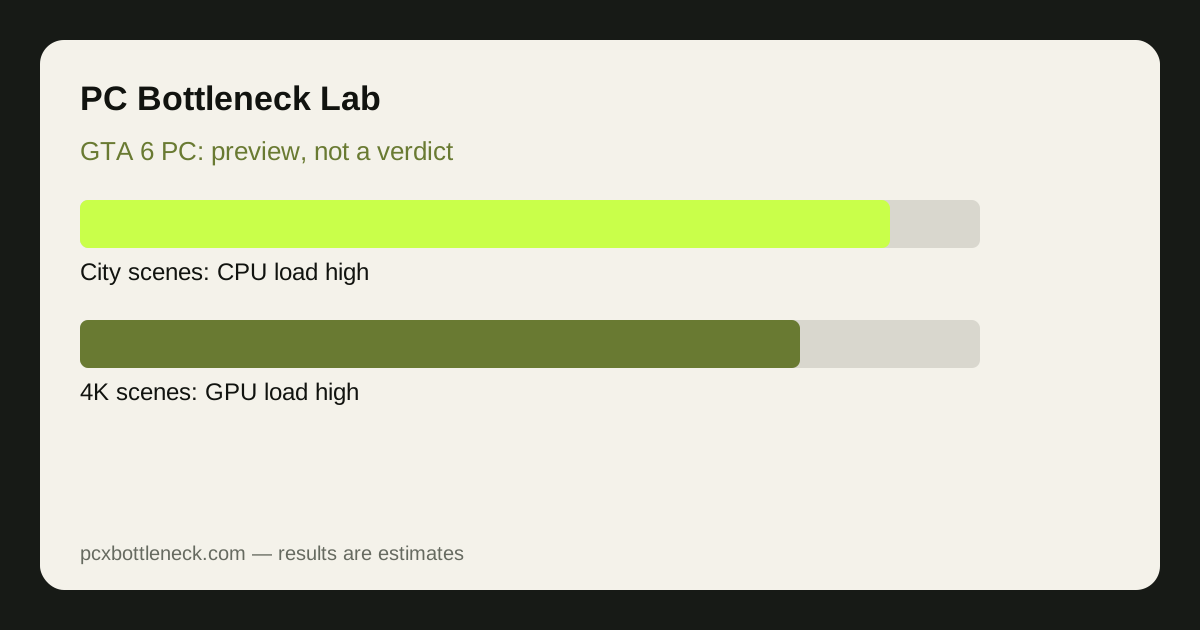
The CPU handles the simulation side of an open world: traffic behaviour, pedestrian crowds, physics, streaming new areas as you drive, and preparing draw calls for the GPU. In a quiet countryside drive, that load is modest. In a dense downtown area at speed, with many vehicles and characters on screen, it rises sharply. That is why open-world frame rates often dip in the city even when the countryside feels smooth.
Older processors with fewer fast cores are the most exposed here, especially at 1080p and high refresh rates, where the GPU finishes frames quickly and waits on the CPU. Strong per-core performance matters more than core count alone, because simulation work does not split perfectly across every core.
If your current games already stutter when you drive fast through a busy city, treat that as an early warning, not proof. Test it properly: monitor per-core CPU usage and GPU usage together, as explained in our guide to checking a CPU bottleneck. A busy CPU core with a GPU waiting below full load is the classic CPU-limit pattern.
Where is a GPU limit most likely, by resolution?
Resolution changes the balance. At 1080p, the GPU has fewer pixels to shade, so the CPU limit described above is more likely to show first. At 1440p, the two sides come closer to balance for a typical mid-range pairing. At 4K, the GPU usually becomes the limit, because shading four times as many pixels as 1080p dominates the frame time regardless of how fast the CPU is.
| Your setup | Most likely first limit in a dense scene | What to watch |
|---|---|---|
| 1080p, high refresh rate | CPU in city scenes | Per-core CPU usage, GPU waiting |
| 1440p, balanced pairing | Either side, depending on the scene | Which usage drops first |
| 4K, high settings | GPU in most scenes | GPU near full load, frame rate tracking settings |
| Older GPU, any resolution | GPU, especially with heavy effects | Frame rate rising when effects drop |
Graphics memory also deserves attention: if it runs short, stuttering can appear even when average frame rate looks acceptable, and lowering texture quality is usually the first test for it.
How do you prepare your PC before official specs arrive?
Start with what you can measure today. Run the open-world games you already own at your normal resolution and settings, and note where frame rate dips: city driving, crowded areas, or everywhere at once. Then run the PC bottleneck calculator for your current pairing, and compare its resolution ranges with what you actually see. If the calculator and your own testing agree that you are CPU-limited at 1080p but balanced at 1440p, that pattern is more useful than any guessed requirement.
Next, check the cheap fixes before any hardware purchase: dual-channel RAM, storage that is not full, current drivers, and no background recording or browser tabs during play. A single RAM stick or a throttling CPU can mimic a hardware limit that no new graphics card will fix.
Finally, do not buy hardware for GTA 6 alone until official PC requirements and independent PC testing exist. A Ryzen 7 9800X3D bottleneck page or a RTX 5070 bottleneck page can show how strong current parts pair, but neither can confirm GTA 6 performance today. Wait for real data, then match it to the resolution and settings you actually use.
Limitation: this is a preview based on how open-world games generally behave, not measured GTA 6 PC performance. Official requirements, optimisation and settings could shift the balance in either direction. Treat every range here as an estimate, and revisit this guidance once official specs and PC testing are available.
Frequently asked questions
Are the official GTA 6 PC system requirements out yet?
No. As this preview is written, no official GTA 6 PC system requirements have been published, so any page claiming exact minimum or recommended PC specs is speculating. Wait for the publisher's own requirements and independent PC testing before treating any hardware list as confirmed.
Will GTA 6 on PC be CPU heavy or GPU heavy?
Most likely both, in different places. Dense city scenes, traffic and simulation work lean on the CPU, while high resolution, shadows and reflections lean on the GPU. Expect the CPU to show first at 1080p and high refresh rates, and the GPU to dominate at 4K.
Can I run GTA 6 if my PC runs current open-world games well?
Probably as a starting point, but it is not a guarantee. A PC that is comfortable in current open-world titles at your resolution is better placed than one that already struggles in city scenes. Final judgement must wait for official requirements and real PC performance testing.
Should I upgrade my CPU or GPU for GTA 6 now?
Neither, on GTA 6 alone, until official specs exist. Upgrade only if your current games already show a clear limit at the resolution you play at. Buying early risks paying for the wrong part, since the balance between CPU and GPU demand is still unknown.
What is the best way to check my PC before GTA 6 arrives?
Test the open-world games you own today, monitor per-core CPU usage and GPU usage together, and compare the pattern with the calculator's ranges by resolution. That measured pattern is far more useful than a guessed requirement, and it shows whether city scenes or high settings are your real limit.