
Upgrade first, not upgrade most
An upgrade only helps if it moves the limit that actually holds your games back. Upgrading a part that already has headroom buys nothing, however good the new part is, because the other part still sets the pace. That rule is the whole of this guide: for each pairing below, the first upgrade is the part that is currently limiting your games at your resolution, and the wasted upgrade is the part that is not.
As with the February guide, this guide is written from the pairings readers search for most and from general bottleneck principles, not from any claim about this site's internal calculator logs. No monthly site data is quoted here. The upgrade verdict for each pairing follows from how its parts compare, and you can confirm it with your own monitoring test before you spend anything.
Four pairings, four upgrade verdicts
| Pairing | Upgrade first | Leave alone for now | Why |
|---|---|---|---|
| Ryzen 7 5700X + RTX 3070 | GPU, if you move to 1440p | CPU, unless esports at high refresh | GPU sets the pace at higher resolutions |
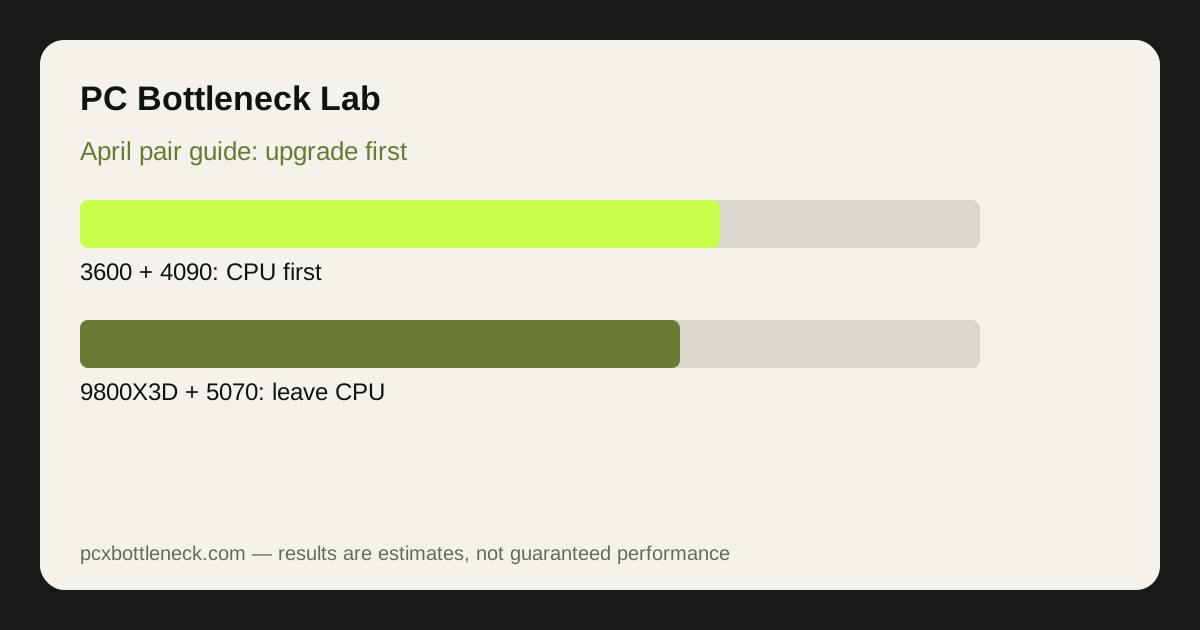
| Ryzen 5 3600 + RTX 4090 | CPU, and platform if needed | GPU, it already has headroom | CPU cannot feed a flagship card |
| Ryzen 5 3600 + RTX 2070 | Platform decision first | Neither part alone | Both parts are old; a single swap unbalances it |
| Ryzen 7 9800X3D + RTX 5070 | Monitor or GPU, later | CPU, it has headroom | CPU headroom plus a fully used GPU |
The Ryzen 7 5700X bottleneck and RTX 3070 bottleneck pages show the first pairing in detail, and the Ryzen 5 3600 bottleneck page explains the second pairing's problem. Run your exact pairing in the PC bottleneck calculator at your resolution before you choose, because the verdict changes with resolution.
The pairing that needs a platform decision
Ryzen 5 3600 with RTX 2070 is the hardest upgrade case in this guide, because both parts are old and neither single upgrade fixes the whole PC. A new GPU alone would be held back by the older CPU at 1080p, and a new CPU alone on the same platform would still leave an older GPU as the limit at higher settings. The honest advice is to treat this pairing as a platform decision: either plan a staged rebuild, starting with the part that limits your games most, or save for a balanced new build.
A staged rebuild still follows the same rule: upgrade the limiting part first, retest, and only then decide the next step. If you play esports at high refresh rates, the CPU and platform may come first. If you play demanding AAA games at 1440p, the GPU may come first, even though the CPU will become the next limit. Either way, the 10-minute CPU bottleneck check will show which limit is yours.
The flagship pairing, and the patience it needs
Ryzen 5 3600 with RTX 4090 is the pairing where patience pays most. The graphics card already has headroom, so upgrading it further buys nothing at all, while a CPU and platform upgrade unlocks performance the owner has already paid for. That is a rare and satisfying upgrade: it does not add a new part's speed, it releases speed that was already in the PC, waiting for a CPU that could feed it.
Check the platform cost honestly before that upgrade: board, memory if the new platform needs a different type, cooler compatibility, and power supply. A CPU upgrade that needs a new board and memory is a different purchase from a drop-in CPU swap, and the total cost should be compared with a balanced new build. If you see CPU usage at 100% with low GPU usage, that guide will confirm whether the CPU is truly the limit before you commit.
How to decide for your own pairing
Write down your resolution, your monitor refresh rate, the games you play most, and the part you suspect. Then run the resolution test in those games and compare the result with your suspicion. If the test contradicts your suspicion, trust the test: it reflects your system, while a suspicion reflects a headline you read somewhere. Only then compare upgrade options in the calculator, including the total platform cost, not just the part price.
Limitation: the upgrade verdicts above are general guidance for these pairings, not measured results for your system. Games, settings, memory, cooling and drivers all change the result, and no monthly site data is claimed here. Confirm your own limit with a monitoring test before any purchase.
Frequently asked questions
What should I upgrade first with Ryzen 7 5700X and RTX 3070?
It depends on resolution. If you are moving to 1440p, the GPU usually comes first, because it sets the pace there. If you play esports at high refresh rates at 1080p, the CPU may come first instead. The verdict changes with resolution, so check your own resolution before deciding.
What should I upgrade first with Ryzen 5 3600 and RTX 4090?
The CPU, and the platform if needed. The flagship GPU already has headroom, so upgrading it further buys nothing, while a CPU upgrade releases performance the card already has but cannot use. That upgrade releases performance the card already has but cannot currently use.
Should I upgrade Ryzen 5 3600 and RTX 2070 one part at a time?
It is difficult, because both parts are old and a single swap unbalances the pairing. Treat it as a platform decision: upgrade the part that limits your games most first, retest, and plan the next step from the new limit. Plan the next step from the new limit after retesting, not from a generic list.
What should I upgrade first with Ryzen 7 9800X3D and RTX 5070?
Usually neither part soon. The CPU has headroom and the GPU is fully used, so a monitor upgrade, or a GPU upgrade later when you move resolution, makes more sense than replacing a part that is not limiting you. A monitor upgrade may make more sense than replacing a part that is not limiting you.
How do I avoid wasting money on an upgrade?
Upgrade the limiting part, not the most exciting part. Run the resolution test in your own games, trust the test over a headline, and compare the total platform cost, not just the part price, before you buy. Compare the total platform cost, not just the part price, before you buy.