
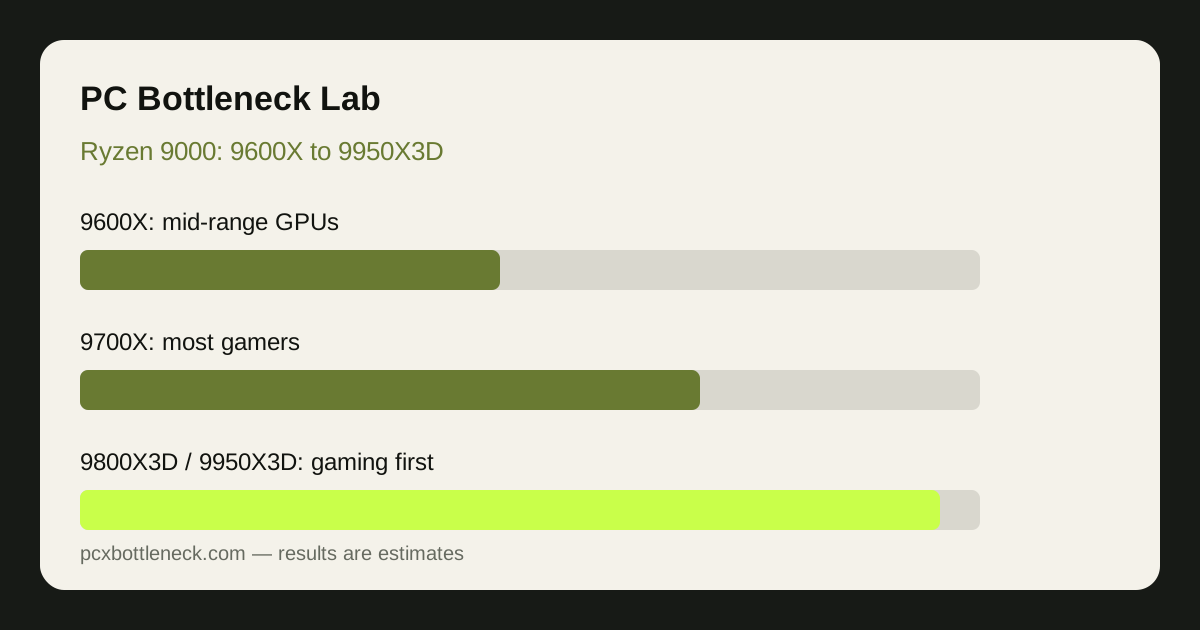
How does the Ryzen 9000 range break down?
The range is a ladder, but gaming performance does not climb evenly with each step. For games, the biggest jump usually comes from moving to a 3D V-Cache model, not to a higher-tier standard chip. For rendering and editing, the higher-tier chips pull ahead more clearly, because those tasks use all available headroom in a way most games do not.
| Model | Best for | Watch out for |
|---|---|---|
| Ryzen 5 9600X | Mid-range GPUs at 1080p and 1440p | Can limit flagship GPUs at 1080p |
| Ryzen 7 9700X | Most gamers with upper mid-range GPUs | Not the fastest choice for competitive gaming |
| Ryzen 9 9900X and 9950X | Gaming plus heavy work | Extra headroom buys little in most games |
| Ryzen 7 9800X3D and 9950X3D | Pure gaming, especially at high refresh rates | Premium cost over standard models |
The Ryzen 5 9600X bottleneck page and the Ryzen 9 9950X3D bottleneck page show the two ends of the range in the same format. Run any pairing you are considering in the PC bottleneck calculator at your resolution, because the same chip can be balanced at 4K and limiting at 1080p.
Which Ryzen 9000 chip is best for gaming alone?
For gaming alone, a 3D V-Cache model is the strongest answer in this range. The extra cache helps the games most sensitive to memory latency, including many competitive and simulation titles, and it often shows up as smoother frame times rather than only higher average frame rates.
Our guide to 3D V-Cache and the 7800X3D versus 9800X3D explains how that cache advantage works and where it matters most. The key point for Ryzen 9000 buyers is that a 9800X3D will usually beat a standard higher-tier chip in games, even though the higher-tier chip wins in heavy work. If your PC is mainly for games, do not pay for work headroom you will not use.
Which GPU tier pairs with each Ryzen 9000 chip?
Pairing is about balance: the CPU should keep up with the GPU at your resolution without leaving a large share of GPU power unused, and without paying for CPU headroom the GPU can never use.
| Ryzen 9000 chip | Comfortable GPU pairing | Where the limit appears first |
|---|---|---|
| 9600X | Mid-range GPUs | 1080p with a faster GPU |
| 9700X | Upper mid-range GPUs | Competitive games at high refresh rates |
| 9800X3D | High-end and flagship GPUs | Rarely the limit in games |
| 9950X3D | Flagship GPUs, gaming plus work | Almost never the gaming limit |
As an example, pairing a 9600X with a flagship GPU at 1080p can leave an estimated 15–30% of GPU potential unused in CPU-heavy scenes, while the same pairing at 4K is usually far more balanced. The reverse mistake is also common: pairing a 9950X3D with a modest GPU wastes the CPU, because the GPU caps performance long before the processor is stressed.
Should you upgrade to Ryzen 9000 from an older Ryzen?
Upgrade if monitoring shows a CPU limit in the games you play most, and if your current chip is several generations old. The jump is largest for owners of older mid-range chips paired with a modern GPU, especially at 1080p or high refresh rates. It is smallest for owners of a recent 3D V-Cache chip who play at 1440p or 4K, where the GPU is already the limit.
Before you buy, confirm the pattern with the method in how to check a CPU bottleneck. Look for GPU usage well below maximum, a busy CPU core, and frame rate that does not rise when settings drop. If you do not see that pattern, a Ryzen 9000 upgrade may not fix the problem you actually have, which could be GPU load, RAM configuration, cooling or a single demanding game. The PC Guides hub covers those checks before you spend.
Also consider the whole platform cost, not just the chip. If a new motherboard and RAM generation pushes you to a weaker GPU to stay in budget, keeping your current CPU and buying the better GPU is often the better gaming decision.
Which Ryzen 9000 chip should you buy?
Buy the 9600X for a mid-range build, the 9700X for a general gaming PC, a 9800X3D for a gaming-first PC with a high-end GPU, and a 9950X3D only if you genuinely mix top-end gaming with heavy work. That rule matches the chip to the work instead of to a spec sheet.
Whatever you choose, confirm it in the calculator and re-test after the upgrade. A chip that is balanced on paper can still be limited by cooling, RAM or background software, and monitoring is the only way to be sure the upgrade did what you bought it for.
Limitation: this guide compares chips qualitatively and uses estimate ranges, not measured benchmark results for your games and settings. Game engines, drivers, RAM, cooling and background software all shift where each chip starts to limit a GPU. Treat the pairings as guidance and verify with monitoring on your own PC.
Frequently asked questions
Is the Ryzen 5 9600X enough for gaming?
Yes, for most gamers with a mid-range GPU at 1080p or 1440p, the 9600X is a capable gaming chip. It starts to limit faster GPUs at 1080p or high refresh rates, where a stronger chip or an X3D model is a better fit for the GPU.
Is the 9950X3D overkill for gaming?
For gaming alone, usually yes. The 9800X3D gives most of the gaming benefit for less, and the 9950X3D earns its place when heavy work shares the PC with gaming. Pure gamers get little visible extra from the top chip, unless their work also needs the extra headroom.
Does 3D V-Cache help at 4K?
Less than at 1080p, because the GPU is usually the limit at 4K and the CPU has more breathing room. It can still help in CPU-heavy games at 4K, but for story-driven titles the difference is often small, so the cheaper standard chip is often close enough there.
Will a Ryzen 9000 chip bottleneck a flagship GPU?
It depends on the chip and the resolution. A 9600X can limit a flagship GPU at 1080p, while an X3D model rarely limits one in games. At 4K, even the lower-tier chips in the range are usually balanced with a flagship GPU.
Should I choose a 9700X or a 9800X3D?
Choose the 9800X3D if gaming, especially competitive or simulation gaming, is the priority and the budget allows. Choose the 9700X if you play mainly story-driven games at 1440p or 4K, where the GPU matters more and the saving can go elsewhere.