
What is a VRAM bottleneck?
VRAM is the fast memory on a graphics card that holds textures, geometry, shadow maps and other data the GPU needs right now. When it is full, the card must fetch data from slower system memory or storage, and that waiting time shows up as hitches. A VRAM bottleneck is therefore a capacity problem, not a sign that the chip itself is too slow.
That matters for upgrades: a faster GPU with the same VRAM may still stutter in a game needing more memory than the card holds, while a card with plenty of VRAM can still run slowly if its chip cannot keep up with shading and ray tracing.
How does a VRAM bottleneck feel different from a slow GPU?
A chip that is simply too slow usually gives a smooth but low frame rate: the game is steady, just not fast. A VRAM shortage is messier. Frame rate may look fine in a quiet scene, then drop sharply when you turn a corner or enter a new area, then recover. That uneven, hitchy feel is the clearest warning sign.
Other symptoms include blurry textures that sharpen seconds later, objects that pop in late, and pauses when a level first loads. If lowering texture quality smooths the game while lowering other effects does not, video memory is a strong suspect. If the CPU may be involved, read how to check a CPU bottleneck first.
How do 8GB, 12GB and 16GB compare at each resolution?
The table below is a general guide, not a measured result for any single game. Demanding titles need more memory than esports titles at the same resolution.
| VRAM size | 1080p | 1440p | 4K |
|---|---|---|---|
| 8GB | Workable at medium to high textures; tight in demanding titles | Often tight; high textures can stutter | Frequently the limit; lower textures |
| 12GB | Comfortable headroom at high settings | Usually comfortable; some texture care needed | Workable at high textures; ultra can strain it |
| 16GB | Plenty of headroom | Comfortable for demanding games | Safer for high textures and ray tracing |
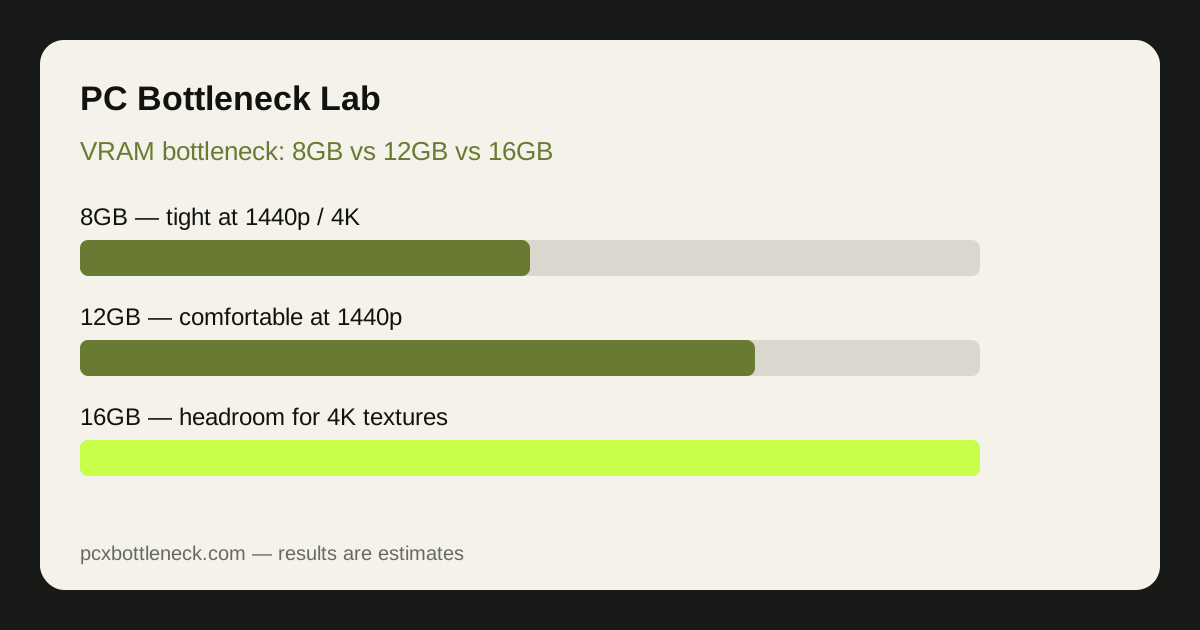
Think of 8GB as a budget for careful settings, 12GB as a middle ground for 1440p, and 16GB as breathing room for 4K. More memory does not make a weak chip fast, but it stops memory swaps from ruining a playable frame rate.
Why do 2026 games use more VRAM than older games?
Modern games ship with higher-resolution textures, larger open worlds and more detailed lighting data, all of which must sit in video memory to be drawn quickly. Ray tracing adds buffers for lighting and reflections, so it can push a card that was just coping over the edge. Ultra texture presets are often designed for future hardware, so the highest preset is not always meant for every resolution.
Resolution multiplies the problem: a 4K frame holds four times as many pixels as a 1080p frame, and the buffers behind it grow with it. That is why a card that feels fine at 1080p can stutter at 1440p or 4K in the same game.
Which settings help when VRAM runs out?
Start with texture quality, because textures are usually the largest single use of video memory. Dropping from ultra to high, or high to medium, often frees more memory than any other setting. Next, look at ray tracing: turning it down or off removes a heavy memory load and a heavy shading load at once.
- Texture quality: lower first; the biggest VRAM saver.
- Ray tracing: lower or disable it when ray-traced scenes stutter.
- Shadows and reflections: high settings add buffers that grow with resolution.
- Upscaling: a lower internal resolution uses less memory.
If a game offers a VRAM usage meter, use it as a rough guide and leave headroom. For a broader check, try the PC bottleneck calculator and the PC Guides hub.
How much VRAM should you buy for your resolution?
At 1080p, 8GB remains workable if you manage texture settings in demanding games, while 12GB gives useful headroom. At 1440p, 12GB is the sensible starting point, and 16GB suits demanding games you want to keep for years. At 4K, 16GB is safer, because high textures and ray tracing leave little margin on smaller cards.
Do not choose VRAM in isolation: generous memory with a weak chip will still be slow, and a very fast chip with too little memory will still stutter. A strong CPU matters too — see the Ryzen 7 9800X3D bottleneck page.
Limitation: VRAM needs vary by game, engine, texture pack and driver, so this guidance is an estimate, not a guarantee for any title. Test your own settings, and treat any calculator result as an estimate range, not a promised frame rate.
Frequently asked questions
Is 8GB of VRAM enough for gaming in 2026?
It can be enough at 1080p with medium to high textures, especially in esports and older games. In demanding new open-world or ray-traced titles it is often tight, so expect to lower texture quality or ray tracing to avoid stutter and late-loading textures.
Does more VRAM make games run faster?
Not directly. Extra VRAM stops stutter caused by memory swaps, but it does not speed up a slow graphics chip. Once a card has enough memory for the settings you use, more VRAM gives little extra frame rate, and the chip itself becomes the limit.
Why does my game stutter even though average frame rate looks fine?
Average frame rate hides short hitches. When VRAM runs out, the card pauses to fetch data from slower memory, which creates brief drops that an average can mask. Smoother frame times, not just a higher average, are the sign that the problem is fixed.
Should I lower texture quality or resolution first for a VRAM bottleneck?
Lower texture quality first, because textures usually use the most video memory and the visual cost is often small. If stutter remains, lower the rendering resolution or enable upscaling, which reduces memory use across textures, shadows and frame buffers together.
Is 16GB of VRAM worth it if I only play at 1080p?
Usually not as a first priority at 1080p, where 12GB already gives comfortable headroom for most games. It makes more sense if you plan to move to 1440p or 4K, play demanding ray-traced titles, or keep the card for several years without lowering textures.