
What a 500Hz monitor actually asks for
A 500Hz monitor can display up to 500 frames per second, one new frame every 2 milliseconds. That is the headline number, and it is a real capability of the panel. But a monitor can only display frames the PC actually produces. If the PC renders 200 frames per second, the monitor shows 200 frames per second, and the other 300 refresh cycles simply repeat the last frame.
That gap is the whole story. The refresh rate is a ceiling, not a speed the PC reaches automatically. To use the full 500Hz, the CPU and GPU together must produce a new finished frame every 2 milliseconds, sustained, in the game you are actually playing. That is an extremely demanding target, and it is set by the slowest part of the frame pipeline, which at these speeds is almost always the CPU.
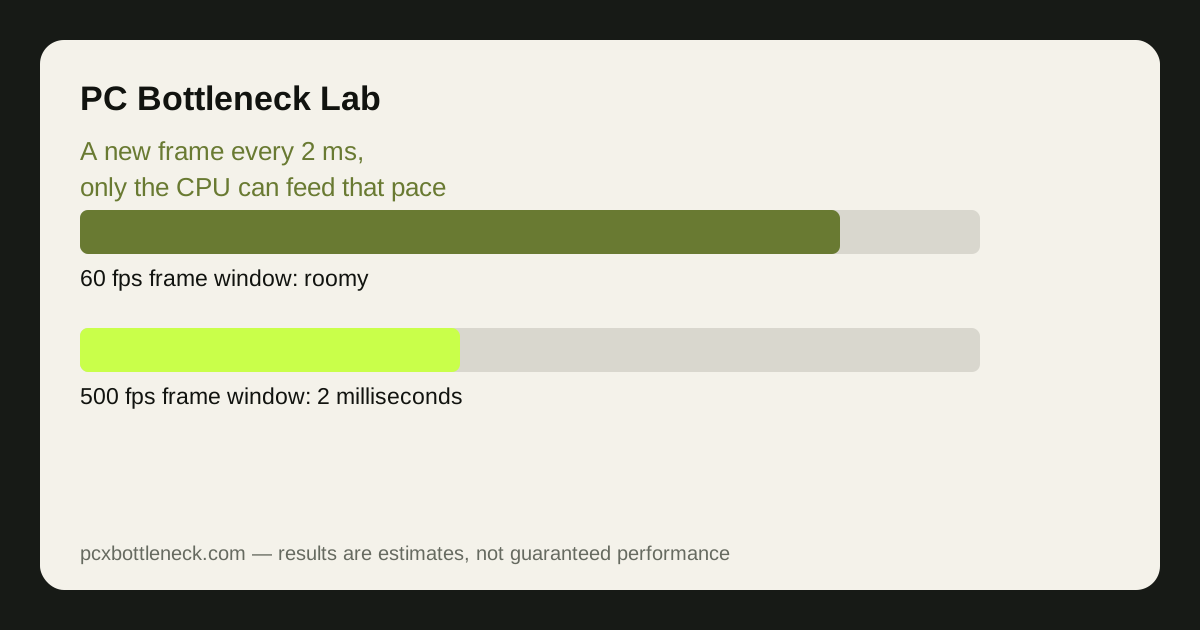
The reason is frame time. At 60 fps each frame has about 16.7 milliseconds; at 240Hz each frame has about 4.2 milliseconds; at 500Hz each frame has just 2 milliseconds. Every part of preparing a frame — the game logic, the draw calls, the driver work — has to fit inside that window. A single slow step anywhere in the chain caps the whole frame rate, no matter how fast the graphics card is.
Why the 500Hz monitor CPU limit is a frame-time ceiling
At high frame rates the GPU is rarely the limit, because each frame is rendered at low settings and low resolution in esports titles, so the card finishes its work quickly. The CPU is the limit because it must prepare every frame: update the game state, work out what is visible, and send draw calls to the GPU. That preparation has a minimum time that depends on the game engine and the CPU's single-core speed, and it cannot be split across more cores beyond what the engine supports.
This is the mechanism that separates 500Hz from the other display limits in this series. At 8K the limit is pixel work on the GPU; at ultrawide it is a mix of extra pixels and a wider view. At 500Hz the limit is pure frame-time: how fast the CPU can complete one full frame-preparation cycle, over and over, with no room for a slow frame. A game that needs 3 milliseconds of CPU time per frame can never exceed roughly 330 fps, whatever the monitor or the graphics card can do.
Which games can actually use 500Hz?
| Game type | Typical frame-rate ceiling | Can it use 500Hz? |
|---|---|---|
| Light esports (Valorant, CS2) | Very high on a strong CPU | Closest — some setups approach it at low settings |
| Fast shooters (Apex, Fortnite) | High, but engine-limited | Rarely — usually well below 500 fps |
| AAA open-world games | GPU-limited at 60–144 fps | No — the GPU sets a far lower ceiling |
| Simulation and strategy | CPU-limited at modest rates | No — the CPU is busy with simulation, not frames |
| Older or indie games | Varies widely by engine | Sometimes — if the engine is light and the CPU is fast |
Only the lightest competitive games on a strong modern CPU get anywhere near 500 fps, and even then only at low settings and low resolution, where the GPU has almost nothing to do. Games like Valorant and Counter-Strike 2 are the realistic candidates, because their engines are light and their players already chase maximum frame rates. Even there, reaching a sustained 500 fps takes a top-tier CPU, fast memory and a clean system — and the difference between 360Hz and 500Hz is far smaller than the difference between 144Hz and 240Hz.
Should you buy a 500Hz monitor — and which CPU if you do?
Buy a 500Hz monitor only if you play light esports games competitively, already own a strong CPU, and have tested that your setup actually reaches the frame rates the monitor can show. For everyone else, a good 240Hz or 360Hz monitor gives almost all of the benefit for far less money, and the money saved buys a better graphics card or CPU that improves every game, not just one.
If you do chase 500Hz, the CPU matters more than the graphics card. Look for the strongest single-core performance and the fastest memory you can afford, because those set the frame-time ceiling. A CPU with 3D V-Cache, such as the Ryzen 7 9800X3D, is a strong choice for this job — see why 3D V-Cache behaves differently in games — and fast, low-latency RAM helps the CPU prepare frames faster.
- Test your current frame rate first: if your games do not reach 360 fps now, 500Hz changes nothing.
- Prioritise the CPU: single-core speed and fast memory set the ceiling at these rates.
- Lower settings and resolution: the GPU must finish quickly so the CPU ceiling is the only one.
- Compare 240Hz and 360Hz first: the step from 360Hz to 500Hz is the smallest you will pay for.
Run your CPU and GPU through the PC bottleneck calculator for your esports game at low settings — if the result is CPU-limited well below 500 fps, the monitor cannot fix that.
Limitation: no exact frame-rate figure is promised here, because the ceiling depends on the game engine, the CPU, the memory and the settings. The 2-millisecond frame window is exact arithmetic; everything else is a range, so test your own games at low settings before buying the monitor.
Frequently asked questions
Do I need a faster CPU for a 500Hz monitor?
Only if your games can actually reach those frame rates. At 500Hz the CPU must prepare a frame every 2 milliseconds, so a strong CPU with fast single-core performance is the requirement — but for most games the frame-rate ceiling is far below 500 fps anyway, and a faster CPU buys nothing.
Is 500Hz just marketing?
The panel is real, but the benefit is marketing for most players.
Will a better GPU help me reach 500 fps?
Rarely at these speeds. In light esports games at low settings the GPU finishes quickly, so the CPU's frame-preparation time is the ceiling. A faster GPU helps only if the GPU is actually the limit — check usage first, and lower the resolution to see whether frame rate climbs.
What is the difference between 360Hz and 500Hz in practice?
A frame every 2.8 milliseconds versus every 2 milliseconds — a real but small difference that most players cannot reliably tell apart.
Which CPU is best for high-refresh esports gaming?
The best choice is a CPU with strong single-core speed and, where available, a large cache — the Ryzen 7 9800X3D is a leading example.