
The 8K gaming bottleneck starts with pixel maths
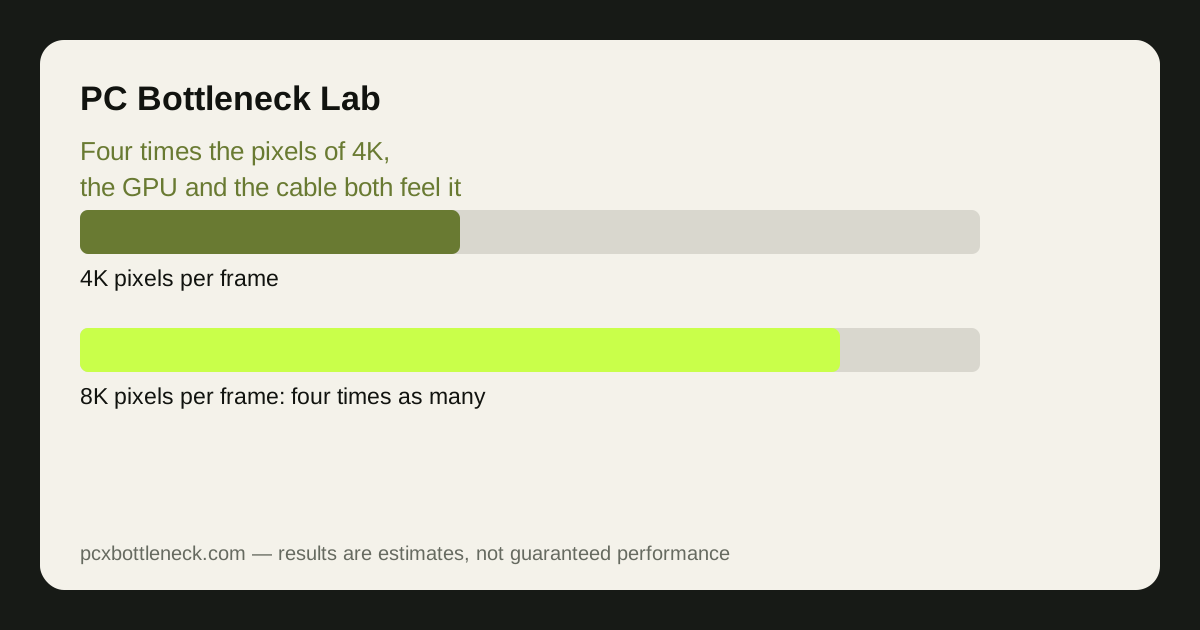
An 8K frame is 7680 by 4320 pixels, about 33 million pixels in total. That is four times the roughly 8 million pixels of a 4K frame, and sixteen times a 1080p frame. Every one of those pixels has to be shaded, lit, textured and written to memory, so the graphics card does roughly four times the pixel work of 4K for the same scene, settings and frame rate.
That is why the GPU is the first and biggest limit at 8K. Even the strongest consumer card available in 2026 cannot hold high frame rates in demanding games at native 8K with high settings, because the sheer pixel count overwhelms its shading and memory bandwidth. Lighter games, older titles and esports games can run at 8K, but a modern AAA game at native 8K is beyond a single consumer card at smooth frame rates.
VRAM is the second GPU-side limit. 8K textures and frame buffers need far more memory than 4K, and a card that is comfortable at 4K can run out of memory headroom at 8K, causing stutters as data is shuffled in and out. If you want the background on memory limits, read how VRAM limits games at 8GB, 12GB and 16GB — the same logic applies, just with a much larger frame.
The cable bottleneck: refresh rate, colour and compression
The cable is a separate, real limit that has nothing to do with the graphics card's speed. DisplayPort 2.1 and HDMI 2.1 each have a maximum data rate, and an 8K signal at high refresh rates with full colour depth needs more bandwidth than the cable can carry uncompressed. At 8K 60Hz with full 10-bit colour, the signal fits on the fastest connections; push to 120Hz or higher and something has to give.
What gives is usually chroma subsampling or Display Stream Compression. Chroma subsampling reduces colour detail to fit the signal through the cable, which is hard to notice in video but can soften fine text and coloured edges on a desktop. Display Stream Compression is visually lossless in most cases, but it is still compression, and both the card and the display must support it for the mode to work at all.
So the cable bottleneck shows up as a menu problem, not a frame-rate problem: the refresh rate or colour mode you want may simply not appear in the display settings, or it may appear only with compression enabled.
Upscaling is the honest answer at 8K
| Approach at 8K | GPU load | What you actually see |
|---|---|---|
| Native 8K, high settings | Highest — beyond one flagship card in AAA games | Sharpest image, lowest frame rate |
| Upscaled from 4K (DLSS / FSR) | Roughly a 4K workload plus upscaling cost | Very close to native in motion, far higher frame rate |
| Upscaled from 1440p | Roughly a 1440p workload plus upscaling cost | Softer fine detail, but smooth in demanding games |
| Native 8K, low settings | High, but with fewer effects to shade | Sharp but plain-looking, still demanding |
| 8K display, 4K render, no upscaler | A 4K workload | A clean 4K image on an 8K screen, no extra sharpness |
Upscaling is not a trick at 8K; it is the practical way the resolution is used. Rendering at 4K and upscaling to 8K with DLSS or FSR gives you a picture that is very close to native 8K in motion, at roughly the cost of a 4K render plus the upscaling work. That is a far better trade than native 8K at low settings or at a stuttering frame rate.
Who 8K actually suits — and who should wait
8K suits a small group in 2026: owners of very large screens who sit close enough to see the extra detail, players of light or older games that can actually run at 8K, and people who use the display for photo or video work where the resolution helps the desktop even when games run upscaled. For everyone else, a good 4K display with high refresh rate gives a better gaming experience for less money.
The honest test is to try before you buy. If you already have a flagship card, connect it to an 8K display in a shop or at a friend's house, run your own games at your own settings, and watch the frame rate and frame times — not a benchmark chart. If the games you actually play need upscaling from 1440p to stay smooth, you are paying for a resolution your card cannot feed natively.
- Check the cable first: confirm the display's DisplayPort or HDMI version supports your target refresh rate and colour mode.
- Plan on upscaling: budget for DLSS or FSR from 4K, not native 8K in AAA games.
- Check VRAM headroom: 8K needs far more memory than 4K, especially with high textures.
- Do not overspend on the CPU: at 8K the GPU sets the pace, so a balanced CPU is enough.
Run the card and CPU you are considering through the PC bottleneck calculator at 4K first — if the pair is already GPU-limited there, 8K will only deepen that limit.
Limitation: no single frame-rate figure is given here because 8K performance depends entirely on the game, the settings, the upscaler and the card. The pixel counts are exact geometry; the performance claims are ranges and judgements, so test your own games on the real display before buying.
Frequently asked questions
Can any graphics card run games at native 8K in 2026?
Light and older games, yes. Demanding AAA games at high settings, no single consumer card holds smooth high frame rates at native 8K, because the pixel count is four times 4K. Upscaling from 4K is the realistic way to play modern games on an 8K display.
Is 8K limited by the GPU or by the cable?
Both, in different ways. The GPU limits frame rate, because it must shade about 33 million pixels per frame. The cable limits which refresh rates and colour modes are available, because an 8K signal at high refresh rates exceeds uncompressed cable bandwidth and needs compression or reduced colour detail.
Does 8K need a faster CPU?
Usually not. The CPU prepares roughly the same work per frame at 4K and 8K, so the CPU ceiling barely moves. At 8K the GPU is so clearly the limit that a balanced mid-range CPU is normally enough, and money spent on a faster CPU buys little.
Is DLSS or FSR upscaling worth it at 8K?
Yes, for most players. Rendering at 4K and upscaling to 8K costs roughly a 4K workload and looks very close to native 8K in motion, while native 8K costs four times the pixel work for a difference that is hard to see at normal viewing distances.
How much VRAM do I need for 8K gaming?
More than for 4K, and the exact amount depends on texture settings and the game.