
Why do both chips punch above their weight in games?
Both processors use a large stacked cache design that keeps more game data close to the cores, cutting the time spent waiting on memory. That is why they often beat higher-clocked rivals in games even when they look ordinary in purely multi-core work. Our guide to 3D V-Cache and the 7800X3D and 9800X3D explains this mechanism in more detail, including where it helps least.
The 9800X3D builds on the same idea with a newer generation architecture, higher sustained speeds and a cache layout that handles heat better, which lets it hold its performance more consistently under load. The 7800X3D is the previous generation of the same idea: slightly slower in CPU-limited scenes, but still far ahead of most non-cache gaming CPUs. Neither chip is a good value choice for heavy rendering or productivity first; both are bought for games.
The upgrade question is therefore rarely about raw power in isolation. It is about whether your games and GPU are actually waiting on the CPU; if they are not, the newer chip's advantage stays theoretical.
Where does the 9800X3D actually pull ahead?
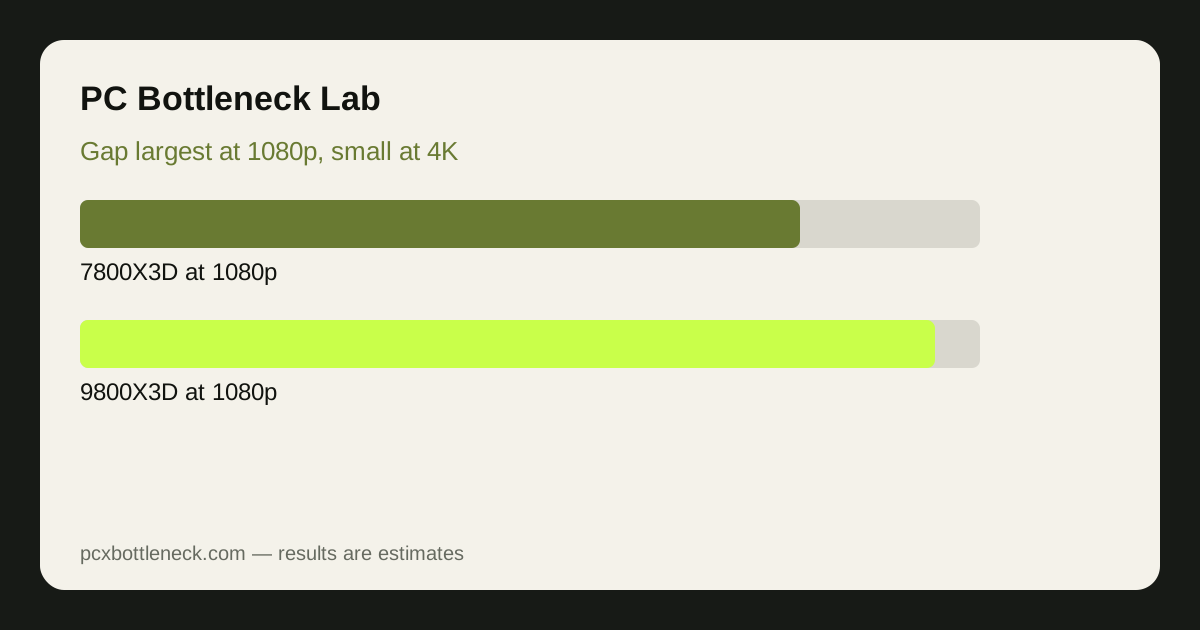
The gap is largest where the CPU is the limit: 1080p gaming with a high-end GPU, high refresh rate esports titles, simulation and strategy games, and busy open-world scenes with many entities to track. In those cases, as a general estimate rather than a measured result, the 9800X3D may deliver roughly a 5–15% higher frame-rate range than the 7800X3D, with the top of that range in the most CPU-bound titles and the bottom where the GPU still intervenes.
| Scenario | 7800X3D | 9800X3D advantage (estimate) |
|---|---|---|
| 1080p, high-end GPU, esports | Already very fast | Noticeable range, mainly in lows and consistency |
| 1080p, high-end GPU, AAA | Strong | Small to moderate range |
| 1440p, mid-range to high GPU | Strong | Small range in most games |
| 4K, GPU-limited | Strong | Minimal; GPU sets the pace |
Low frame rates, the dips rather than the average, deserve special attention. A cache CPU's biggest benefit in CPU-heavy games is often smoother lows: fewer stutters when a scene suddenly gets busy. That improvement is felt more than a small average gain, and it is where the newer chip's consistency advantage shows most clearly.
Which GPU pairing fits each CPU?
Both chips pair well with mid-range to high-end graphics cards, and both will bottleneck only rarely in the sense that matters: they rarely leave a strong GPU waiting at 1440p or 4K. The difference is at 1080p with a top-tier card, where the 7800X3D may leave a little GPU headroom unused in CPU-heavy games, while the 9800X3D uses more of it. At 1440p and 4K, that distinction largely disappears.
Check your own combination rather than trusting a general claim. Compare the Ryzen 7 9800X3D bottleneck page and the Ryzen 7 7800X3D bottleneck page, or run your exact CPU and GPU in the PC bottleneck calculator and look at the ranges by resolution. If both chips show a balanced result at your resolution, the cheaper chip is the sensible buy.
Platform cost also matters. Both use the same modern AMD platform, so moving from the older chip to the newer one usually means only the CPU itself, not a new motherboard or RAM. That makes the side-grade cheaper than a full platform change, but it still rarely pays off unless your games are demonstrably CPU-limited today.
Should you buy one, or upgrade from the other?
For a new build, the 9800X3D is the better buy when its price premium over the 7800X3D is modest, because it is faster in CPU-limited games, more consistent under load, and likely to stay relevant longer. If the 7800X3D is substantially cheaper at the moment you buy, it remains an excellent gaming CPU, and the saved money is often better spent on a stronger GPU or a better monitor.
For an existing 7800X3D owner, upgrading to the 9800X3D is usually not worth it. The gain is small at 1440p and 4K, and the money is better saved for a GPU upgrade or a future CPU generation. Upgrade only if you play at 1080p high refresh with a top-tier GPU and you can measure, not just suspect, a CPU limit in your own games.
For owners of older CPUs, either chip is a large step up, and the choice comes down to current pricing and how long you plan to keep the system. Read our PC guides and blog for the wider upgrade picture before deciding.
Limitation: frame-rate ranges here are general estimates for CPU-limited scenes, not measured benchmarks for any specific game, driver or test system. Game engine, GPU, RAM speed, cooling and settings all change the gap. Check independent reviews for the titles you play, and current pricing, before buying.
Frequently asked questions
Is the 9800X3D much faster than the 7800X3D in games?
In CPU-limited games at 1080p, it is faster by a modest estimated range, roughly 5–15%, with the biggest gains in lows and consistency. At 1440p and especially 4K, where the GPU limits performance, the difference shrinks to a small range in most titles.
Should I upgrade from a 7800X3D to a 9800X3D?
Usually no. The gain at 1440p and 4K is small, and the money is generally better spent on a GPU upgrade or saved for a future generation. Only consider it if you play at 1080p high refresh with a top-tier GPU and can measure a CPU limit.
Is the 7800X3D still good in 2026?
Yes, it remains an excellent gaming CPU. It pairs well with mid-range to high-end GPUs at 1440p and 4K, and it only shows its age clearly in the most CPU-bound scenes at 1080p with a very strong graphics card behind it.
Which chip is better for esports games?
The 9800X3D, because esports titles at high refresh rates are often CPU-limited, and its higher sustained speeds and newer architecture help frame rates and consistency there. The 7800X3D is still very capable, so the choice often comes down to price.
Do I need a new motherboard to move between these chips?
No, both use the same modern AMD platform, so a move between them normally requires only the CPU itself, plus a BIOS update if your board needs one. That keeps a side-grade cheap, though it does not by itself make the upgrade worthwhile.