
Why 128 players means so much CPU work
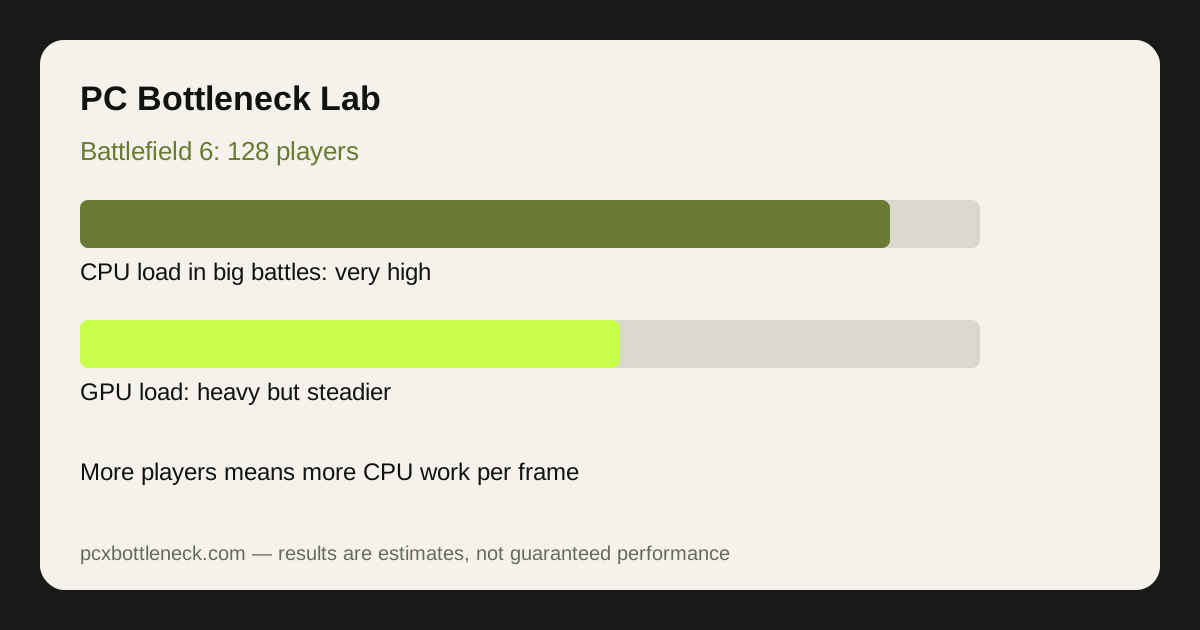
Every player in a Battlefield 6 match is a bundle of CPU work: position, movement, animation, shooting, and network updates, refreshed many times per second. With 128 players that work multiplies, and it is joined by vehicles with their own physics, destruction that changes the map as you play, and explosions that trigger effects across the whole area. The CPU has to process all of it before each frame, and the work grows with the number of players in your area — which is why frame rate is fine while you run across an empty field and falls the moment you reach the objective.
Destruction makes it worse in a specific way. When a building collapses, the game does not just play an animation: it recalculates cover, line of sight, and collision for everything nearby. That is a burst of CPU work exactly at the moment the battle is already busiest, which is why the worst frame drops in Battlefield 6 often arrive with the biggest explosions.
Where the bottleneck bites, by mode and moment
| Mode or moment | Players nearby | CPU load | Frame rate (estimate) |
|---|---|---|---|
| Small mode, quiet sector | Few | Light to moderate | High, often GPU-limited |
| 128-player, spread out | Moderate | Moderate to heavy | Good on strong CPUs |
| 128-player, objective fight | Many | Heavy | Noticeable drops on weaker CPUs |
| Objective fight plus destruction | Many, plus vehicles | Very heavy | Lowest — the real CPU test |
Estimates, not promises: on a strong modern CPU, objective fights typically land in the 90–144 FPS range at 1080p, while the same PC in a quiet sector can run far higher. On a mid-range CPU the objective-fight number falls much further, and lowering resolution barely recovers it — the classic CPU-limit signature our CPU usage guide describes.
What actually helps in big matches
The settings that help most are the ones that cut CPU-side work: effects quality, destruction detail, and the number of rendered players and effects at distance. Mesh quality and terrain detail also add CPU load in dense areas. Lowering resolution or texture quality mostly helps the GPU, so it does little in a 128-player fight where the CPU is the limit. Close background apps — recording, browsers, and launchers all compete for the same CPU time the game needs.
RAM matters here too: dual-channel fast RAM helps the CPU process the flood of player and destruction data. For hardware, a CPU with strong multi-thread performance and fast single-thread speed is the priority for this game, ahead of a stronger GPU at 1080p. Check your pairing in Bottleneck Calculator before spending.
Choosing hardware for Battlefield 6
If you play mostly large modes at 1080p or 1440p, put the budget into the CPU first: a recent high-end processor holds objective fights far better than a mid-range one, even with the same graphics card. At 4K the GPU matters more, because rendering the scene becomes the bigger job. Either way, test in a real 128-player objective fight — not the practice range — before judging a part, because the practice range hides exactly the load that matters.
Limitation: frame-rate ranges are estimates for typical 128-player matches, not benchmarks. Map, mode, vehicle density and destruction vary from round to round, so test across several matches before deciding an upgrade is needed.
Frequently asked questions
Why does Battlefield 6 lag in big fights but not in quiet areas?
Because CPU work grows with the number of players, vehicles and destruction nearby. A quiet sector has little to simulate, so the GPU sets the pace; an objective fight floods the CPU with updates, and frame rate falls.
Is Battlefield 6 CPU or GPU intensive?
Both, at different moments. At 1080p in 128-player fights it is usually CPU-limited; at 4K, or in quiet sectors, the GPU matters more. The balance shifts within a single match.
Will a better GPU fix Battlefield 6 stutter in 128-player matches?
Not if the CPU is the limit. A stronger GPU renders frames faster, but the CPU still has to prepare them. In big fights the CPU is usually the slow step, so a GPU upgrade alone leaves the drops in place.
Do destruction and vehicles make CPU load worse?
Yes. Destruction forces the game to recalculate cover and collision, and vehicles add physics and more network updates. The worst frame drops often arrive with the biggest explosions for exactly this reason.
What settings help Battlefield 6 CPU bottlenecks most?
Effects quality, destruction detail and player-count-related settings, which cut CPU-side work directly. Lowering resolution helps the GPU instead, so it does little when the CPU is the limit in a big fight.