
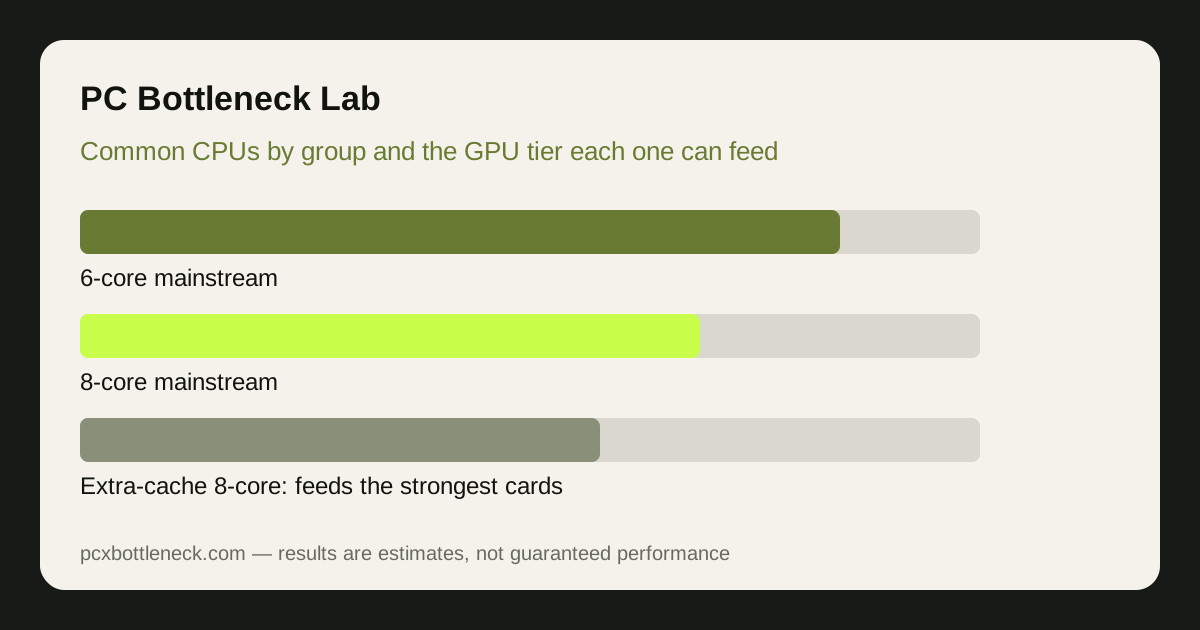
The pattern: mid-range CPUs, mid-range GPUs
Surveys of gaming hardware consistently show the same shape: the most common gaming CPUs are mainstream 6-core and 8-core parts from the last few generations, not flagship 16-core chips and not old dual-cores. Most players pair those CPUs with mid-range graphics cards, because that combination delivers smooth 1080p and 1440p gaming without the cost of the top tier.
That pattern matters for upgrades. If your CPU is one of these common mainstream parts, the right GPU upgrade is usually one or two tiers above your current card — not the flagship. A flagship card needs a stronger CPU and a higher resolution to show its value; on a mainstream CPU at 1080p, much of its power would sit idle while the CPU sets the pace.
Resolution decides how far you can go. At 1080p the CPU works hardest per frame, so the CPU caps the useful GPU tier earliest. At 1440p the GPU carries more of the load, so the same CPU can feed a stronger card. At 4K the GPU dominates almost entirely, and even a modest mainstream CPU can pair with a strong card. This is why every recommendation below is given by resolution, and why how resolution changes bottlenecks is worth reading before you choose.
Best GPU upgrade tier for each common CPU group
The groups below describe the common mainstream CPUs qualitatively — 6-core and 8-core parts from recent generations, older 6-core parts still in wide use, and the newer 8-core gaming chips with extra cache. We deliberately give upgrade tiers as ranges, not single model names, because the right card also depends on your budget, your monitor and the games you play.
| Common CPU group | Typical current pairing | Sensible GPU upgrade tier | Best at |
|---|---|---|---|
| Recent 6-core (e.g. Ryzen 5 7600 class) | Mid-range 1080p card | Upper mid-range, one to two tiers up | 1440p high settings |
| Recent 8-core (e.g. Ryzen 7 7700 class) | Mid-range to upper mid-range | Upper mid-range to high-end | 1440p and 4K |
| 8-core with extra cache (e.g. 7800X3D / 9800X3D class) | Upper mid-range and above | High-end to flagship | 1080p high-refresh and 1440p |
| Older 6-core (e.g. Ryzen 5 5600 class) | Budget to mid-range card | Mid-range only; avoid flagship | 1080p and light 1440p |
| Mainstream Intel 6- and 8-core (12th–14th gen class) | Mid-range card | Upper mid-range, one to two tiers up | 1440p high settings |
Two notes on the table. First, the extra-cache 8-core chips are the exception to the mid-range rule: their large cache makes them unusually strong at 1080p high-refresh gaming, so they can feed a stronger card than other CPUs in the same core-count group. Second, the older 6-core group is the one where a flagship upgrade wastes the most money — the CPU will cap frame rate long before the card is fully used, especially at 1080p.
For a concrete starting point, our Ryzen 7 9800X3D page and RTX 5070 page describe the current high-end CPU and a strong upper mid-range GPU respectively — a combination that suits high-refresh 1440p, but would be overkill for a 1080p 60Hz monitor.
When the CPU should be upgraded first
Sometimes the GPU is not the right upgrade at all. If you play simulation-heavy, strategy or open-world games and frame rate barely rises when you lower resolution, the CPU is setting the pace — a stronger GPU will not help. In that case the money is better spent on the CPU (and, on older platforms, the motherboard and RAM that go with it), not on graphics power.
High-refresh monitors change the answer too. At 1080p 144Hz and above, the CPU must deliver frames fast enough to fill the refresh rate, and a mainstream CPU can become the limit even with a mid-range card. If your monitor is high-refresh and your games are CPU-heavy, a CPU upgrade may unlock more than a GPU upgrade would.
Before spending on either, run your exact pairing through PC Bottleneck Calculator at your resolution, and compare the CPU-first and GPU-first options. The calculator estimates which part sets the pace for your setup, which is the question the general tiers above cannot answer for your specific games.
Choosing without overspending
Buy the GPU tier your CPU and monitor can actually use. A card that is two tiers above the sensible range for your CPU will spend much of its life waiting, and the money saved by stepping down one tier can go to the upgrade that actually helps — a better monitor, more RAM, or the CPU upgrade that comes next.
Also consider the used market honestly: a previous-generation card one tier up can be the best value upgrade for a common mainstream CPU, provided it has enough VRAM for your resolution. Check the VRAM guide before buying a used card, because a cheap card with too little memory will stutter at 1440p no matter how fast its core is.
Finally, remember that the common-CPU pattern shifts slowly. New generations move the mainstream upward, so a recommendation that was right two years ago may now be one tier low. Recheck the calculator and current reviews at the time you buy, rather than relying on a remembered pairing from an older build.
Limitation: this article describes the common pattern qualitatively and gives upgrade tiers as ranges, not exact survey percentages or rankings — those figures change with every survey and vary by region. Treat the tiers as a starting point and check your exact CPU and GPU pairing in the calculator before buying.
Frequently asked questions
What is the most common type of gaming CPU?
A mainstream 6-core or 8-core CPU from a recent generation, paired with a mid-range graphics card. Flagship 16-core chips and very old dual-core parts are both uncommon in gaming PCs, which is why upgrade advice aimed at the mainstream fits most players.
Can a Ryzen 5 5600 handle a high-end GPU?
It can run one, but at 1080p the CPU will usually cap frame rate well before the card is fully used, so much of the card's power is wasted. At 1440p and especially 4K the balance improves, but a mid-range to upper mid-range card is generally the sensible ceiling for that CPU class.
Which GPU should I pair with a Ryzen 7 7800X3D or 9800X3D?
These extra-cache 8-core chips are strong enough for high-end and even flagship cards, particularly for high-refresh 1080p and 1440p gaming. They are the exception among mainstream CPUs — most other 8-core parts top out a tier lower.
Should I upgrade my CPU or GPU first for 1440p gaming?
At 1440p the GPU usually carries more of the load, so a GPU upgrade helps most — unless your frame rate barely rises when you lower resolution, which points to the CPU. Test with the resolution check first, then run the pairing through the calculator before deciding.
Do Steam survey results change the best upgrade?
They change slowly, as new CPU generations replace older ones in the mainstream. The pattern — mid-range 6- and 8-core CPUs dominating — has been stable, so the tiers here stay useful, but always recheck your exact pairing at the time you buy rather than relying on a remembered survey.