
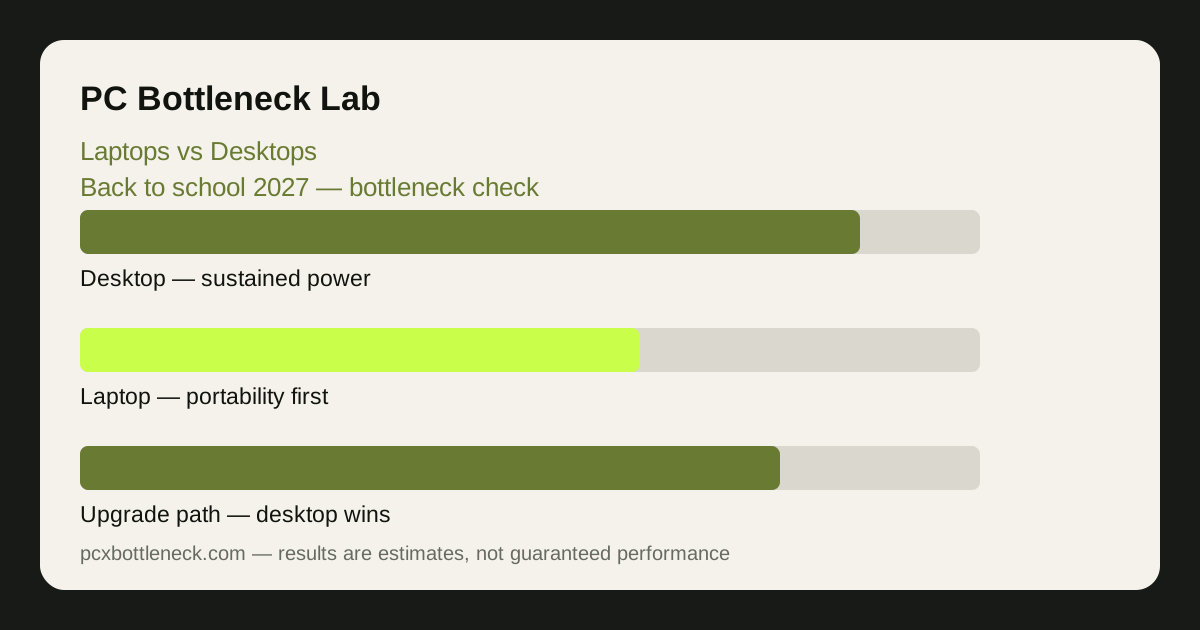
Same money, different machine
At the same budget, a desktop almost always delivers more raw performance than a laptop. The desktop's parts run at full desktop power, its cooling has room to breathe, and none of the budget pays for a screen, keyboard, battery and a thin chassis. The laptop spends part of its budget on portability — and that is a fair trade if you genuinely need it, but it is a cost you should see clearly before you pay it.
The gap shows up first in sustained performance. A laptop CPU and GPU share a small, hot chassis, so both throttle sooner under a long gaming session; a desktop with decent airflow holds its clock speeds for hours. In a short burst — opening an app, loading a page — the two can feel similar. In a two-hour gaming session in a warm room, they will not.
That is why the comparison has to be a bottleneck check, not a spec-sheet comparison. A laptop GPU with a higher model number can still be slower than a desktop GPU with a lower one, because the laptop part runs at lower power. Compare real sustained behaviour, not names.
Thermals and balance: where laptops lose most
Heat is the laptop's permanent handicap. A thin chassis, shared heat pipes and small fans mean the CPU and GPU compete for the same limited cooling, and when both are loaded — which is exactly what gaming does — one or both will slow down. A desktop separates the two, gives each its own cooler and its own airflow, and keeps going.
Balance suffers too. Many student laptops pair a capable CPU with a modest GPU, or a strong GPU with a CPU that throttles under sustained load, and the imbalance only appears after twenty minutes of play — when the review benchmarks have already finished. If you are considering a laptop, look for sustained-load reviews, not just launch benchmarks, and check the vent layout: blocked vents on a bed or a cushion will throttle any laptop fast.
The summer guide cooling before the heat explains the throttling pattern in detail, and it applies twice over to laptops. If you play at 1080p on a laptop, the CPU is usually the first part to feel the heat; at 1440p on an external monitor, the GPU takes more of the load.
| Factor | Laptop | Desktop |
|---|---|---|
| Sustained gaming performance | Throttles sooner in a small chassis | Holds clocks longer with airflow |
| Upgrade path | Usually RAM and storage only | CPU, GPU, RAM, storage and cooling |
| Portability | Goes to class, library and home | Fixed to one desk |
| Screen and peripherals | Built in, but small and fixed | Choose your own monitor and keyboard |
| Repair and lifespan | Harder to repair; battery ages | Parts replaceable one at a time |
Who should buy which
Buy a laptop if your study genuinely moves: lectures, library sessions, group work and travel between home and campus. Portability is not a luxury then, it is the requirement, and a desktop you cannot carry is a desktop you cannot use. Choose the laptop with the best cooling and screen you can afford rather than the fastest GPU on paper, because a cooler laptop sustains its performance and a good screen helps every hour of study.
Buy a desktop if you study mostly in one place and game seriously. The same money buys a more balanced CPU and GPU, better cooling, and an upgrade path: a new GPU in two years is a real option on a desktop and almost never an option on a laptop. If you need occasional portability, a cheap used laptop or tablet for notes alongside a desktop can cost less than one powerful laptop that does both jobs badly.
There is also a middle path: a mid-range laptop for class plus a desktop for gaming is more expensive up front, but it is worth considering if the budget stretches — each machine does its own job well instead of one machine compromising on both. If the budget only stretches to one machine, decide by where you spend your hours, not by which machine wins a benchmark.
The student bottleneck checklist
Whichever you choose, run these checks before you buy.
- Check the pairing at your resolution: run the CPU and GPU through Bottleneck Calculator at 1080p and 1440p. A laptop's mobile GPU may be weaker than its desktop namesake, so check the actual laptop part.
- Check sustained, not burst, performance: look for reviews that test after 30 minutes of load, not just the first five. That is where laptop throttling appears.
- Count the RAM and storage: 16GB in dual channel and an SSD are the minimum for a machine that does coursework and games. A laptop with soldered RAM cannot be fixed later — check before you buy.
- Check the screen: resolution, refresh rate and brightness matter for both study and games. A dim 60Hz screen caps the benefit of any GPU inside the machine.
- Check the upgrade path: on a desktop, confirm the motherboard and power supply can take a future GPU; on a laptop, confirm what can actually be replaced.
If the desktop route wins, the companion guide student gaming builds under $800 shows how to split that budget by balance. If you need the background on how resolution shifts the bottleneck, see how resolution changes bottlenecks.
Limitation: laptop performance varies by chassis, power limit and cooling design, so two laptops with the same CPU and GPU names can perform differently. This guide compares the categories in general terms; always check sustained-load results for the specific model you are considering, at your resolution, before you buy.
Frequently asked questions
Is a gaming laptop as fast as a desktop at the same price?
No — at the same price a desktop is usually faster in sustained gaming, because its parts run at full power with room to cool. A laptop spends part of its budget on the screen, battery and thin chassis, and its CPU and GPU throttle sooner under long sessions. The laptop wins on portability, not on performance per dollar.
Why do two laptops with the same GPU perform differently?
Because the same graphics chip can be given very different power limits and cooling in different chassis. A thin laptop may run the GPU at far lower power than a thick one, so it performs worse despite the same name. Check sustained-load reviews for the exact model, not just the spec sheet.
Can I upgrade a laptop GPU later?
Almost never. In nearly all modern laptops the GPU is soldered or built into the design, so the graphics performance you buy is the graphics performance you keep. RAM and storage are usually the only upgrades, and on some models even the RAM is soldered — confirm this before you buy if you plan to keep the machine for years.
Is a desktop better for coursework too?
For sustained work at one desk — long documents, research with many tabs, video editing — a desktop is usually more comfortable and more responsive, with a bigger screen and better cooling. But if your coursework happens in lectures, libraries and group rooms, a desktop you cannot carry is no help at all, and a laptop is the right tool despite the performance trade.
Should a student buy a laptop and a desktop?
Only if the budget genuinely stretches to both without gutting either. A mid-range laptop for class and a balanced desktop for gaming is a good combination, but a cheap laptop plus a cheap desktop can leave you with two weak machines. If the budget only covers one, choose by where you spend your hours, not by benchmark scores.