
What makes Tarkov's load different
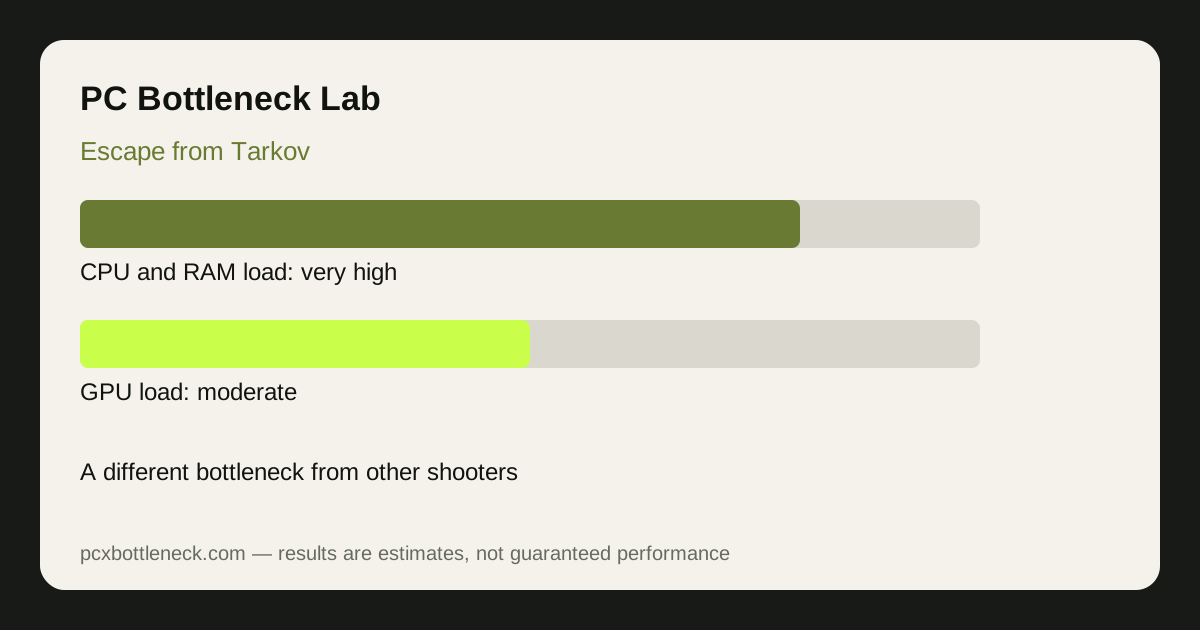
Most shooters load the CPU with players and the GPU with the scene. Tarkov loads the CPU with the map itself. Its maps are large, dense, and full of loot — every container, item, and stash is tracked, and the game simulates AI opponents (scavs and raiders) with their own decisions, patrols, and hearing across the whole map, not just near you. That simulation runs whether you can see it or not, so the CPU works hard from the moment the raid starts.
Audio is the second unusual load. Tarkov's positional audio simulates how sound travels through buildings and terrain, which is CPU work that most games barely do. And the RAM load is unusually high: the game holds large maps, textures, and loot data in memory, so slow or single-channel RAM causes stalls and stutter that look like a CPU or GPU problem but are really a memory problem. A GPU upgrade fixes none of these — the graphics card was never the slow step.
How the bottleneck changes by map and moment
| Map or moment | Main load | Limiting part | What you feel |
|---|---|---|---|
| Small map, quiet start | Map and loot data | RAM and CPU | Mostly smooth, occasional hitches |
| Large open map | Draw distance, AI across the map | CPU and RAM | Lower frame rate, long views cost more |
| Dense urban map | Buildings, audio, AI indoors | CPU, RAM, audio | Stutter in fights, slow turns |
| Boss or raider fight | AI decisions, audio, effects | CPU | Sharp drops at the worst moment |
Estimates, not promises: on a strong modern CPU with fast dual-channel RAM, Tarkov typically lands in the 80–120 FPS range on most maps at 1080p, falling noticeably in dense urban areas and boss fights. On a weaker CPU or single-channel RAM the numbers fall much further, and lowering resolution barely recovers them — the pattern our bottleneck guide uses to identify a CPU limit.
RAM and audio: the hidden bottlenecks
RAM is the first thing to check in Tarkov. The game uses more memory than most shooters, and running short — or running single-channel — causes the stutter players blame on their CPU or GPU. Dual-channel RAM with its speed profile enabled, and enough capacity to avoid paging, is the cheapest big improvement most Tarkov players can make. Our RAM bottleneck guide explains how to check whether memory is your limit.
Audio settings matter too. The binaural audio processing that makes Tarkov's sound so precise is CPU work, and turning it down can recover frames on a weaker CPU. It is a trade-off — the audio is part of the game — but it is a real lever when frame rate matters more than sound detail in a fight.
What to upgrade for Tarkov
For Tarkov the priority order is: fast RAM first, strong CPU second, GPU third. A CPU with strong single-thread speed and large cache handles the AI and simulation load best; a mid-range GPU is usually enough at 1080p and 1440p because the graphics work is moderate. Check your pairing in PC Bottleneck Calculator before spending, and test on the map you actually play — not the easiest one — because the bottleneck changes by map.
Limitation: frame-rate ranges are estimates for typical raids, not benchmarks. Map, player count, AI activity, and game updates all change the load, and Tarkov's performance has shifted across updates, so retest after major patches before spending money.
Frequently asked questions
Why doesn't a new GPU help Escape from Tarkov much?
Because Tarkov is usually limited by the CPU and RAM, not the graphics card. The GPU work is moderate, while map simulation, AI, loot tracking and audio load the CPU and memory — a new GPU waits on the same slow steps.
How much RAM does Escape from Tarkov need?
More than most shooters. The game holds large maps and loot data in memory, so enough capacity plus dual-channel fast RAM matters a lot. Single-channel or slow RAM causes stutter that looks like a CPU or GPU problem.
Is Tarkov CPU or GPU intensive?
Mostly CPU and RAM intensive. The graphics are not the heaviest part of the game; the simulation, AI, audio and memory load set the pace on most maps.
Why does Tarkov stutter when I turn quickly?
Turning quickly forces the game to load new scenery, loot and audio data at once. Slow RAM or storage makes that hitch worse, and a busy CPU has less spare capacity to absorb it.
Does Tarkov's audio affect performance?
Yes. Its positional audio simulates how sound travels through the environment, which is CPU work. Turning binaural audio down can recover frames on a weaker CPU, at the cost of sound detail.