
CPU demands vary by genre, not by release date
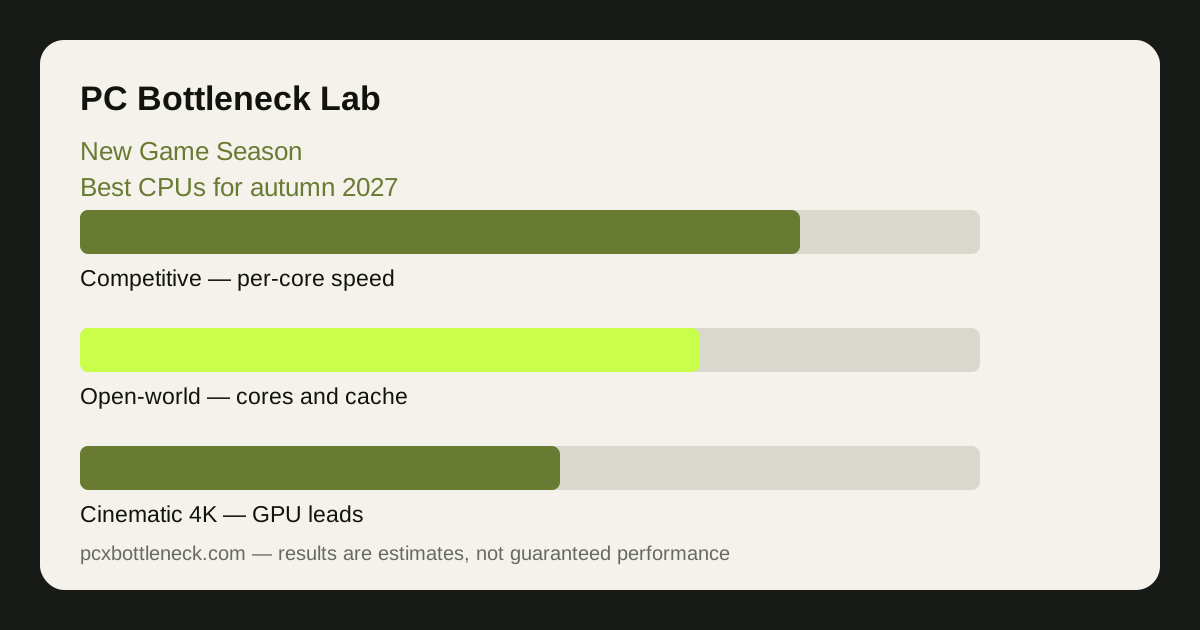
The biggest mistake of a new game season is treating every release as equally demanding. Open-world games with large simulated cities or landscapes stress the CPU hardest, because the processor must track many characters, vehicles and systems at once. Strategy and simulation games are close behind, for the same reason — their worlds are computed, not just drawn. Competitive shooters stress the CPU differently: they need high per-core speed to push high frame rates at 1080p, even though their worlds are smaller. Cinematic single-player games, by contrast, usually stress the GPU far more than the CPU, especially at 1440p and 4K.
That means the right CPU depends on what you will actually play. A player who lives in competitive shooters needs strong per-core speed above all. A player waiting for open-world or simulation releases needs cores and cache. A player who mainly plays cinematic games at 4K may not need a CPU upgrade at all, however impressive the autumn line-up looks — the GPU will be the limit, and the money is better spent there.
Before the season starts, list the games you actually intend to play, sort them by genre, and check your current CPU against the genre's demands rather than against a single headline game. The guide CPU bottlenecks in esports vs AAA games explains the same split in detail.
What actually matters in a CPU for new games
Three things matter, in this order. First, per-core speed: the fastest single thread still sets the pace in most games, especially at 1080p high refresh. Second, cache and memory: a large fast cache and dual-channel RAM help the CPU feed the GPU without stalling, and slow single-channel RAM can undo a good CPU entirely. Third, core count: more cores help in open-world and simulation games, but beyond a certain point extra cores add little for most titles, and money spent on cores you will not use is money taken from the GPU or RAM.
What does not matter as much as marketing suggests is the model year alone. A recent mid-range CPU with strong per-core speed and fast RAM will beat an older high-end CPU in most new games, and a new CPU with slow RAM will disappoint. Check the whole platform — CPU, RAM speed and channels, cooling — before judging one part. See DDR4 vs DDR5 RAM speed and bottlenecks for the memory side of the equation.
| Game type this autumn | CPU demand | What to check first |
|---|---|---|
| Competitive shooters | Per-core speed at 1080p | Fastest core, high-refresh monitor |
| Open-world games | Cores and cache | Core count, cache, dual-channel RAM |
| Strategy and simulation | Cores and sustained speed | Cooling, so clocks hold under load |
| Cinematic games at 4K | Modest — GPU is the limit | GPU and VRAM before the CPU |
When to buy, and when to wait
The worst time to buy a CPU for an unreleased game is months before its requirements are published. The best time is after the requirements appear and after the first performance reports from real players, when you can match the CPU to the game instead of to a guess. That means the smart move for most of the summer is preparation, not purchase: check your current CPU, fix RAM and cooling if they are holding it back, and keep the upgrade budget ready.
There are exceptions. If your CPU already limits you in the games you play today — one core near maximum, GPU waiting, frame times uneven at 1080p — then an upgrade is justified now, because the autumn games will only make the same weakness more visible. But buy for today's evidence, not for a future title's imagined demands. Run your current pairing through PC Bottleneck Calculator at your resolution and let the result, not the release calendar, decide.
Also watch the platform question. A CPU upgrade that needs a new motherboard and RAM costs far more than the CPU alone, while a drop-in upgrade on your current platform can be excellent value. Check compatibility and total cost before you fall in love with a particular model — the upgrade-path guides AM5 upgrade path and AM4 upgrade path show how to think about that choice.
Your pre-season checklist
- List your autumn games by genre: competitive, open-world, strategy, cinematic — each points to a different CPU need.
- Test your current CPU today: play what you own at your resolution and watch per-core usage. A CPU that already struggles will struggle more in autumn.
- Fix RAM and cooling first: dual-channel RAM and clean airflow are cheaper than a new CPU and often recover more performance.
- Wait for real requirements: do not buy for a game whose specifications have not been published. Check again when they appear.
- Check the whole platform cost: CPU plus motherboard plus RAM if a new platform is needed — judge the total, not the CPU price alone.
For the big open-world release on the horizon, our preview GTA 6 on PC: can I run it (preview) applies the same honest method — no specifications claimed before they are published, and ranges instead of exact numbers.
Limitation: this article is a preview written before autumn 2027. It claims no unreleased game's specifications, requirements or performance as fact, and any specific game's demands should be checked against its published requirements and real player reports once they exist. CPU guidance here is by genre and resolution, in ranges, not a promise about any single title.
Frequently asked questions
Should I upgrade my CPU before autumn 2027 games release?
Only if your CPU already limits you in the games you play today. If it does, an upgrade now is justified on today's evidence. If it does not, wait for real system requirements — buying months early means paying for performance you may not need, for games whose demands are not yet published.
Do new games need more CPU cores?
It depends on genre. Open-world, strategy and simulation games benefit from more cores, because they simulate large worlds. Competitive shooters care more about per-core speed, and cinematic games at 4K are usually GPU-limited. More cores help some autumn games a great deal and others barely at all — check the genre, not the release date.
Is per-core speed or core count more important?
Per-core speed first, for most games. The fastest single thread still sets the pace in the majority of titles, especially at 1080p high refresh. Core count matters next, mainly for open-world and simulation games. A CPU that is strong on both is ideal, but if you must choose, favour per-core speed for competitive play and core count for simulation-heavy games.
Will my CPU be the bottleneck at 4K in new games?
Usually not. At 4K the GPU does most of the work, so even a mid-range CPU can keep up in cinematic games, and the graphics card and its video memory matter far more. At 1080p the CPU matters much more, so the same pairing can be CPU-limited at 1080p and GPU-limited at 4K — check at the resolution you actually play at.
What should I fix before buying a new CPU?
RAM and cooling. Slow single-channel RAM can hold back any CPU, and a hot CPU throttles under sustained load no matter how new it is. Fix dual-channel RAM and clean airflow first, retest, and only then judge whether the CPU itself is the limit — you may find the upgrade you needed was free.