
What a PCIe 5.0 SSD actually changes
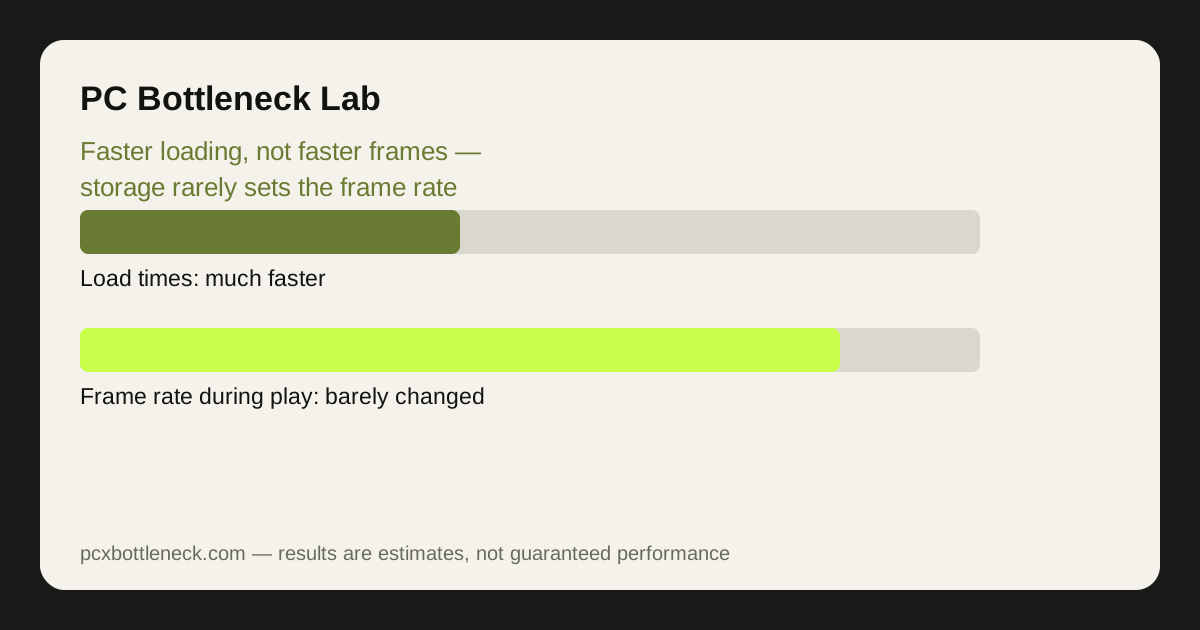
A PCIe 5.0 SSD roughly doubles the sequential read speed of a good PCIe 4.0 drive, and both are many times faster than a SATA SSD or a hard drive. That speed shows up clearly in one place: loading. Games start faster, levels load faster, and fast-travel in open-world games is quicker. If you time a load screen, the PCIe 5.0 drive wins.
What it does not do, in most games, is raise frame rate. In reality, once a level is loaded, the game runs from RAM and VRAM, and the storage drive sits mostly idle. The GPU shades pixels and the CPU prepares frames, and neither of them waits on the drive during normal play. A faster drive cannot make the GPU shade faster or the CPU prepare frames faster, so average FPS stays essentially where it was.
The exception is the loading stutter: a game that streams new areas as you move can hitch while it waits for data. That is a real storage-related problem, and it is covered in our guide to PCIe, storage and SSD stutter. But even there, the fix is usually any fast NVMe drive rather than specifically a PCIe 5.0 one, because the stutter comes from slow storage in general, not from the gap between PCIe 4.0 and 5.0.
DirectStorage: what it is, and why it has not changed gaming yet
DirectStorage is a Windows feature that lets a game load compressed data from the SSD straight to the graphics card, skipping the CPU decompression step that used to sit in the middle. In theory, that makes loading faster and frees the CPU, and it is the one feature that could make storage speed matter during play rather than only on load screens.
In practice, very few games use it. As of 2026, only a small number of released games implement DirectStorage, and the gains in the games that do are mostly shorter load times rather than higher frame rates. The feature needs game developers to build for it, and most have not, because the benefit is modest and the work is real. A PCIe 5.0 SSD bought today for DirectStorage is a bet on future games, not a fix for current ones.
When storage speed does matter — and when it does not
| Situation | Does a PCIe 5.0 SSD help? | What matters instead |
|---|---|---|
| Game loading and fast travel | Yes — noticeably faster loads | Any NVMe drive; PCIe 5.0 is the fastest |
| Frame rate during play | Almost never | GPU and CPU set the frame rate |
| Open-world streaming stutters | Sometimes, if storage was the cause | Any fast NVMe drive, plus enough RAM |
| DirectStorage games | A little, in the few games that use it | The game must implement the feature |
| Copying and installing games | Yes — much faster transfers | Sequential speed is the whole job here |
| Old games on a hard drive | A huge improvement from any SSD | Moving to any NVMe SSD, not PCIe 5.0 specifically |
The pattern is consistent: storage speed matters when the job is moving data, and not when the job is rendering frames. Installing a game, copying files, loading a level — those are data-moving jobs, and a PCIe 5.0 drive excels at them. Playing the game, once loaded, is a rendering job, and the drive is not part of it.
Buying advice: who needs PCIe 5.0, and who should buy PCIe 4.0
Buy a PCIe 5.0 SSD if you move large files often, you want the fastest load times available, and the price premium over a good PCIe 4.0 drive is small. Content creators who copy large video files, and players who hate load screens and have the budget, will notice the difference every day.
Buy a good PCIe 4.0 SSD if you are building a gaming PC on a normal budget. It loads games nearly as fast in practice, it runs cooler, and the money saved buys a better graphics card or more RAM — parts that actually raise frame rates. A PCIe 4.0 drive with a DRAM cache and good sustained write speeds is a better gaming purchase than a cheap PCIe 5.0 drive with poor sustained performance.
- Check your motherboard: a PCIe 5.0 slot needs a compatible board and CPU; in a PCIe 4.0 slot the drive runs at PCIe 4.0 speed.
- Check cooling: PCIe 5.0 drives run hot and often need the motherboard heatsink fitted.
- Leave free space: an SSD that is nearly full slows down, whatever its generation.
- Do not expect FPS gains: budget for load-time improvements, not frame-rate improvements.
Before spending on storage, run your CPU and GPU through the PC bottleneck calculator — if the result is GPU- or CPU-limited, that is where the upgrade money belongs.
Limitation: no load-time figures are promised here, because load times depend on the game, the drive, the CPU and how full the drive is. The claim that storage rarely limits frame rate is a general principle, not a measurement of your PC — test your own games before and after a drive change if you want to know what it bought you.
Frequently asked questions
Does a PCIe 5.0 SSD increase FPS in games?
Almost never. Once a level is loaded, the game runs from RAM and VRAM, and the GPU and CPU set the frame rate. A PCIe 5.0 SSD shortens load times and can reduce streaming stutters, but it does not make the GPU shade pixels faster.
What is DirectStorage, and do I need it?
DirectStorage lets games load compressed data from the SSD straight to the graphics card, skipping CPU decompression.
Is a PCIe 5.0 SSD worth it for gaming?
For load times and file transfers, yes if the price premium is small.
Will a PCIe 5.0 SSD fix stuttering in my games?
Only if the stutter is caused by slow storage streaming, such as a game loading new areas from a hard drive or a nearly full drive.
Does my motherboard support a PCIe 5.0 SSD?
It needs a PCIe 5.0 M.2 slot and a compatible CPU; check the motherboard manual.