
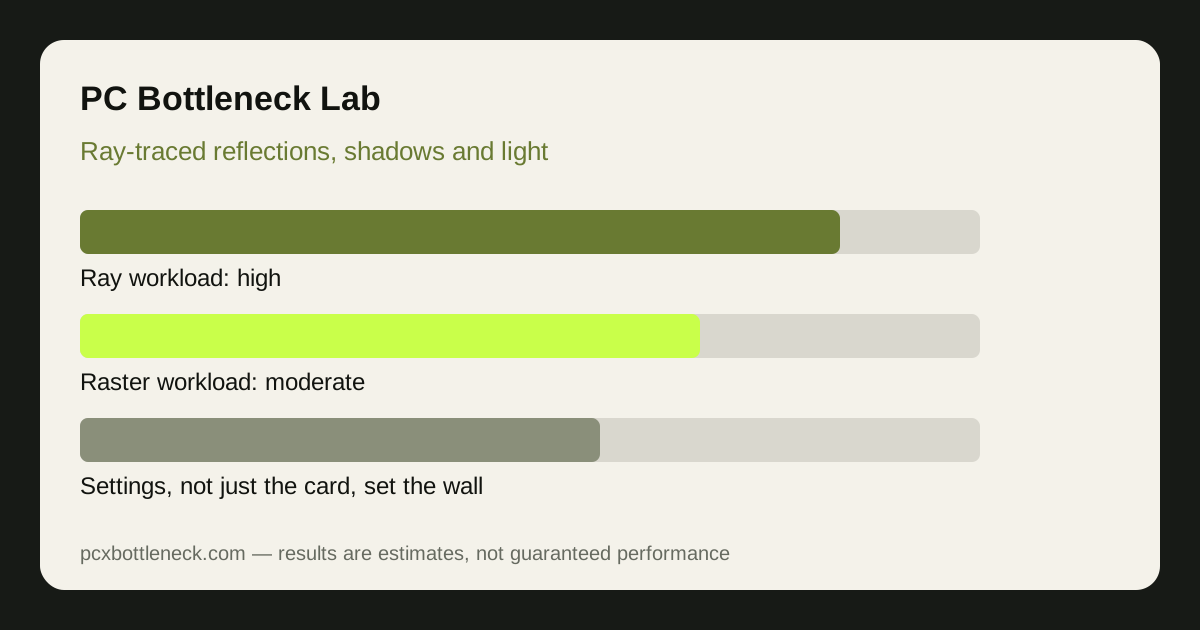
What ray tracing actually loads on the GPU
Traditional rasterisation draws triangles and fakes light with textures and baked shadows. Ray tracing simulates light paths instead: rays are cast from the camera, bounce off surfaces, and gather colour, reflection and shadow information. That work lands on the graphics card's dedicated ray-tracing hardware, its shader cores and its memory, all at once.
The result is a workload that scales with the number of rays per pixel, the number of bounces, and the complexity of the scene — not just with resolution. A street scene with wet roads, glass and dozens of light sources can cost far more than an open field at the same resolution, which is why two games at the same settings can feel like completely different GPUs.
Upscaling and frame generation sit on top of this. They do not remove the ray-tracing cost; they render fewer rays or fewer real frames and reconstruct the rest. That is why turning on an upscaler can recover frame rate while ray tracing stays on, and why the same upscaler helps less when the ray-tracing workload itself is the wall.
Ray tracing vs rasterisation: a different kind of limit
A card can be rasterisation-strong and ray-tracing-weak at the same time. Generations differ in how much dedicated ray hardware they carry, how fast that hardware traverses the scene structure, and how much memory bandwidth is available for the extra data ray tracing moves around. An older high-end card can therefore lose to a newer mid-range card once ray tracing is switched on, even though it wins with ray tracing off.
VRAM plays a part too. Ray tracing adds acceleration structures that describe the scene, plus larger buffers for reflections and lighting. On cards with less memory, a ray-traced scene can spill into slower memory or force texture quality down, and the stutter that follows looks like a GPU limit when it is really a memory-capacity problem. If you want the memory side in detail, read the VRAM bottleneck guide for 8GB, 12GB and 16GB cards.
| Ray-traced feature | What it loads hardest | Typical cost vs rasterised look |
|---|---|---|
| Reflections on water and glass | Ray hardware and memory bandwidth | High — many rays per reflective pixel |
| Soft shadows from many lights | Ray hardware, shader cores | Medium to high in busy scenes |
| Global illumination | Ray hardware, bounces multiply cost | High — every bounce adds rays |
| Ambient occlusion only | Shader cores, modest ray work | Low to medium |
| Ray-traced audio or physics extras | Shader cores, not the RT cores | Low in most games |
How resolution and settings change the ray-tracing wall
Ray tracing cost rises with resolution because there are more pixels to trace, but it does not rise evenly. At 1080p, a mid-range card can often run medium ray tracing with upscaling and stay smooth; at 1440p the same settings can halve the frame rate, and at 4K the ray workload alone can dominate the frame. That is why a pairing that looks balanced in rasterised games can look GPU-limited the moment ray tracing joins in — and why our PC Bottleneck Calculator asks for your resolution before it judges a pairing.
Settings matter more than the on/off switch. Most games offer ray-tracing presets from low to ultra, and the gap between medium and ultra is often bigger than the gap between off and medium. Dropping reflections from ultra to high, or global illumination from ultra to medium, can recover a large share of frame rate while keeping most of the visual change. Test one setting at a time in the same scene, and note which one moves frame rate most — that setting is your real bottleneck.
Upscaling quality settings interact here as well. A quality-mode upscaler at 1440p renders fewer pixels and therefore traces fewer rays, which is a genuine reduction in ray-tracing work, not just a blur trick. If the game supports it, pairing medium ray tracing with quality upscaling usually beats ultra ray tracing at native resolution on the same card.
How to tell ray tracing is your bottleneck
Run the same scene twice: once with ray tracing off and once with it on, at the same resolution. If frame rate falls sharply with ray tracing on while GPU usage stays near maximum, the ray workload is the limit. If frame rate barely changes, ray tracing was never your problem — check the CPU side with how to tell a CPU bottleneck from a GPU bottleneck instead.
Watch 1% lows as well as averages. Ray tracing often hurts the worst frames most: a scene with many reflections can dip far below the average when the camera turns. If the average looks acceptable but turning the camera causes hitches, lower the ray-tracing preset before you blame the CPU or the rest of the system.
Before pricing a new card, try the cheaper fixes in order: a lower ray-tracing preset, a quality upscaler, and a resolution step down. If those recover the smoothness you want, the card is fine and the settings were the bottleneck. Only if medium ray tracing with upscaling still falls short at your target resolution is a stronger ray-tracing card the honest answer.
Limitation: ray-tracing cost varies enormously by game, engine and scene, so no single percentage describes it. The ranges here are estimates from the pattern across games, not measured results for any one title. Test your own games in the same scene before spending money.
Frequently asked questions
Does ray tracing bottleneck the CPU as well as the GPU?
Rarely in the same way. Ray tracing is mostly GPU work, but the CPU still has to build and update the scene structures the rays traverse, so a very weak CPU in a busy open-world game can add its own limit on top. If lowering resolution does not help with ray tracing on, suspect the CPU; if it does help, the GPU ray workload is the wall.
Why does ray tracing hurt some games far more than others?
Because games trace different things. One game may trace only shadows, another traces reflections, global illumination and shadows together, and a third may trace at half resolution. The setting name alone tells you little — the preset, the scene and the engine decide the cost.
Is a card with more VRAM better for ray tracing?
It helps when memory is the constraint, not otherwise. Ray tracing adds scene data that must live in VRAM, so a card that is already near its memory limit will stutter sooner with ray tracing on. But extra VRAM does not speed up the ray hardware itself, so it cannot fix a card whose ray cores are the limit.
Should I turn ray tracing off to remove a bottleneck?
Not necessarily. Try medium ray tracing with a quality upscaler first — that combination keeps most of the visual improvement at a much lower cost than ultra ray tracing at native resolution. Turning it off entirely is the fallback if even the medium preset with upscaling misses your smoothness target.
Does upscaling remove a ray-tracing bottleneck?
It reduces it, it does not remove it. Upscaling renders fewer pixels, so fewer rays are traced, which is a real saving. But the rays that remain still cost the same per pixel, so a card that is ray-limited at native resolution will still be ray-limited, just at a higher frame rate.