
Key takeaways
- Two published calculators rate this pair as well balanced, with the GPU as the limiting part and no significant bottleneck.
- Estimated AAA frame rates run about 80 to 130 FPS at 1080p and about 55 to 100 FPS at 1440p, by settings.
- The RTX 4060 Ti comes in 8GB and 16GB versions, and the memory size matters more than the name suggests.
- The Ryzen 5 7600 runs on AM5 with DDR5, so this pair has a real upgrade path to newer Ryzen CPUs.
- The smart upgrade is a stronger GPU later, or a jump to a Ryzen 7 9800X3D class CPU only for high-refresh play.
What each part brings
A bottleneck is the point where one part limits the rest of the system. The CPU prepares each frame, and the GPU draws it. Whichever part finishes slower sets the speed. A balanced pair is one where the graphics card works near full load while the CPU keeps up without strain.
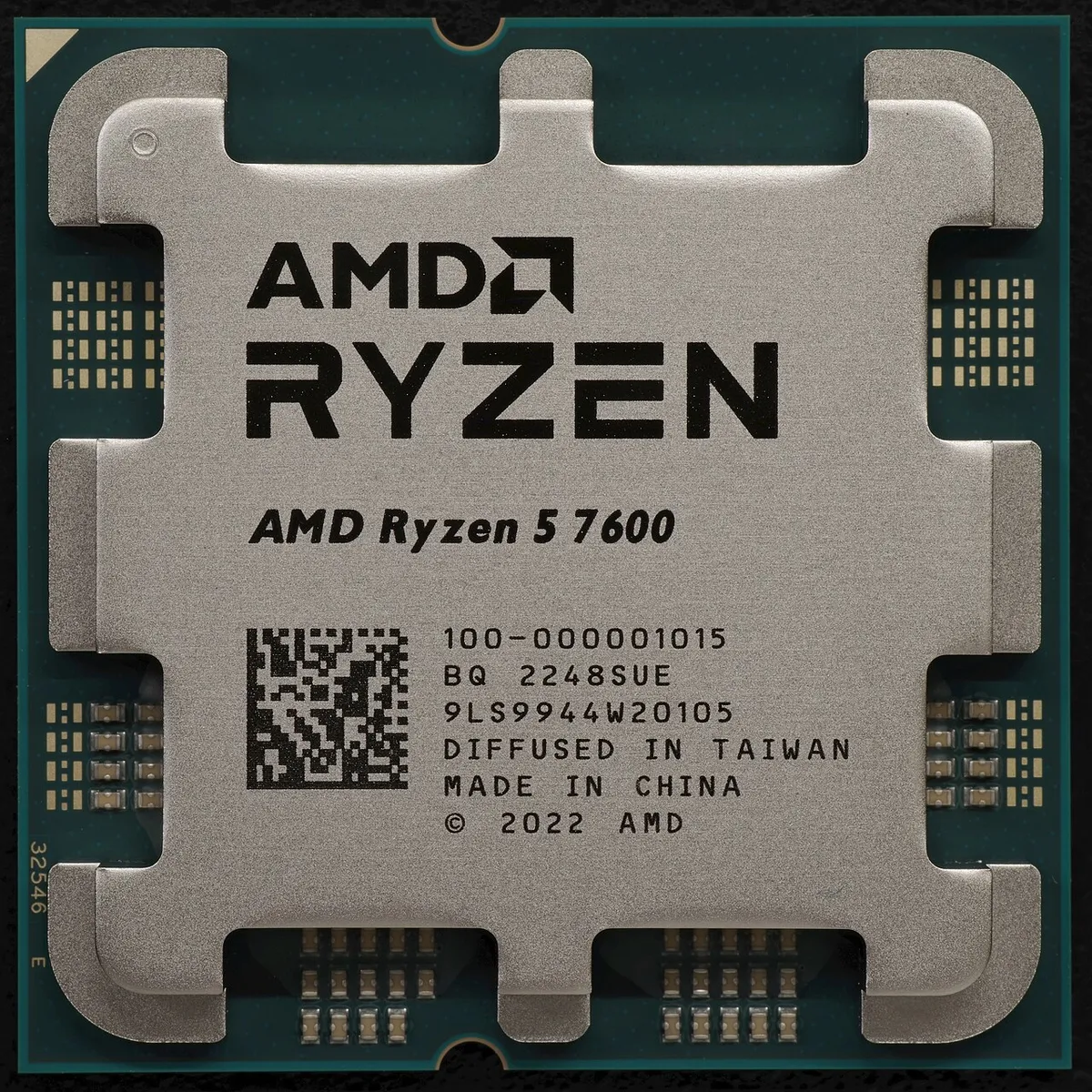
The Ryzen 5 7600 is a 6-core, 12-thread desktop CPU from AMD's Ryzen 7000 series. It runs at a 3.8 GHz base clock and boosts up to 5.1 GHz. It uses the AM5 socket with DDR5 memory, supports PCIe 5.0, and carries a rated power draw of 65W. Unlike the older 5600X, it includes basic integrated graphics, which helps for troubleshooting and for a display if the discrete card fails. It also has a clear upgrade path: the same AM5 board can take newer Ryzen CPUs later.
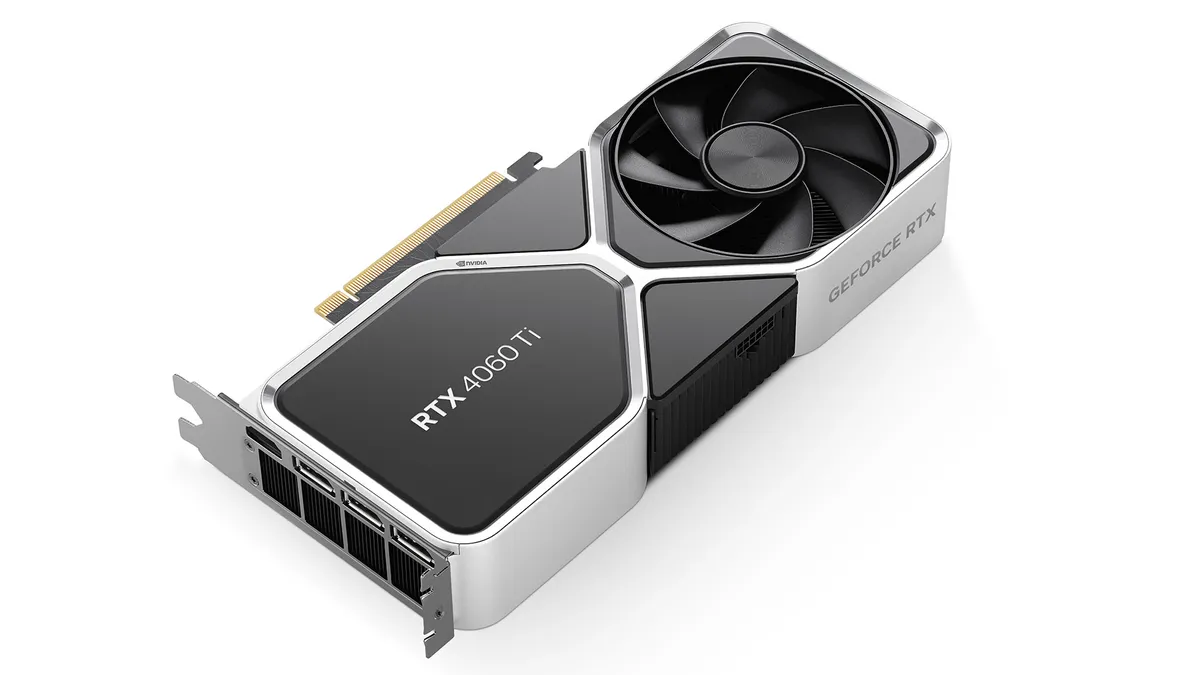
The RTX 4060 Ti is NVIDIA's step up from the RTX 4060. It comes in two versions, with 8GB or 16GB of GDDR6 video memory. Both versions share the same graphics chip and a rated board power near 160W. The card supports DLSS 3 frame generation, ray tracing and NVIDIA Reflex. The two memory sizes are the whole story of this card. The chip is the same, but the 8GB version hits a memory wall that the 16GB version avoids.
Ryzen 5 7600 RTX 4060 Ti bottleneck by resolution
Published calculators agree on this pair more than they agree on most. One calculator rates the combination at 0% bottleneck for general tasks, with CPU use near 83% and GPU use near 82%. Another rates it GPU-limited and well balanced, with no significant bottleneck, and calls it excellent for AAA gaming at 60 FPS or more. Both point the same way: neither part wastes the other.
| Resolution | Limiting part | Balance verdict |
|---|---|---|
| 1080p | GPU, small limit | Balanced; CPU has room to spare |
| 1440p | GPU, moderate limit | Balanced; the sweet spot for this pair |
| 4K | GPU, larger limit | Playable with DLSS; not the card's home |
At 1080p, the CPU matters more, because the GPU draws fewer pixels per frame. Even here, the 7600 keeps up easily. Benchmark records for the related Ryzen 5 7600X with this card show no bottleneck in Fortnite, PUBG, League of Legends or Dota 2 at 1080p. Both parts share the load in those tests. The 7600 is a small step below the 7600X in clock speed. The picture for the 7600 is the same shape with slightly lower peaks.
At 1440p, the GPU does more work per frame, so the balance tips further toward the graphics card. That is the healthy direction. At 4K, the card is the clear limit, and the 8GB version struggles first. If you want to check your own system, read our guide on how to check a GPU bottleneck without software. It shows the signs to watch without installing anything.
FPS by resolution: what to expect
Frame rates below are estimate ranges for AAA games at high settings, not measured results from our test bench. Real games vary widely: esports titles run far faster, and heavy ray tracing runs far slower. Esports readings from a named benchmark source used the 7600X with this card. They reached about 350 to 440 FPS in Fortnite at 1080p, about 200 FPS in PUBG, and about 190 FPS in League of Legends. That shows how much headroom competitive games have on this pair.
| Resolution and settings | Estimated AAA FPS range | What it feels like |
|---|---|---|
| 1080p high | About 100 to 130 FPS | Smooth on high-refresh monitors |
| 1080p ultra | About 80 to 110 FPS | Smooth at 60Hz and above |
| 1440p high | About 70 to 100 FPS | Good on 144Hz screens in most titles |
| 1440p ultra | About 55 to 80 FPS | Playable, with tweaks for 60 FPS |
| 4K high | About 30 to 55 FPS | Playable with DLSS or lowered settings |
At 1080p, this pair clears high-refresh targets in nearly every game. At 1440p, most AAA games sit in the 60 to 100 FPS band at high settings, which suits a 144Hz monitor well. At 4K, DLSS is not optional. It renders at a lower internal resolution and rebuilds the image, which lifts frame rates without a visible quality loss in most games. Frame generation adds further frames on top, but it also adds a little latency. Use it for single-player games and leave it off for competitive shooters.
8GB or 16GB: the choice that decides the pair
VRAM is the memory on the graphics card that holds textures, shadows and frame data. When a game needs more VRAM than the card has, it swaps data to system RAM, and frame rates stutter. The 8GB and 16GB versions of the RTX 4060 Ti share a chip, so the memory size is the only real difference between them.
At 1080p, 8GB is still enough for nearly every game. At 1440p ultra, the 8GB version hits its wall in texture-heavy AAA titles from 2025 and 2026. The 16GB version does not, and that gap grows with each new release. Our guide to VRAM limits at 8GB, 12GB and 16GB lists where 8GB bites hardest.
The buying rule is simple. If you play at 1080p and the 8GB card costs far less, take it and spend the saving elsewhere. If you play at 1440p, or you keep cards for four years or more, buy the 16GB version. The price gap pays for itself in the games you will play next year, not just the games you play today. A used 8GB card is fine only if the price reflects its shorter life.
Is this AM5 pair worth building in 2026?
Yes, and the platform is the reason. AM5 is AMD's current socket, and it takes Ryzen 7000, 8000 and 9000 series CPUs. A board bought today can take a Ryzen 7 9800X3D later without a rebuild. That upgrade path is worth real money, because it turns a CPU upgrade into a single part swap. Our guide to the AM5 upgrade path from the 7600 to the 9800X3D maps the steps and the gains.
The pair also suits its price class. The 7600 is a budget AM5 CPU with strong gaming speed, and the 4060 Ti is a mid-range card for 1080p and 1440p. Neither part is wasted, and neither part is overkill. The one thing to check is RAM: AM5 needs DDR5, and DDR5 prices rose sharply in late 2026. Buy a 32GB DDR5-6000 kit if the budget allows, or 16GB now with a matched kit later. Check the balance of your planned build on the bottleneck calculator before you buy.
Check your monitor too. This pair shines on a 1440p 144Hz or 165Hz screen, where its frame rates match the refresh rate. On a 1080p 60Hz screen, it is more power than you need, and the money would serve you better elsewhere. Our guide to monitor limits at 1080p 144Hz, 1440p 165Hz and 4K 60Hz explains how the screen sets the target.
Upgrade advice for owners
If you own this pair today, your next upgrade depends on your screen. At 1440p, upgrade the GPU first when the time comes. A jump to an RTX 5070 or RX 9070 class card would lift frame rates clearly. The 7600 can feed those cards in most games. Our guide to the Ryzen 9000 series bottleneck picture covers the newer CPUs you might pair with that card later.
If you play esports at 1080p on a 240Hz or 360Hz monitor, the CPU is your next upgrade, not the GPU. A Ryzen 7 9800X3D lifts frame rates in CPU-bound games where the 7600 tops out. That is a niche upgrade for competitive players, and most owners should skip it.
If you own the 8GB card and play at 1440p, the cheapest fix is not a new card. Drop textures from ultra to high, turn on DLSS, and close the browser before gaming. Those three steps free enough VRAM to smooth most stutter. Only buy a new card when those steps stop working in the games you actually play.
The bottom line on the Ryzen 5 7600 RTX 4060 Ti bottleneck
The Ryzen 5 7600 RTX 4060 Ti bottleneck is small, GPU-side, and healthy at every resolution that matters. Expect about 80 to 130 FPS at 1080p and about 55 to 100 FPS at 1440p in AAA games, with far higher rates in esports. Buy the 16GB card for 1440p, keep the 8GB card for 1080p, and enjoy the AM5 upgrade path when you need more. This pair is balanced today and leaves you room to grow. Run your planned pair through the GPU bottleneck calculator before you buy.
Frequently asked questions
Does the Ryzen 5 7600 bottleneck the RTX 4060 Ti?
No, the graphics card limits this pair, not the CPU. Published calculators rate it as well balanced with no significant bottleneck, and GPU-limited at 1080p and 1440p. That is the healthy direction, because it means the card is fully used while the CPU keeps room for a future upgrade.
How many FPS does a 7600 and RTX 4060 Ti get at 1440p?
Estimated AAA frame rates at 1440p run about 55 to 100 FPS by settings, with high settings near the top and ultra near the bottom. Esports titles run far faster, often above 200 FPS. These are estimate ranges from published data, not measured results from our test bench.
Is the RTX 4060 Ti 8GB or 16GB better with the Ryzen 5 7600?
The 16GB version is better for 1440p gaming and for keeping the card for years, because it avoids the VRAM wall in texture-heavy games. The 8GB version is fine at 1080p and costs less. Both share the same chip, so the memory size is the only real difference between them.
Is the 7600 and 4060 Ti good for 1080p 144Hz gaming?
Yes, it is a strong match for 1080p high-refresh gaming. Estimated AAA frame rates run about 80 to 130 FPS, and esports titles run far above 144 FPS at competitive settings. The pair clears 144Hz in most games, and a faster monitor is the only part that would hold it back.
Can the Ryzen 5 7600 handle an RTX 5070?
Yes, in most games the 7600 can feed an RTX 5070, especially at 1440p where the GPU does more work per frame. Some CPU-heavy games at 1080p may show a CPU limit, but the upgrade still lifts frame rates clearly. Check your power supply first, because the 5070 draws more power than the 4060 Ti.
Should I upgrade my 7600 or my RTX 4060 Ti first?
Upgrade the GPU first if you play at 1440p, because the graphics card is the limiting part. Upgrade the CPU first only if you play esports at 1080p on a very high-refresh monitor and your GPU usage stays low. For most owners, a GPU upgrade gives the bigger gain per dollar.
Is AM5 worth it over AM4 for this pair?
Yes, AM5 is worth it for a new build, because the same board can take newer Ryzen CPUs later, including the 9800X3D. AM4 is cheaper now but has no upgrade path to new CPUs. If you already own AM4 parts, stay there; if you start from zero, build on AM5.
How this guide was prepared
We checked AMD's published specifications for the Ryzen 5 7600 and NVIDIA's published specifications for the RTX 4060 Ti. We also used two published bottleneck calculators for this exact pair, plus named benchmark records for the closely related 7600X with this card. Frame rates are labelled estimate ranges, not measurements from our lab.
Last updated: November 10, 2026