
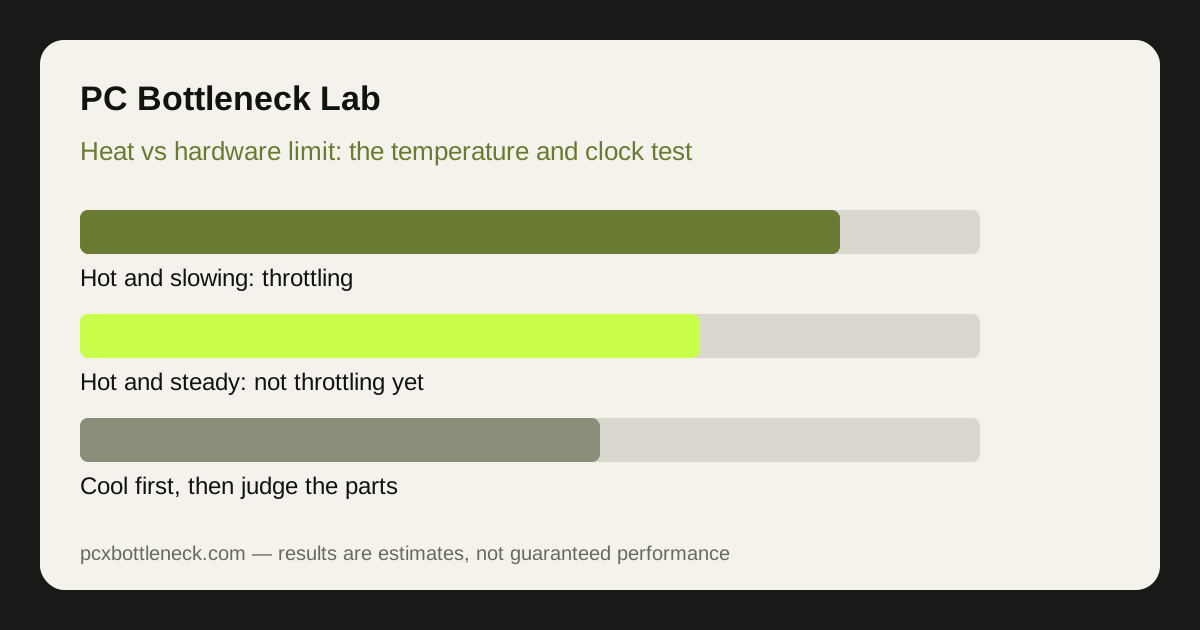
What thermal throttling looks like
Thermal throttling is a safety response. When a CPU or GPU reaches its temperature limit, it lowers its clock speed — and therefore its performance — until it cools down. The signature is performance that starts strong and then falls: high frame rate for the first minutes of a game, then a step down, often with fan noise rising just before the drop.
The numbers confirm it. Watch temperature and clock speed together during a demanding scene. If the temperature sits at the limit (commonly around 90–100°C for modern CPUs and around 80–90°C for many GPUs, though exact limits vary by model) while the clock speed falls well below its usual boost speed, that is throttling. If the temperature is high but the clock speed holds steady, the part is hot but not yet throttling — it may be close, but heat is not yet the cause.
Dust, dried thermal paste, a blocked intake, a cooler mounted loosely, or a case with no airflow path are the usual culprits. Laptops are especially prone because their cooling has little headroom, which is why the laptop guidance in laptop bottlenecks explained treats cooling as a first-class limit rather than an afterthought.
What a real bottleneck looks like
A bottleneck is a steady limit, not a falling one. A CPU-limited game shows the same low frame rate from the first minute to the last, with the CPU's busiest cores near maximum and the GPU waiting. A GPU-limited game shows the GPU near maximum the whole time, with frame rate rising clearly when you lower resolution or settings. Neither changes much as the session warms up.
The key difference is time. A bottleneck is there from the start; throttling arrives after warm-up. If frame rate is low in the first minute, before anything is hot, heat is not your problem. If frame rate is fine for five minutes and then falls as temperatures climb, a bottleneck diagnosis would be wrong — the hardware is fast enough, it is just not allowed to stay fast.
Both can exist at once, which is the trap. A CPU that is both too slow and too hot will look like a bottleneck in a cold test and like throttling in a long session. Fix the cooling first: it is cheaper, and only after temperatures are under control can you judge whether the part itself is still the limit. Our guide on telling a CPU bottleneck from a GPU bottleneck covers the steady-limit tests to run once heat is out of the picture.
| Symptom | Points to throttling | Points to a bottleneck |
|---|---|---|
| Frame rate over a 20-minute session | Starts high, then steps down | Low and steady from the start |
| Temperature under load | At the part's limit while clocks fall | Well below the limit, clocks hold |
| Clock speed under load | Falls as temperature rises | Holds steady at boost speeds |
| Lowering resolution | Little change until heat is fixed | GPU limit: FPS rises; CPU limit: FPS stays |
| Opening the case or lifting the laptop | Performance recovers noticeably | No meaningful change |
The five-minute test that separates them
Run a demanding scene and record three numbers every minute for five minutes: frame rate, the hottest CPU and GPU temperatures, and their clock speeds. A throttling part shows temperatures climbing to the limit and clock speeds falling in step, with frame rate following them down. A bottlenecked part shows flat temperatures, flat clock speeds and flat frame rate.
Repeat the test with the case side panel off, or the laptop raised for airflow. If frame rate and clock speeds recover, cooling is the constraint — improve airflow, clean dust, or replace dried thermal paste before considering any upgrade. If nothing changes, cooling is not the constraint and you can move on to judging the parts themselves.
Also check the power plan and fan curve, which are free to change. A quiet fan curve that only spins up late can let temperatures spike before cooling responds, producing throttling that a more responsive curve would prevent. A power-saving plan can cap clock speeds in a way that mimics throttling without any heat at all — test on the high-performance plan, plugged in, before drawing conclusions.
Fixing heat first, upgrading second
Cooling fixes, in order of cost: clean dust from fans and filters, make sure intake and exhaust fans point the right way, replace thermal paste if the system is several years old, and add or reposition a case fan so hot air actually leaves. Each of these is cheaper than any part upgrade, and each is wasted if the real problem is a slow part.
Only when temperatures are controlled and clock speeds hold steady should you judge the pairing. Run the parts through Bottleneck Calculator at your resolution at that point — the estimate is only meaningful for hardware that is allowed to run at its rated speed. A throttling CPU will look like a bottleneck in every calculator and benchmark until its cooling is fixed.
For context on whether heat can actually damage parts, rather than just slow them, see whether a bottleneck can damage your PC — the short answer is that throttling exists precisely to prevent damage, which is why it slows the part down instead of letting it cook.
Limitation: temperature limits and boost behaviour vary by model, cooler and case, so the ranges here are typical, not specifications for any one part. Check your part's own rated limits, and judge throttling by the temperature-plus-clock-speed pattern, not by a single temperature reading.
Frequently asked questions
Can a bottleneck cause overheating?
Not directly. A bottleneck means one part works at maximum while another waits; the busy part runs hot because it is working hard, which is normal. Overheating becomes throttling only when cooling cannot remove that heat fast enough. A well-cooled busy part is a bottleneck, not a heat problem.
Why does my FPS drop after ten minutes of gaming?
That pattern is classic throttling: the system starts fast, heat builds up, and clock speeds fall to protect the part. Check temperatures and clock speeds over time — if both move together with frame rate, cooling is the cause. A steady bottleneck would be slow from the first minute.
Is 90°C too hot for a CPU while gaming?
It depends on the model. Some modern CPUs are designed to run near 90–95°C under heavy load and hold their boost speeds there; others throttle well below that. The temperature alone does not prove throttling — the clock speed falling as temperature rises is the proof.
Will a better cooler remove a bottleneck?
No. A better cooler only helps if throttling was the problem. If the part holds its clock speeds and temperatures are already under control, a bigger cooler changes nothing — the part is simply the slowest step, and only a faster part or lower settings will help.
How do I know if my GPU or my CPU is throttling?
Monitor both at once. The throttling part is the one whose temperature is at its limit while its clock speed falls below its usual boost. The other part will usually show normal temperatures and steady clocks. Check both, because fixing the wrong part's cooling wastes the effort.