
Key takeaways
- 1440p means 2560 by 1440 pixels, about 3.7 million per frame, which is 78 percent more than 1080p.
- 12 GB of VRAM is the 1440p baseline in 2026, and 16 GB is safer for ultra settings and ray tracing.
- The GPU carries most of the load at 1440p, yet the CPU still decides whether high refresh rates hold steady.
- A 27 inch screen is the natural home for 1440p, with about 109 pixels per inch.
- Upscaling and a few lowered settings can rescue a 1440p build that falls just short of its target.
1440p gaming PC guide: the short answer
A 1440p gaming PC in 2026 pairs a 1440p-class GPU with 12 GB of VRAM and a fast 6-core or 8-core CPU. Add 16 GB of system RAM and a 144Hz or 165Hz monitor. That combination handles high settings in most games and holds smooth frame rates without flagship prices. The table below sets the floor for each part, so you can see what is required and what is merely nice to have. Check your own parts first with the PC bottleneck calculator.
| Part | 1440p floor | 1440p sweet spot | Why it matters |
|---|---|---|---|
| GPU | 1440p-class card, 8 GB VRAM | 1440p-class card, 12 GB VRAM | Draws 3.7 million pixels per frame |
| CPU | Modern 6-core CPU | Fast 6-core or 8-core CPU | Prepares frames at your refresh rate |
| VRAM | 8 GB, esports and older games | 12 GB, 16 GB for ultra | Textures spill and stutter when full |
| System RAM | 16 GB dual channel | 32 GB for simulators and multitasking | Feeds the CPU and background apps |
| Monitor | 27 inch, 1440p, 144Hz | 27 inch, 1440p, 165Hz | Sets your frame rate target |
| Storage | 1 TB NVMe SSD | 2 TB NVMe SSD | Modern games are large and load slowly from old drives |
The floor column is honest about what works, yet the sweet spot is where most buyers should land. An 8 GB card can play at 1440p, but it forces texture compromises in newer games. A 12 GB card removes that worry for the life of the build. For the full resolution story, see how resolution changes bottlenecks.
What 1440p demands from your GPU
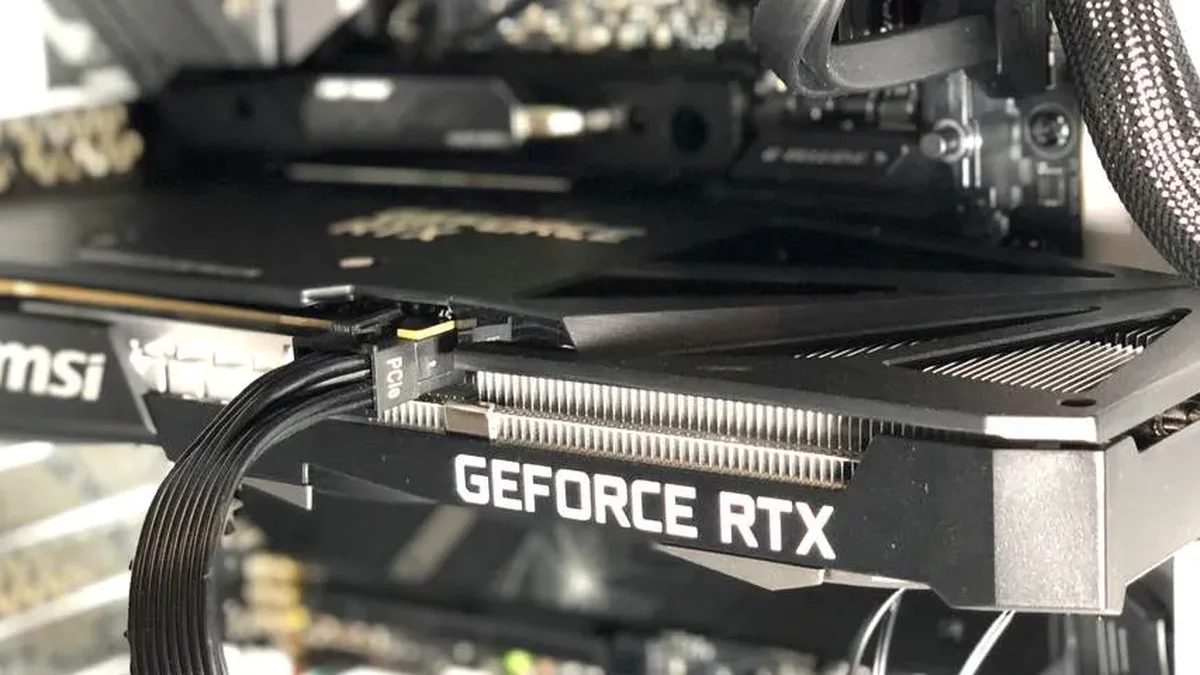
Your GPU does the heavy lifting at 1440p. Each frame holds about 3.7 million pixels, which is 78 percent more than the 2.1 million in a 1080p frame. That extra work lands on the GPU, not the CPU, so the graphics card is the first part to size correctly. A card that is comfortable at 1080p ultra can still struggle at 1440p high, because the pixel load nearly doubles. VRAM is the second demand. Textures grow with resolution, and 8 GB fills up faster at 1440p than most buyers expect.
When VRAM fills up, the driver spills data to system RAM, and the game stutters even while average FPS looks fine. That is why 12 GB is the baseline here, not a luxury. Our VRAM bottleneck guide for 8GB, 12GB and 16GB shows exactly where each size breaks down. For a concrete mid-range pairing, see the best CPU for RTX 5070 guide. It matches a popular 1440p card with the CPUs that suit it.
What 1440p demands from your CPU
At 1440p the CPU matters less than at 1080p, yet it still sets the ceiling on frame rate. The CPU prepares every frame before the GPU draws it, and a slow CPU caps the frame rate no matter how strong the card is. This shows up first at high refresh rates. A 144Hz screen needs a new frame every 6.9 milliseconds, and a 240Hz screen needs one every 4.2 milliseconds. The GPU cannot help with that deadline, because it only draws what the CPU has prepared.
CPU-heavy games expose the limit even at 1440p. Large multiplayer matches, simulation games, and busy open worlds all ask more of the processor. A fast 6-core CPU covers most 1440p play, while an 8-core chip with a large cache adds headroom for those heavier games. Check the balance with a GPU bottleneck calculator run, because the right CPU depends on your games as much as on your resolution.
Resolution and refresh rate: what each combination needs
Resolution and refresh rate set the workload together. A higher resolution loads the GPU, while a higher refresh rate loads the CPU. The table below maps the common combinations, so you can see where your build sits and which part to strengthen first.
| Combination | Frame time | Main demand | Build advice |
|---|---|---|---|
| 1080p 144Hz | 6.9 ms per frame | CPU | Fast CPU first, mid-range GPU |
| 1440p 60Hz | 16.7 ms per frame | GPU | Mid-range GPU, modest CPU is fine |
| 1440p 144Hz | 6.9 ms per frame | Both, GPU slightly ahead | Matched tiers, 12 GB VRAM |
| 1440p 165Hz | 6.1 ms per frame | Both, CPU gains ground | Fast 8-core CPU, strong 1440p GPU |
| 1440p 240Hz | 4.2 ms per frame | CPU, mostly in esports | Fastest gaming CPU class, esports settings |
| 4K 60Hz | 16.7 ms per frame | GPU, almost entirely | Strongest GPU you can afford |
The 1440p 144Hz row is the heart of this guide, and it is also the most forgiving. Both parts share the work, so a matched mid-range pair performs well. The 165Hz and 240Hz rows are stricter, because the frame deadline shrinks and the CPU has less room to breathe. Our monitor bottlenecks guide for 1080p 144Hz, 1440p 165Hz and 4K 60Hz compares these targets in more depth.
Settings that make 1440p work
Settings are the cheapest upgrade a 1440p build can get. Texture quality is the one setting to protect. Low textures look bad at 1440p, and the VRAM saving is small once you own a 12 GB card. Shadows, ambient occlusion, and volumetric effects cost far more performance than they add in visible quality, so lower those first. Upscaling is the second tool. DLSS, FSR, and XeSS render below native resolution and rebuild the image, which buys back a large share of lost frame rate.
Ray tracing deserves a separate decision. It looks best at 1440p, yet it is the heaviest single setting in most games. Turn it on only after the rest of the build holds its target without it. For a worked example at high refresh, see our Marvel Rivals best balanced pairs for 144Hz guide. It shows how pair and settings choices meet a 144Hz target.
Three mistakes at 1440p
The first mistake is buying an 8 GB card for a 1440p ultra build. It plays well on day one, then stutters as newer games push past 8 GB of textures. The second mistake is pairing a strong GPU with a slow CPU and a 165Hz monitor. The monitor asks for frames the CPU cannot prepare, so the refresh rate goes unused. The third mistake is spending the whole budget on the GPU and keeping 8 GB of single-channel system RAM. The CPU starves, the 1% lows collapse, and the expensive card never gets a fair chance.
All three mistakes come from sizing one part alone. A 1440p build is a system, and the monitor, the VRAM, the CPU, and the RAM all set limits together. Size the parts against the same target, and the build holds together for years instead of months.
The bottom line of this 1440p gaming PC guide
A 1440p gaming PC guide for 2026 needs a 12 GB GPU and a fast 6-core or 8-core CPU. Add 16 GB of dual-channel RAM and a 144Hz or 165Hz monitor. That set covers high settings in most games, holds smooth frame rates, and leaves room for upscaling when a new game demands more. Buy the GPU for the pixels, buy the CPU for the refresh rate, and check the pair before you spend. 1440p rewards balance more than brute force, and a matched build is the cheapest way to get it.
Frequently asked questions
What GPU do I need for 1440p gaming in 2026?
You need a 1440p-class GPU with 12 GB of VRAM for comfortable 1440p gaming in 2026. An 8 GB card still works for esports and older games, but it forces texture compromises in newer AAA titles. A 16 GB card is the safer pick for ultra settings and ray tracing. Match it with a fast 6-core or 8-core CPU.
Is 1440p much harder to run than 1080p?
Yes, 1440p is much harder to run than 1080p. A 1440p frame holds about 3.7 million pixels, which is 78 percent more than the 2.1 million in a 1080p frame. That extra work falls on the GPU, so frame rates drop unless the card is a tier stronger. The sharper image is the reward, and upscaling can close much of the gap.
What VRAM size keeps a 1440p build free of texture stutter?
You need 12 GB of VRAM as the 1440p baseline in 2026. That size covers high settings in most games without texture spill, which is the stutter that appears when VRAM runs out. Choose 16 GB if you play at ultra settings, use ray tracing, or want the card to last longer. Avoid 8 GB for a new 1440p build unless you only play esports.
Does the CPU matter for 1440p gaming?
Yes, the CPU matters for 1440p gaming, though less than at 1080p. The CPU prepares every frame, so it caps the frame rate even when the GPU has power to spare. This matters most at 144Hz and above, and in CPU-heavy games like large multiplayer matches and simulators. A fast 6-core CPU is enough for most 1440p play.
Is a 144Hz monitor worth it at 1440p?
Yes, a 144Hz monitor is worth it at 1440p if your PC can hold frame rates near 144 in your games. The jump from 60Hz to 144Hz is the biggest smoothness gain in PC gaming, and it shows in every game. If your build only reaches 60 to 80 FPS, a 144Hz screen still helps, but a stronger GPU is the better spend first.
Can I play at 1440p with 16 GB of RAM?
Yes, 16 GB of dual-channel RAM is enough for 1440p gaming in 2026. It covers the game, the operating system, and a few background apps without paging to disk. Choose 32 GB if you run simulators, stream while you play, or keep many browser tabs open. Single-channel RAM is the real problem, so always use two sticks.
How this guide was prepared
This hub was built from the resolution, VRAM, and pair guides already published on PC Bottleneck Lab. Those include the resolution bottleneck explainer, the VRAM bottleneck guide, and the RTX 5070 CPU guide. The pixel counts come from HP and ScreenResolutionDB. They list 1080p at about 2.1 million pixels and 1440p at about 3.7 million, or 78 percent more. The frame times are arithmetic from the refresh rate, with 144Hz at 6.9 milliseconds and 240Hz at 4.2 milliseconds per frame. No measured frame rates are claimed, since this hub organises existing guides rather than running new benchmarks.
Last updated: November 12, 2026