
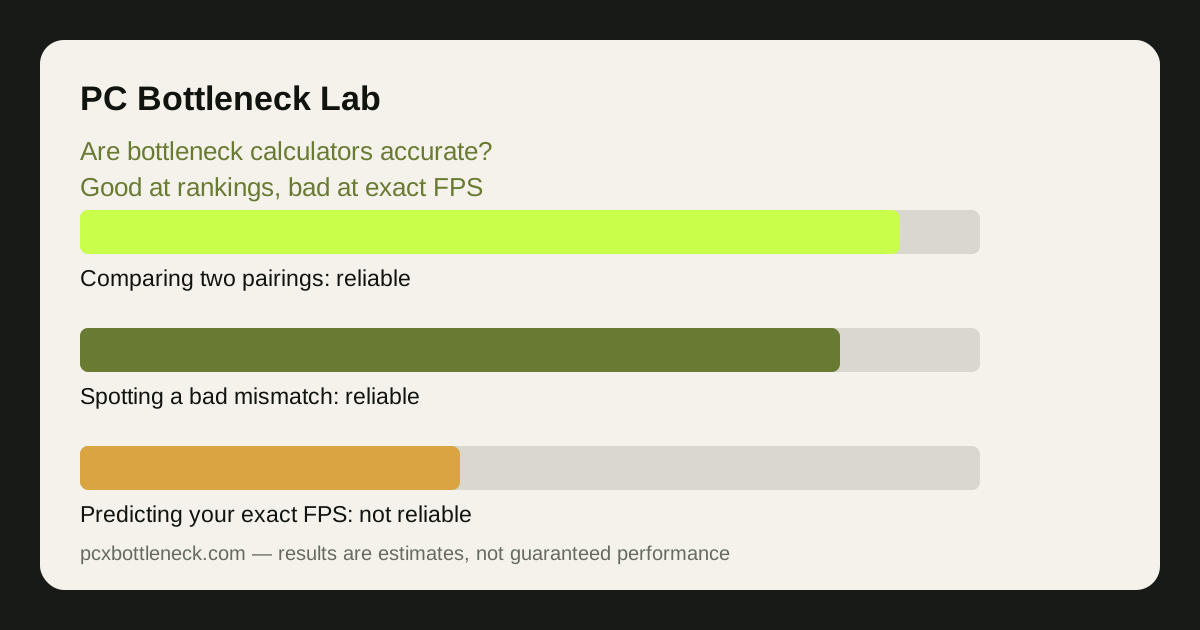
Are bottleneck calculators accurate? What one actually computes
A bottleneck calculator takes a CPU and GPU, a resolution and sometimes a game type, and returns an estimate of which part limits performance and by roughly how much. Underneath, it compares the two parts in benchmark data: how fast the CPU prepares frames versus how fast the GPU renders them, at the settings the tool assumes.
A model can flag a possible mismatch, but its usefulness depends on the source data and assumptions. A precise-looking percentage does not establish accuracy, and agreement between calculators is not a substitute for game measurements.
The honest tools say so: our calculator shows a separate balance estimate for each resolution, because the result varies with the game and settings. Our guide to what a bottleneck percentage means explains the number itself, and how we calculate bottlenecks lays out the method behind it.
What calculators get right
Use a calculator to compare candidate pairings at the same resolution. A large change in the estimated limiting component can help decide which benchmarks to investigate next. It cannot establish that an upgrade is good value without the games, performance targets and prices that matter to you.
What calculators miss — and why it matters
The biggest gap is the game itself: two games can stress the same two parts in opposite ways — a simulation game leans on the CPU, a ray-traced AAA game on the GPU — and a calculator averaging across game types gives a middle number matching neither. Settings matter the same way — low settings expose the CPU, ultra settings load the GPU — and a tool assuming one preset cannot describe the other.
Then there is your PC, which the calculator has never seen: background programs take CPU time, a hot CPU or GPU slows itself down, slow single-channel RAM starves the CPU, a full drive causes stutters, and an old driver can change performance in a specific game. None of that appears in a calculator's model, and any of it can matter more than the pairing. Our 5-step self-test checks what is actually happening on your machine.
| Question | Can a calculator answer it? | Why | Better way to check |
|---|---|---|---|
| Is this pairing balanced? | Usually | Large gaps show up in any reasonable model | Compare in one calculator |
| What FPS will I get? | No | FPS depends on game, settings, driver and system | Benchmarks, or your own test |
| Which part limits my PC? | Roughly | Your thermals, RAM and background apps are invisible to it | The 5-step self-test |
| Will an upgrade fix my stutter? | No | Stutter has many causes beyond CPU and GPU | Check frame times and thermals |
| Is this card worth it for my CPU? | As a ranking | Relative comparisons beat absolute numbers | Compare two candidate cards |
How to use a bottleneck calculator well
Start with your real conditions: resolution, monitor refresh rate, and the games you actually play. A result for 1080p competitive settings is useless if you play at 4K with ultra textures — set the inputs to match your use, or the answer describes someone else's PC. Then compare, don't read: run your current pairing and the upgrade side by side in the same tool, and look at whether the balance moves, not the exact percentages.
Next, sanity-check the result against something real: if it says your pairing is badly CPU-limited but your games feel smooth and the GPU is busy, trust your games — its assumptions may not match your settings. If it says balanced but you see stutters, check thermals, RAM and storage first. And be wary of any tool showing one exact percentage with no method, no date and no mention of its limits: precision without explanation is a warning sign, not a feature.
Limitation: this article describes how calculators work in general, not a measured accuracy test of any specific tool. A proper accuracy test would compare several calculators against measured benchmarks for the same pairs, and we publish our method for that separately rather than claiming results we have not measured.
Frequently asked questions
What evidence would establish a calculator's accuracy?
A published test should name the games, scenes, settings and hardware, then compare predicted outcomes with measured results. It should also show failures rather than only examples that agree.
Does agreement between two calculators prove the result?
No. They may share source data or similar assumptions. Independent measurements are a stronger check.
What should I do when an estimate conflicts with my PC?
Repeat a representative game scene while logging frame times, GPU usage, per-core CPU activity and temperatures. Check for frame caps and background tasks before deciding which component limits performance.