
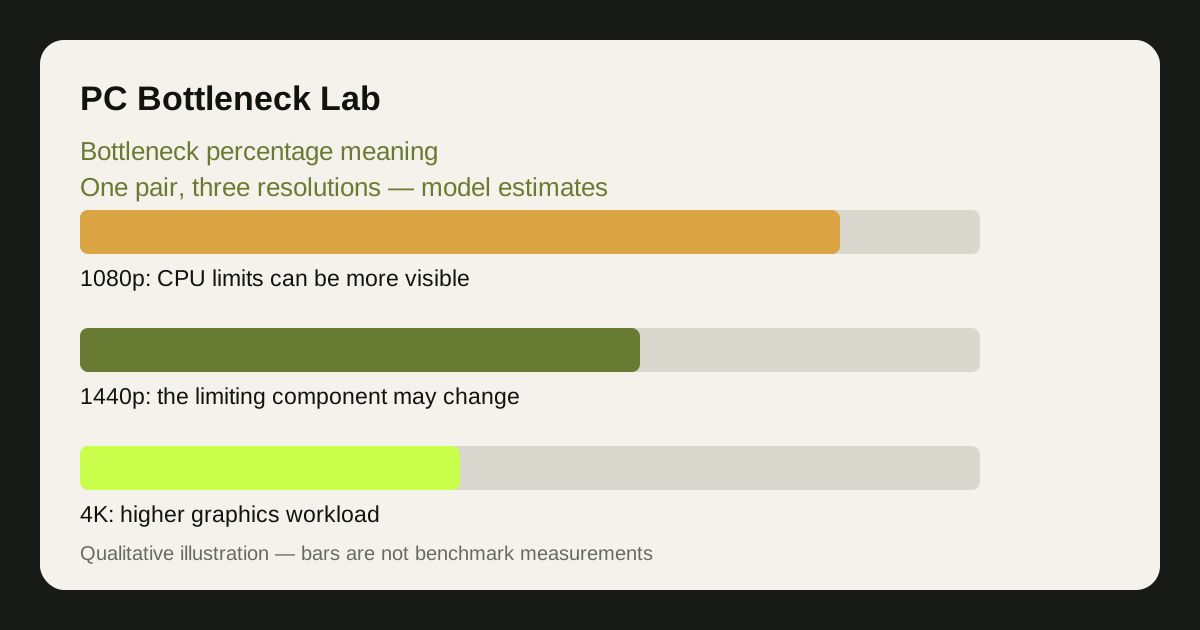
What a bottleneck percentage actually means
When a calculator says a pairing has, say, a 15% bottleneck, it estimates how much performance is lost because one part is slower than the other — in that calculator's model, for a typical game, at a stated resolution. It is a comparison between two parts, not a measurement from your computer: no sensor reports a bottleneck percentage, and the number is computed from performance data, assumptions about the game, and the resolution you picked.
The percentage is not a probability and does not directly predict a frame-rate gain from an upgrade. For example, a displayed CPU score and a displayed GPU score use different thresholds in our model. Read the methodology before comparing their sizes.
The direction matters as much as the size. A CPU bottleneck means the processor cannot prepare frames fast enough, so the card waits; a GPU bottleneck means the card cannot render fast enough, so the processor waits. Most gaming PCs are GPU-bottlenecked at high settings — the healthy direction, with the expensive part doing the work. Our guide to what counts as a good bottleneck percentage covers which ranges are fine and which deserve attention.
Why two calculators give two different numbers
Different calculators disagree because they define the number differently. One may compare average frame rates across games, another the theoretical speed of the two parts, a third may weight one resolution more heavily. None of those definitions is wrong in itself — they are different models answering slightly different questions, so their outputs differ.
The inputs differ too. A calculator assuming 1080p competitive settings reports a bigger CPU bottleneck than one assuming 4K ultra settings, for the same two parts, because resolution changes which part is the limit. A tool averaging across game types gives a middle number; one testing a single demanding game gives a sharper one. Neither is lying — each describes a different scenario.
This is exactly why our comparison of PC Builds vs Will It Bottleneck focuses on how each tool defines its number, rather than on which number is bigger. If you do not know what a percentage measures, you cannot use it to choose between two parts.
What changes the number for the same two parts
The same CPU and GPU can produce a wide spread of bottleneck values, and every factor below moves it. Understanding them is more useful than memorising any single number, because they are the levers you actually control.
| Factor | How it moves the bottleneck number | What you can do about it |
|---|---|---|
| Resolution | Higher resolution shifts work to the GPU | Play at the resolution your monitor suits |
| Game type | Simulation and esports lean on the CPU; AAA games on the GPU | Judge the number per game |
| Graphics settings | Higher settings load the GPU; low settings expose the CPU | Raise settings to use the GPU |
| Ray tracing and upscaling | Ray tracing loads the GPU; upscaling can expose the CPU | Use DLSS or FSR where it helps |
| Background programs | Streaming, browsers and updates take CPU time | Close what you are not using |
| Thermals and power | An overheating part slows down | Check temperatures first |
Notice that half of these factors have nothing to do with the parts themselves. A bottleneck percentage that ignores them is describing a clean test bench, not your PC — which is why a home test with your own games, like the one in our 5-step self-test, is worth more than any single calculator result.
How to use a bottleneck percentage well
Use the percentage as a comparison tool, not a verdict. Compare two candidate pairings at the same resolution in the same calculator, and the ranking is usually meaningful even if the exact numbers are not. Compare your current pairing against an upgrade the same way, and you can see whether the upgrade actually moves the balance in your games.
Ignore small differences. A gap of a few percentage points between two calculators, or between two similar pairings, is noise — it is smaller than the variation between games. Only a large, consistent gap in the same direction deserves a decision, and even then it should be confirmed with real frame rates in your own games.
Finally, pair the number with the calculator's own explanation. Our calculator shows a separate balance estimate for each resolution, and our methodology page explains what goes into it — because a number you can inspect is worth more than a number you must take on trust. Read how we calculate bottlenecks for the full method.
Limitation: no bottleneck percentage, from any calculator, is a measurement of your PC — it is a modelled estimate for typical conditions. Treat it as a guide to the balance of a pairing, and confirm it with frame rates and usage readings in your own games before spending money.
Frequently asked questions
What does a 20% bottleneck mean?
It estimates that one part holds back the other by roughly that much in the calculator's model, for a typical game at a stated resolution. It is not a measurement from your PC, and the real effect varies by game, settings and resolution — so the value should be read with its resolution and model definition.
Why does the same PC get a different bottleneck number on every calculator?
Because they define the number differently — different games, resolutions and ways of comparing the parts. Each answers a slightly different question, so their outputs differ. Compare pairings within one calculator, not numbers across calculators.
Can a PC ever reach a true zero bottleneck?
In practice, no. One part is always slightly ahead in any given scene, so a perfect zero is a rounding of a model, not a real state. A small bottleneck in the GPU's direction is normal and healthy — the graphics card is doing the work.
Does a high bottleneck percentage mean my PC is broken?
No. A bottleneck is a balance issue, not damage or a fault: the parts work as designed, mismatched for the game and resolution in question. The fix is a better-matched pairing, different settings, or a different resolution — not a repair.
Should I trust a calculator that shows one exact percentage?
Be cautious: a single exact percentage hides how much the result depends on the game, resolution and settings. Prefer tools that show results for each resolution and explain their method, and confirm the result with your own frame rates.