
Key takeaways
- The best GPU for Ryzen 7 7800X3D for most players is the RTX 5070: 12GB GDDR7, $549 launch price.
- The RX 9070 XT is the best 16GB value pick at its $599 launch price, and it suits 1440p ultra.
- The RTX 5070 Ti is the best step up for 1440p high refresh and entry-level 4K play.
- The RTX 5080 is the best 4K pick, while the RTX 5090 is overkill for gaming alone.
- The 7800X3D needs DDR5 memory and an AM5 board, plus a 650W or stronger PSU for the mid-range picks.
Best GPU for Ryzen 7 7800X3D: the short answer
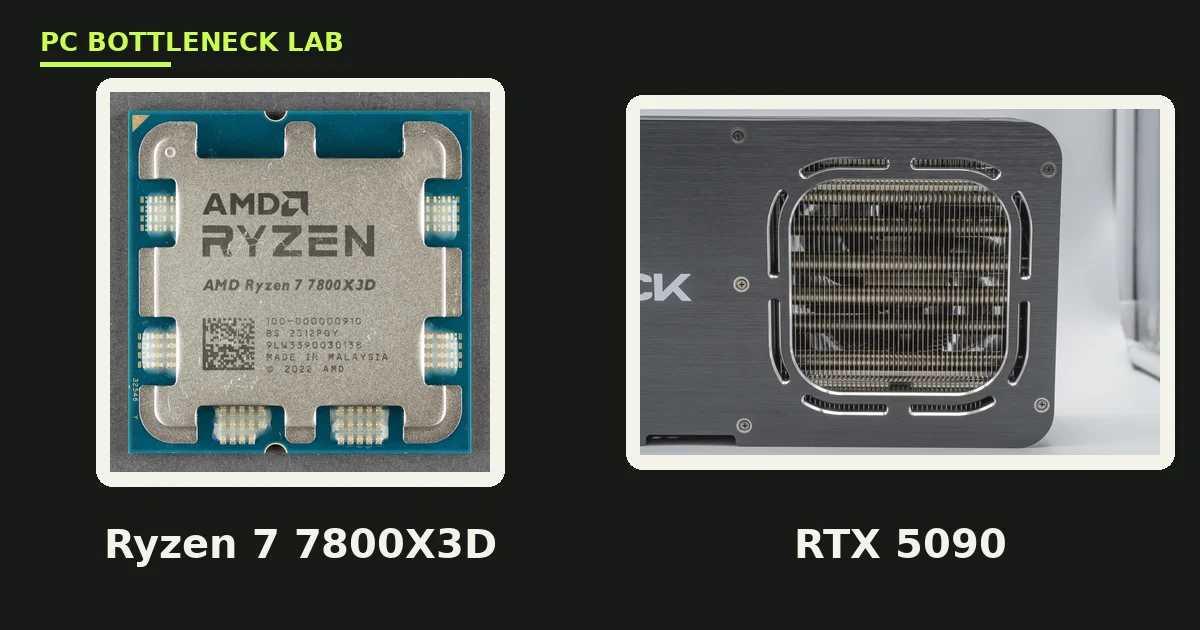
A GPU bottleneck happens when the graphics card sets the speed limit, not the processor. The Ryzen 7 7800X3D is a Zen 4 chip with 8 cores and 16 threads. Its base clock is 4.2 GHz, and its boost clock is 5.0 GHz, while its 96MB of L3 cache uses 3D V-Cache for cache-heavy games. Its 120W rating is modest for its speed. It uses the AM5 socket, so it needs DDR5 memory. Because the chip is so fast in games, the GPU is the limit in nearly every pairing below the RTX 5080. So pick the GPU for your monitor and budget, and the CPU will keep up. The only wrong move is a weak card for a strong CPU, or a flagship card for a 1080p 60 Hz monitor.
The 5 best GPUs for Ryzen 7 7800X3D
Each pick below fits a different monitor and budget. The table gives the quick view, and the notes explain why each card earns its place. All five pair cleanly with the 7800X3D, and none of them is held back by the chip at its target resolution.
| Pick | GPU | VRAM | Launch price | Board power |
|---|---|---|---|---|
| 1. Best overall | RTX 5070 | 12GB GDDR7 | $549 | 250W |
| 2. Best 16GB value | RX 9070 XT | 16GB GDDR6 | $599 | 304W |
| 3. Best step up | RTX 5070 Ti | 16GB GDDR7 | $749 | 300W |
| 4. Best for 4K | RTX 5080 | 16GB GDDR7 | $999 | 360W |
| 5. Best budget | RTX 5060 Ti 16GB | 16GB GDDR7 | $429 | 180W |
1. RTX 5070, the best overall pick
The RTX 5070 is a Blackwell card with 6,144 CUDA cores, 12GB of GDDR7 memory on a 192-bit bus, and a 250W board power rating. NVIDIA launched it on 5 March 2025 at $549. It is the sweet spot for the 7800X3D at 1440p high settings. It also supports DLSS 4 frame generation, which lifts frame rates in supported games. Buy it for 1440p 60 to 165 Hz play, since its 12GB of VRAM is enough, yet it can run short at 4K ultra.
2. RX 9070 XT, the best 16GB value pick
The RX 9070 XT is an RDNA 4 card with 64 compute units. It has 16GB of GDDR6 memory on a 256-bit bus, and a 304W board power rating. AMD launched it on 6 March 2025 at $599. It gives you 16GB of VRAM for $50 more than the 5070 launch price, so it suits 1440p ultra and light 4K play. It also supports FSR 4 upscaling on RDNA 4 cards. Buy it when you want more VRAM headroom for 1440p ultra settings. Its 304W draw needs a 750W PSU, so check your power supply first.
3. RTX 5070 Ti, the best step up
The RTX 5070 Ti is a Blackwell card with 8,960 CUDA cores. It has 16GB of GDDR7 memory on a 256-bit bus, and a 300W board power rating. NVIDIA launched it on 20 February 2025 at $749. It is the best pick for 1440p on a 240 Hz monitor, and it also handles entry-level 4K play. Its 16GB of VRAM removes the 5070's main weakness. Buy it when you own a high-refresh 1440p monitor or a 4K 60 Hz screen. It costs $200 more than the 5070 at launch prices, so weigh your monitor first.
4. RTX 5080, the best pick for 4K
The RTX 5080 is a Blackwell card with 10,752 CUDA cores, 16GB of GDDR7 memory on a 256-bit bus, and a 360W board power rating. NVIDIA launched it on 30 January 2025 at $999. It is the best 4K card for the 7800X3D, since the chip keeps up even at 4K in most games. It also suits 1440p on a 240 Hz monitor. Buy it when you play at 4K or you want the longest useful life from one card. Its 360W draw and 850W PSU guidance mean you should check your power supply and case size first. For the full 5080 pairing guide, see this: RTX 5080 bottleneck guide.
5. RTX 5060 Ti 16GB, the best budget pick
The RTX 5060 Ti 16GB is a Blackwell card with 4,608 CUDA cores, 16GB of GDDR7 memory, and a 180W board power rating. NVIDIA launched it on 16 April 2025 at $429. It is the cheapest card that still makes sense with a 7800X3D, since its 16GB of VRAM handles 1440p well. Buy it when your budget is tight but you want 1440p play, since it will be the limit in most games, yet that is fine. Do not buy the 8GB version for 1440p, since it can run out of memory at ultra settings.
Which GPU for which monitor
Match the card to your monitor, not to your dreams. A 1080p 60 Hz monitor needs nothing stronger than the 5060 Ti. A 1440p 144 Hz monitor is the 5070's home, while a 1440p 240 Hz monitor deserves the 5070 Ti. A 4K 60 Hz monitor needs the 5080, and a 4K 144 Hz monitor wants the 5080 or better. Also match the card to your PSU: the 5070 wants 650W, the 5070 Ti and 9070 XT want 750W, and the 5080 wants 850W. These are NVIDIA and AMD guidance figures. Check your own pair before you buy with the free tool: bottleneck calculator.
| Your monitor | Best GPU pick | PSU guidance |
|---|---|---|
| 1080p 60-144 Hz | RTX 5060 Ti 16GB | 600W |
| 1440p 60-165 Hz | RTX 5070 | 650W |
| 1440p 144-240 Hz | RTX 5070 Ti or RX 9070 XT | 750W |
| 4K 60 Hz | RTX 5080 | 850W |
| 4K 144 Hz | RTX 5080 | 850W |
7800X3D bottleneck: when does the CPU hold a GPU back?
Almost never with the cards above. The 7800X3D is one of the fastest gaming CPUs you can buy, and its 96MB cache keeps 1% lows smooth. The CPU can still limit you in two cases. First, at 1080p on a 360 Hz monitor, even this chip can cap frame rates in esports titles. Second, in simulation games with heavy AI, the CPU works harder than the GPU. In both cases the fix is a faster CPU like the Ryzen 7 9800X3D, not a weaker GPU. The 9800X3D has the same 8 cores and 96MB cache, yet it boosts to 5.2 GHz and launched at $479 in November 2024. Read the full comparison here: 9800X3D vs 7800X3D. For the cache story behind both chips, see this: 3D V-Cache: 7800X3D and 9800X3D. And if you own the newer chip, the same picks apply: best GPU for Ryzen 7 9800X3D.
What not to buy with a 7800X3D
Do not buy the RTX 5090 for gaming alone. It launched at $1,999 with 32GB of GDDR7 and a 575W board power rating, yet the 7800X3D cannot use that power in games at 1440p. The card only makes sense for 4K work, AI, or rendering. Do not buy an 8GB card for 1440p ultra either, since VRAM stutter will hit first. Do not buy a card your PSU cannot feed, since a weak PSU causes crashes that look like a bottleneck. Do not buy a new monitor and a weak card together, since the monitor deserves a card that can fill it. For monitor pairing rules, see this: monitor bottlenecks: 1080p 144Hz, 1440p 165Hz, 4K 60Hz. And for the CPU side of the 5070, see this: best CPU for RTX 5070.
The bottom line on the best GPU for Ryzen 7 7800X3D
The best GPU for Ryzen 7 7800X3D is the RTX 5070 for most players. The RX 9070 XT wins on 16GB value, and the RTX 5080 wins for 4K. Pick by your monitor first, then by your budget, and the chip will keep up. Check your pair on the CPU GPU bottleneck calculator before you buy.
Frequently asked questions
What is the best GPU for Ryzen 7 7800X3D?
The best overall pick is the RTX 5070, with 12GB of GDDR7 and a $549 launch price. It matches the chip at 1440p without wasting money. The best 16GB pick is the RX 9070 XT at $599 launch, while the best 4K pick is the RTX 5080 at $999 launch.
Should I buy the RTX 5070 Ti or the RTX 5080 for a 7800X3D?
Buy the 5070 Ti if you play at 1440p, and the 5080 only if you play at 4K or use path tracing. The 7800X3D feeds both cards, so the choice is about your monitor, not the CPU. The 5080 costs far more for gains you will not see at 1440p, while the 5070 Ti is the sweet spot for most 7800X3D builds.
Will a 7800X3D bottleneck an RTX 5080?
No, not in a way most players will notice. The 7800X3D is one of the fastest gaming CPUs, and it feeds the 5080 well at 1440p and 4K. At 1080p on a very high-refresh monitor, the CPU can cap frame rates in esports titles. That is a monitor edge case, not a pairing problem.
Is 16GB VRAM needed with a 7800X3D?
It depends on your resolution. At 1080p and 1440p high settings, 12GB is enough for most games in 2026. At 1440p ultra and 4K, 16GB gives you real headroom in texture-heavy games. Since the 7800X3D will last for years, 16GB is the safer buy when the price gap is small. That gap is small between the 5070 and the 9070 XT.
Is the RTX 5070 Ti overkill for a 7800X3D at 1080p?
Yes, mostly. At 1080p the 7800X3D and 5070 Ti are both held back by the monitor, so you pay for frames you cannot see. The 5070 Ti shines at 1440p and 4K, where the GPU works harder. At 1080p, a 5070 or 5060 Ti 16GB gives nearly the same experience for less money.
Should I buy a 7800X3D or a 9800X3D for a new GPU?
Buy the 9800X3D when you build fresh and the price gap is small. It has the same 8 cores and 96MB cache, yet it boosts to 5.2 GHz and launched at $479. Buy the 7800X3D when it costs clearly less, since the gaming gap is small. Both chips feed every card in this guide without a real limit.
How this guide was prepared
This guide uses AMD spec listings for the Ryzen 7 7800X3D and 9800X3D. It also uses NVIDIA and AMD launch specifications and launch prices for the five GPUs. No benchmark numbers are claimed as our own.
Last updated: November 10, 2026