
Key takeaways
- The minimum spec is a GTX 1050 Ti or R9 380X with an i5-6600K or Ryzen 5 1600 and 8 GB of RAM.
- The recommended spec is an RTX 2070 or RX 5700 XT with an i7-7700K or Ryzen 5 2600 and 16 GB of RAM.
- Both tiers target a steady 60 FPS, because fighting games tie timing and input to the frame rate.
- New installs can stutter while the game compiles shaders, so let the first-load pass finish before you judge performance.
- The game needs 100 GB of free space, DirectX 12, and Windows 10 64-bit with a broadband connection.
Can I run Tekken 8? The short answer
Can I run Tekken 8 is an easy question to answer, because the official specs are modest by 2026 standards. The short answer is yes, if your PC meets the Tekken 8 minimum specs. That means a GTX 1050 Ti or R9 380X, an i5-6600K or Ryzen 5 1600, and 8 GB of RAM. That tier targets 1080p at low settings. The game launched in January 2024 on Unreal Engine 5, and it asks for more than any earlier Tekken. The catch is the 60 FPS rule. Then comes the shader stutter on a fresh install, and the way online play shares your frame rate with your opponent. Check your own pair first with the free tool: bottleneck calculator.
Tekken 8 official system requirements
Bandai Namco publishes two tiers on Steam, minimum and recommended. The minimum tier is based on 1080p low settings, and the recommended tier is based on 1080p high settings. Both need Windows 10 64-bit, DirectX 12, and a broadband internet connection for online play. The table below lists the official Tekken 8 system requirements exactly as Steam shows them.
| Part | Minimum | Recommended |
|---|---|---|
| Operating system | Windows 10 64-bit | Windows 10 64-bit |
| CPU | Intel Core i5-6600K / AMD Ryzen 5 1600 | Intel Core i7-7700K / AMD Ryzen 5 2600 |
| GPU | NVIDIA GeForce GTX 1050 Ti / AMD Radeon R9 380X | NVIDIA GeForce RTX 2070 / AMD Radeon RX 5700 XT |
| RAM | 8 GB | 16 GB |
| DirectX | Version 12 | Version 12 |
| Storage | 100 GB available space | 100 GB available space |
| Network | Broadband internet connection | Broadband internet connection |
| Extra note | Frame rate stable over 60 FPS | Frame rate stable over 60 FPS |
Two details in that table deserve attention. First, the RAM line doubles between tiers, from 8 GB to 16 GB. A machine with 8 GB meets the minimum but not the recommended spec. Second, the extra note promises a frame rate stable over 60 FPS at both tiers, which is a stronger promise than most games make. That promise is why this game punishes weak hardware more than its modest specs suggest.
The 60 FPS rule: why fighting games punish dips
Most games stay playable when the frame rate dips to 45 or 50. Tekken 8 does not forgive dips the same way, because a fighting game ties move timing, combos, and input windows to the frame rate. A dip during a combo can break it, and a dip during a punish can cost you the round. That is why the official note promises a frame rate stable over 60 FPS, not just an average of 60. Average frame rate hides the dips, and dips are what lose matches. A card that holds a flat 60 is better. Judge your PC by its worst moments, not its average. For the frame-time story in full, see this: stuttering and frame time: 1% lows explained.
Shader compilation: the first-match stutter
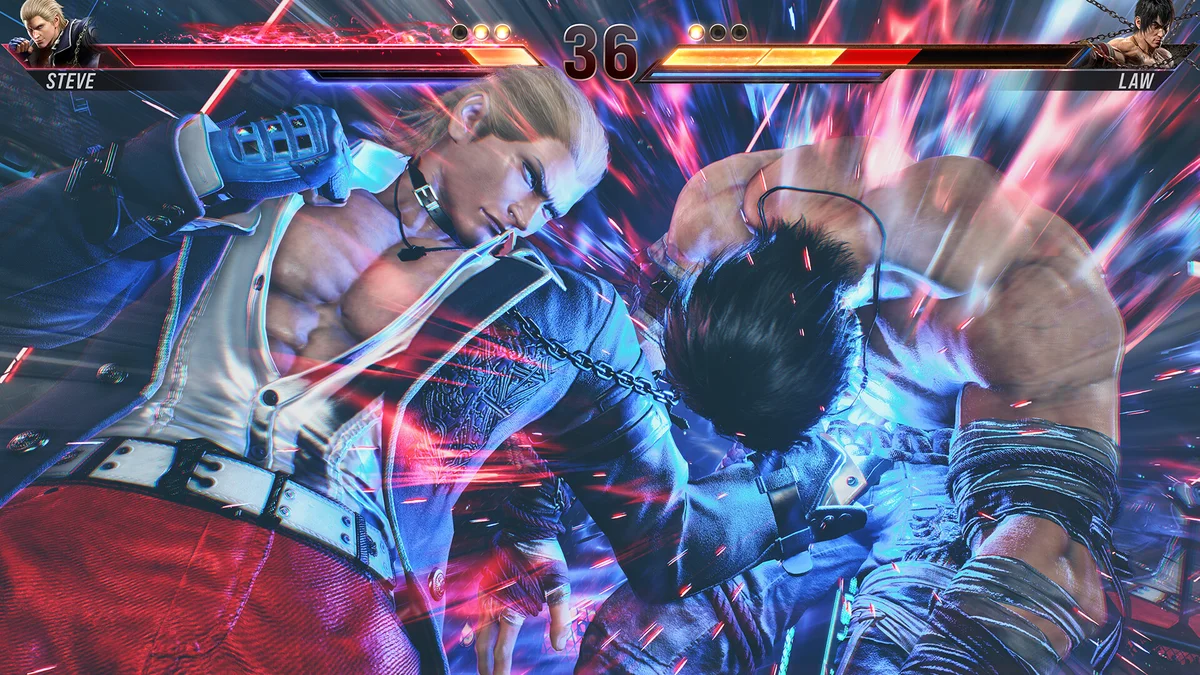
Tekken 8 runs on Unreal Engine 5, and that engine compiles shaders as the game first draws new effects. At launch in January 2024, the game compiled a lot of its shaders on the fly. The first few minutes of play could stutter even on strong hardware. The stutter shows up when a new effect or destruction sequence appears for the first time. Once the game has compiled those shaders, the same moment runs smoothly on later visits. That pattern is the signature of shader compilation, not a weak GPU. Later patches reduced the problem, but a fresh install can still hitch during its first matches.
How to get past it
Play a few offline matches on different stages before you judge performance or go online. Pick stages with heavy destruction and weather effects, since those trigger the most new shaders. If the game still stutters after several matches, the cause is more likely VRAM or a driver issue than shaders. Update your GPU driver first, then lower texture quality, since the two are the most common real causes after the first-load pass.
What GPU and CPU do you need for 1080p, 1440p and 4K?
The official specs stop at 1080p, so higher resolutions need judgement, not a published tier. The table below builds on the recommended RTX 2070 as a 1080p high card at 60 FPS. Each resolution step up needs a stronger GPU, while the CPU ask stays modest. Treat these rows as buying guidance, not measured frame rates.
| Target | GPU class to aim for | CPU class to aim for | What to expect |
|---|---|---|---|
| 1080p low | GTX 1050 Ti or R9 380X, the official minimum | i5-6600K or Ryzen 5 1600 | Playable at low settings, steady 60 FPS |
| 1080p high | RTX 2070 or RX 5700 XT, the official recommended | i7-7700K or Ryzen 5 2600 | The official recommended experience |
| 1440p high | One class above the RTX 2070, such as an RTX 3070 or RX 6800 class card | i7-8700K or Ryzen 5 3600 class | Sharp image, steady 60 FPS with headroom |
| 4K high | A high-end card such as an RTX 3080 class card or above | A modern six-core CPU or better | Demands a strong card, mostly for stage effects |
VRAM shapes these targets too. The minimum GTX 1050 Ti carries 4 GB, and the recommended RTX 2070 carries 8 GB. At 1080p high, aim for 8 GB of VRAM, because ultra textures need around 8 GB and high textures use roughly 5 to 6 GB. A 4 GB card will run the game at low settings, but it has no room for higher textures. For the VRAM angle in full, see this: VRAM bottleneck: 8GB vs 12GB vs 16GB. If your CPU is the weak part, the fix is often free: how to fix a CPU bottleneck without buying a new CPU.
Settings that matter most
Texture quality is the first setting to match to your VRAM, since ultra textures need around 8 GB. Shadow quality comes next, because the stage lighting is the most expensive effect in most arenas. Stage destruction effects sit after that, since breaking walls and floors adds particles and physics work in the middle of a fight. Upscaling is the cheapest way to buy frame rate. Use it before you drop the resolution, and keep the render scale at 100 percent for the sharpest image. Turn off motion blur and depth of field first if you need a quick gain. The same logic applies to other competitive games: Valorant 360Hz: best CPUs.
Storage and the 100 GB download
The game needs 100 GB of free space, and an SSD is strongly recommended even though the official spec does not demand one. A hard drive stretches load times by several seconds per match and can cause texture pop-in during stage destruction. Check your pair on the GPU bottleneck calculator too, so you know which part is holding the other back before you spend money.
Can I run Tekken 8? The bottom line
Tekken 8 will run on a GTX 1050 Ti, but the real test is a flat 60 FPS, not an average. Let the shader pass finish on a fresh install, match textures to your VRAM, and test offline before you queue ranked. That is the whole answer to can I run Tekken 8.
Frequently asked questions
Can I run Tekken 8 on a GTX 1050 Ti?
Yes, the GTX 1050 Ti is the official minimum GPU, paired with an i5-6600K or Ryzen 5 1600 and 8 GB of RAM. Expect 1080p at low settings with a frame rate stable over 60 FPS, since that is the target the official spec promises. Keep texture quality at low or medium, since 4 GB of VRAM leaves no room for higher textures.
Why does Tekken 8 stutter on a new install?
Tekken 8 runs on Unreal Engine 5, and the game compiles shaders as it first draws new effects. The first few matches can stutter when a new stage effect or destruction sequence appears for the first time, even on strong hardware. Once those shaders are compiled, the same moments run smoothly. Play a few offline matches on different stages before you judge performance.
How much RAM does Tekken 8 need?
Tekken 8 needs 8 GB of RAM at the minimum tier and 16 GB at the recommended tier. A machine with 8 GB meets the official minimum, but 16 GB is the safer choice for smooth play with background apps open. Moving to 32 GB adds headroom, but it does not add frame rate on its own.
Does Tekken 8 need an SSD?
An SSD is not officially required, but it is strongly recommended. A hard drive stretches load times by several seconds per match and can cause texture pop-in during stage destruction sequences. The game needs 100 GB of free space, so install it on an SSD with room to spare for patches and the shader cache.
Can I run Tekken 8 at 1440p?
There is no official 1440p tier. Aim one GPU class above the recommended RTX 2070, such as an RTX 3070 or RX 6800 class card with 8 GB of VRAM. Keep the frame rate target at a steady 60 FPS, since fighting games punish dips more than other genres. Test in offline matches first.
Does a slow PC affect my opponent in Tekken 8 online?
Yes, if your PC cannot hold 60 FPS during a match, the slowdown can reach your opponent as well. The game keeps both players in step. That makes a weak PC a problem for the other player too, not just for you. Hold a flat 60 FPS in offline matches before you queue ranked.
How this guide was prepared
This guide uses the official Tekken 8 system requirements as published on Steam. They were checked in November 2026, including the note that both tiers target a frame rate stable over 60 FPS. The shader-compilation note reflects how Unreal Engine 5 games behave on a fresh install. The online-play note reflects the shared frame-rate behaviour reported for the game. No measured frame rates are claimed, since the guide reports official specs and buying guidance, not a benchmark.
Last updated: November 12, 2026