
Key takeaways
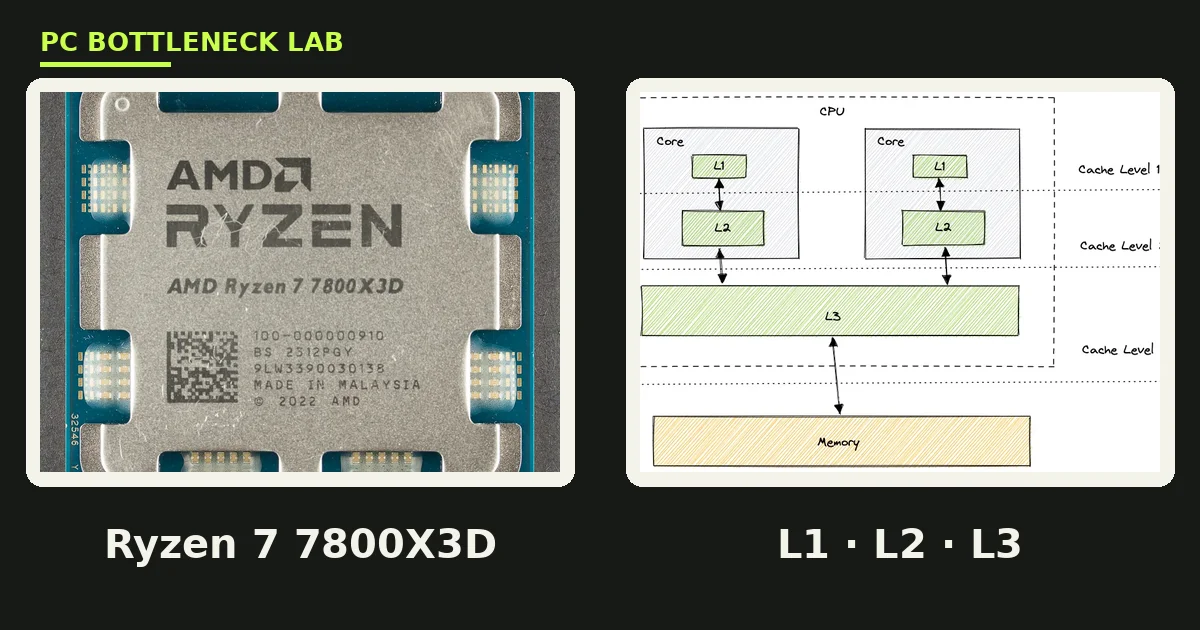
- CPU cache is fast memory inside the processor that holds data the cores need right now, so they wait less on RAM.
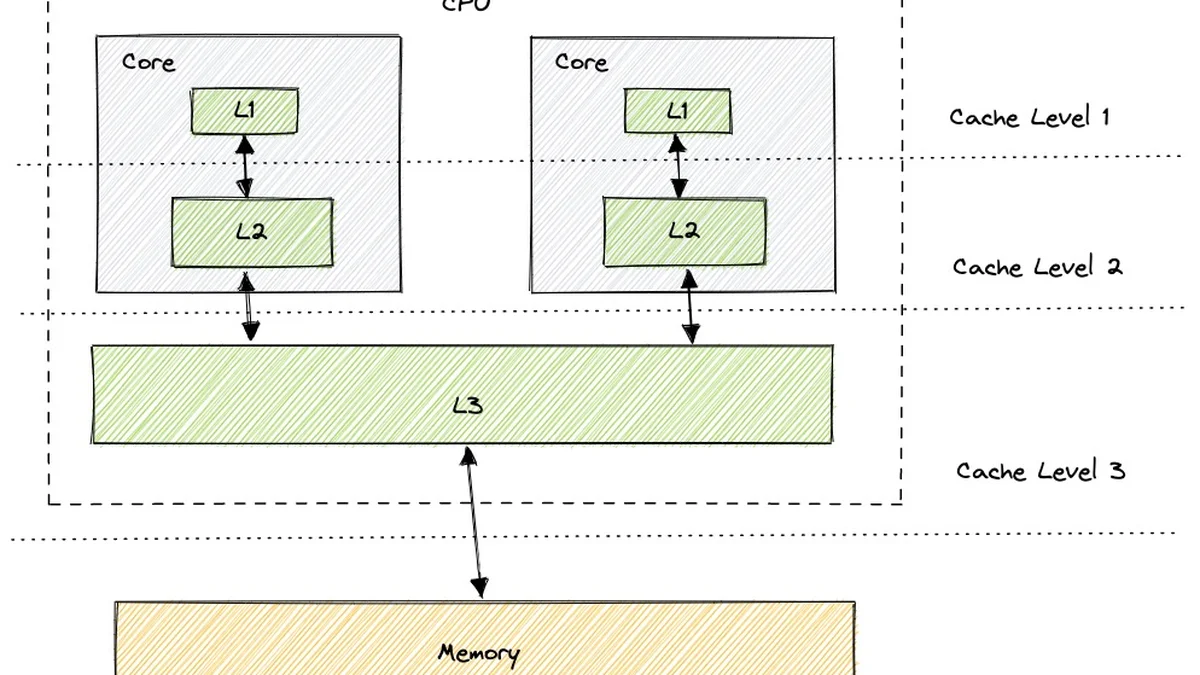
- L1 is the fastest and smallest level, L2 is the middle level, and L3 is the largest level, shared across cores.
- L3 size matters most for gaming, since game data stays in cache longer.
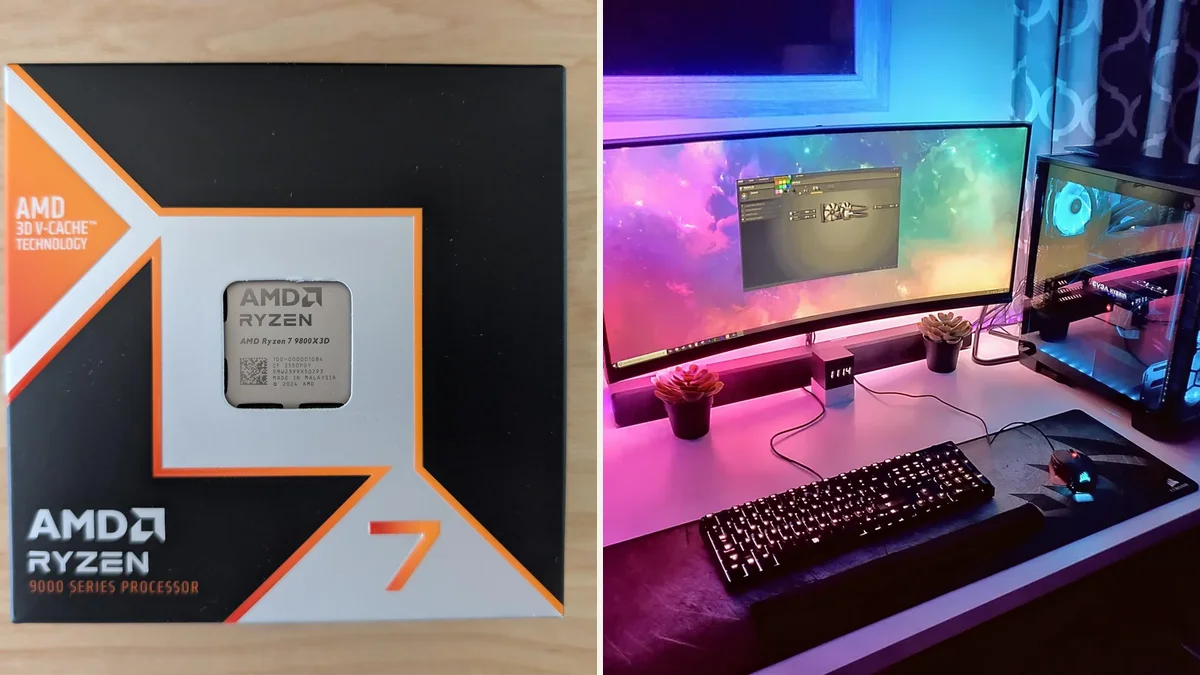
- AMD 3D V-Cache adds 64 MB of L3, taking the 9800X3D to 96 MB.
- Cache cannot fix a GPU bottleneck, full RAM, or weak cooling.
CPU cache L1 L2 L3 gaming: the short answer
CPU cache is ultra-fast memory built into the processor. It stores copies of data the cores use often, so they do not wait on slower system RAM. A core first checks L1, then L2, then L3, and only goes to RAM when all three miss. Each level is bigger and slower than the one before it, and that trade-off is the whole design. Games gain most from a large L3, since their data sets are big and scattered. Clock speed and core count set the rest of the pace. If your CPU is the slow part, check the pair with our free bottleneck calculator first.
| Level | Typical size | Speed | Shared? | Job in games |
|---|---|---|---|---|
| L1 | 32 to 64 KB per core | About 1 ns | No, private per core | Inner loops of game logic |
| L2 | 512 KB to 2 MB per core | About 3 to 5 ns | No, private per core | Working data for one core |
| L3 | 32 to 96 MB total | About 10 to 20 ns | Yes, shared across cores | Game world, AI, physics data |
| System RAM | 16 to 32 GB | About 100 ns | Yes, whole system | Everything that misses cache |
Why cache exists at all
Modern cores run far faster than system RAM can feed them, and that speed gap is the problem cache solves. A core can finish an instruction in a single cycle, yet a trip to RAM takes about 100 nanoseconds, or hundreds of cycles. Without cache, the core would sit idle most of the time, waiting on memory; cache closes that gap. It keeps the data the core is about to need right next to it, in memory that answers in a few cycles. The trade-off is size. The fastest memory is also the most costly to build, so each level holds less than the one below it.
L1 cache: the fastest, smallest level
L1 cache, short for Level 1 cache, is the fastest and smallest memory in the processor, built directly into each core. It usually holds 32 KB for instructions and 32 KB for data per core. It handles the innermost loops of game logic: the tight, repeated steps a core runs thousands of times per frame. You cannot change its size, and it is almost never the bottleneck in a modern CPU, since every current design ships with a similar L1. Think of it as tools on your workbench: small, close, and used constantly. If the data is not in L1, the core looks one level down.
L2 cache: the middle level
L2 cache, short for Level 2 cache, is the middle layer, bigger than L1 and a little slower, with its own pool per core. Modern designs give each core 512 KB to 2 MB of L2; AMD Zen 4 and Zen 5 cores carry 1 MB each. Intel Arrow Lake P-cores carry 2 MB each. L2 holds the working data of one core, the values and tables that core keeps coming back to while it runs a task. A miss here costs more than a miss in L1, but far less than a trip to RAM. L2 size rose a lot in recent architectures, and that rise helped gaming a little. Yet L2 alone never decides a gaming CPU; the big gaming differences show up one level further down, in L3.
L3 cache: where games are won
L3 cache, short for Level 3 cache, is the largest cache level, and it is shared across all cores on the chip. It holds 32 to 96 MB on modern consumer CPUs; games love it because their data is large and scattered. World state, AI decisions, physics objects, and draw data all sit in memory at once. The CPU jumps between them in no fixed order. A big L3 keeps more of that data close, so the core finds what it needs instead of waiting on RAM. That is why L3 size has the biggest impact on gaming FPS of the three levels. It also smooths the 1 percent lows, since fewer cache misses mean fewer sudden stalls. The link between cache and CPU limits is covered in our guide to CPU-heavy and GPU-heavy games: CPU-heavy vs GPU-heavy games list.
What happens on a cache miss
A cache miss happens when the data a core needs is not in any cache level. The core must then fetch it from system RAM; the cost is steep. RAM answers in about 100 nanoseconds, or roughly ten times slower than L3 and a hundred times slower than L1. One miss is invisible, but games cause thousands of them per frame, and each one stalls the core for a short wait. Those waits pile up as lower average FPS and choppier 1 percent lows; big cache does not remove misses, it just makes them rarer.
3D V-Cache: why X3D chips dominate gaming
AMD 3D V-Cache is a packaging trick. It stacks an extra layer of SRAM directly on top of the CPU die, adding 64 MB of L3 cache in one step. The Ryzen 7 9800X3D carries 96 MB of L3 in total: 32 MB built into the die plus 64 MB stacked on top. Its non-X3D sibling, the Ryzen 7 9700X, has the same cores and the same Zen 5 architecture, but only 32 MB of L3. In gaming tests, that extra cache lifts average FPS by about 10 to 25 percent over the non-X3D chip. It also gives up to 30 percent better 1 percent lows in cache-sensitive titles, according to the 2026 explainers we checked. AMD own documentation puts the gain at up to 15 percent over the non-3D equivalent. Either way, the mechanism is the same: more game data fits in fast cache, so the cores wait less. Our head-to-head of the two X3D generations covers the numbers: 3D V-Cache: 7800X3D vs 9800X3D. Our comparison of the two chips shows the same pattern in practice: 9800X3D vs 7800X3D.
| CPU | L3 cache | Cores | Gaming tier |
|---|---|---|---|
| Ryzen 7 9800X3D | 96 MB | 8 | Best in class |
| Ryzen 7 7800X3D | 96 MB | 8 | Excellent |
| Ryzen 7 9700X | 32 MB | 8 | Strong |
| Ryzen 9 9950X | 64 MB | 16 | Strong |
| Core Ultra 9 285K | 36 MB | 24 | Strong |
What cache cannot fix
Cache cannot fix a GPU bottleneck, and that is the most common misunderstanding about it. If your graphics card is the slow part, the CPU already waits on the GPU, so a bigger cache changes nothing. It also cannot fix full RAM, since a system that pages to disk is limited by storage speed, not by cache size. Weak cooling is the same story: a throttling CPU runs slower no matter how much cache it holds. Cache does not add FPS beyond what the game uses. A huge L3 on a weak GPU is money spent on a limit you never hit. Fix the true limit first, and treat cache as the tiebreaker between two CPUs that are otherwise equal. If your CPU is the limit and a new chip is out of reach, try our no-upgrade CPU fixes first.
The bottom line on CPU cache L1 L2 L3 gaming
CPU cache L1 L2 L3 gaming is the reason X3D chips lead the charts: L3 size is the number that matters most for gaming. L1 and L2 are small, fast, and private to each core; l3 is large, shared, and the reason X3D chips lead the gaming charts. More cache means fewer trips to slow RAM, smoother 1 percent lows, and higher FPS in CPU-bound games. But cache is a tiebreaker, not a cure: it cannot fix a weak GPU, full RAM, or hot thermals. Check your exact pair on the CPU GPU bottleneck calculator first. Our 9800X3D pairing guide shows which cards fit that chip: best GPU for Ryzen 7 9800X3D.
Frequently asked questions
What is CPU cache in simple terms?
CPU cache is a small pool of very fast memory built into the processor, and it stores copies of data the cores use often. A core checks L1 first, then L2, then L3, and only goes to system RAM when all three miss. Cache answers in nanoseconds, while RAM takes about 100; that gap is why cache exists.
Does more L3 cache increase gaming FPS?
Yes, in CPU-bound games. L3 is the largest cache level and the one games use most, since game data is large and scattered. The Ryzen 7 9800X3D carries 96 MB of L3, three times the 32 MB of its non-X3D sibling. Explainers credit it with about 10 to 25 percent higher FPS; at 4K with a strong GPU, the gain shrinks. The graphics card becomes the limit.
What is the difference between L1, L2, and L3 cache?
L1 is the fastest and smallest level, about 32 to 64 KB per core; it answers in around 1 nanosecond. L2 is the middle level, about 512 KB to 2 MB per core; it answers in about 3 to 5 nanoseconds. L3 is the largest, 32 to 96 MB shared across all cores; it answers in about 10 to 20 nanoseconds. Each level trades speed for size.
Why is the Ryzen 7 9800X3D so fast in games?
Its 96 MB of L3 is the main reason; AMD 3D V-Cache stacks 64 MB of L3 on top of the die. More game data stays in fast cache, not RAM. That cuts the waits that drag down FPS and 1 percent lows. The chip uses the same Zen 5 cores as the 9700X. So the cache explains most of the gaming lead.
Can a bigger CPU cache fix a GPU bottleneck?
No. A GPU bottleneck means the graphics card is the slow part, so the CPU already waits on it. More cache only helps when the CPU is the limit, since it cuts the time cores spend waiting on memory. If your GPU is at 100 percent while the CPU idles, spend on the card or lower the settings. Cache cannot cover for a weak graphics card.
Does CPU cache matter at 4K resolution?
Very little. At 4K, the graphics card does far more work per frame, so it becomes the limit in most games. The CPU waits on the GPU, and the cache gap between two CPUs barely shows in the result. Cache pays off most at 1080p and at high refresh rates, where the CPU sets the pace. For a 4K build, spend that premium on a stronger GPU.
How this guide was prepared
This guide uses the 2026 cache explainers of Brutal Universe and TechGuided. It also uses the hierarchy tables of Hardwarepedia, MyCustomPC, and KnowComputing. AMD technical documentation on 3D V-Cache comes through those guides. Latency figures are the ranges those explainers publish. No latency or FPS figures of our own are claimed. This guide explains a mechanism, not a benchmark.
Last updated: November 12, 2026