
What games actually use in 2026
Modern games hold a large amount of data in memory: textures, level geometry, audio and the game state itself. A typical current AAA game at 1080p or 1440p uses roughly 8–12 GB of system RAM on its own, before Windows and background programs. Windows takes a few gigabytes, and a browser with several tabs, a chat app and a launcher can easily add several more.
Add those together and the reason 16 GB feels tight in 2026 becomes clear: the game plus the system plus background programs can sit close to the limit, and when RAM fills up the system starts swapping data to the storage drive, which is far slower. That shows up as hitches and long loading times rather than a steady low frame rate.
At 4K, texture-heavy games use more memory still, and open-world games streaming a large map use more than linear ones. The amount also grows with settings: ultra textures and long view distances both ask for more RAM. See whether RAM can cause a bottleneck for the full picture.
How much RAM gaming needs, by how you play
The table below is a practical guide, not a specification. It assumes Windows, a game, and the usual background programs running together.
| How you play | Recommended RAM | Why this amount | What happens with less |
|---|---|---|---|
| 1080p, one game, nothing else open | 16 GB | Covers game plus Windows with a small margin | Occasional hitches as background apps pile up |
| 1080p or 1440p, game plus browser and chat | 32 GB | Comfortable headroom for the game and everything around it | Stutters and slow alt-tabbing |
| 1440p or 4K, high or ultra textures | 32 GB | High-resolution textures and large maps need the room | Texture pop-in and hitches |
| Gaming while streaming or recording | 32 GB | Streaming software and the encoder need their own share | Dropped frames in the stream |
| Gaming plus editing, 3D work or many apps | 64 GB | Heavy creative apps hold large projects in memory | Slow switching and long renders |
| Light or older games only | 16 GB | Older titles use far less memory | Little — this is the one case where 16 GB is plenty |
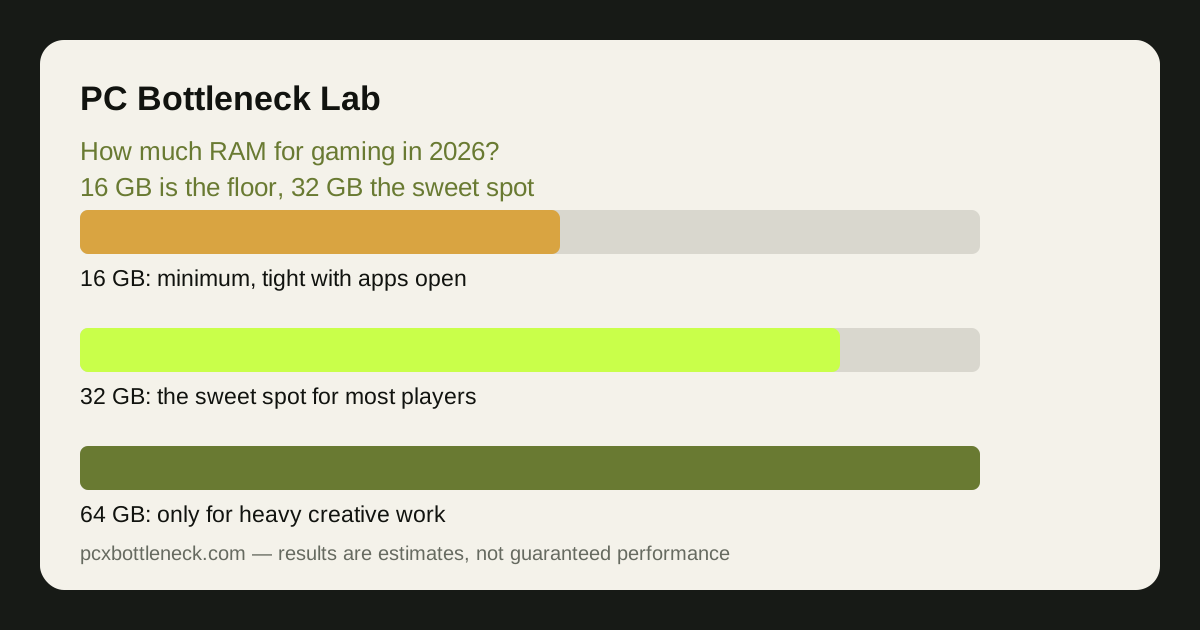
The pattern is simple: 16 GB is the floor, 32 GB is where most players should land, and 64 GB is for work beyond gaming. Buying more than you use does not make games faster — once the game and system have what they need, extra RAM sits idle.
Capacity first, then speed — and channels matter too
Capacity is the first question, but it is not the only one. Two sticks running in dual-channel mode give the CPU roughly twice the memory bandwidth of a single stick, and that shows up as higher and steadier frame rates in CPU-bound games. Our guide to dual-channel vs single-channel RAM explains the difference, and the short version is: two sticks are better than one, and they should go in the slots your motherboard manual recommends.
Speed matters next, and the sweet spot depends on the platform. On AM5, DDR5-6000 is the widely recommended balance of speed and stability, because the memory controller holds its fastest ratio up to that range. On Intel platforms there is more headroom for faster kits, but the gains in games are usually small once you are at the sweet spot — and a faster kit never makes up for too little capacity.
Finally, check the speed your RAM is actually running at. Many kits run at a slow default speed until XMP (Intel) or EXPO (AMD) is turned on in the BIOS. A 32 GB kit running at its slow default can feel worse than a 16 GB kit running at its rated speed, so enable the profile after installing.
How to check your own RAM use
Checking takes a minute. On Windows, open Task Manager, go to Performance, then Memory: it shows how much RAM you have, how much is in use, and the speed. Play your most demanding game for ten minutes with your usual programs open, then alt-tab out and look at the memory figure. If it is regularly above 85–90% of your total, you are close to the edge and an upgrade will help.
The same screen shows the slot count and whether the memory is running in dual-channel mode, and a free tool such as CPU-Z confirms the channel mode and timings. If you have one stick, adding a second identical stick is usually the cheapest meaningful upgrade a gaming PC can get.
Run the rest of your system through the PC bottleneck calculator as well — RAM is only one part of the balance, and the calculator shows whether the CPU or the GPU is the real limit in your games. If you are also weighing DDR4 against DDR5, our DDR4 vs DDR5 guide covers the platform question.
Limitation: the usage figures in this guide are typical ranges for current games, not measurements of your PC. Memory use varies with the game, the settings, the resolution and what else is running, so check your own Task Manager numbers before buying.
Frequently asked questions
Is 16 GB of RAM enough for gaming in 2026?
It is the minimum, and it still works for 1080p gaming with little else open. But with a browser, chat and launcher running alongside a modern game, 16 GB sits close to full — so 32 GB is the safer buy for a new PC.
Is 32 GB of RAM overkill for gaming?
Not in 2026. For a gaming PC with the usual background programs, streaming, or high-resolution textures, 32 GB is the sweet spot — it removes memory as a worry without spending on capacity games will not use.
Do I need 64 GB of RAM for gaming?
Almost certainly not for gaming alone. 64 GB makes sense if you also edit video, work in 3D, run virtual machines, or keep very large projects open alongside games. For pure gaming it buys nothing extra.
Does more RAM increase FPS?
Only up to the point where the game and the system have enough. Going from too little RAM to enough removes stutters and hitches, which feels like a big improvement — but going from enough to more changes nothing, because the extra memory sits unused.
Is it better to have 2 x 16 GB or 1 x 32 GB of RAM?
Two sticks of 16 GB are better for gaming, because they run in dual-channel mode and give the CPU roughly twice the memory bandwidth. One 32 GB stick leaves that bandwidth on the table — always prefer a matched pair.