
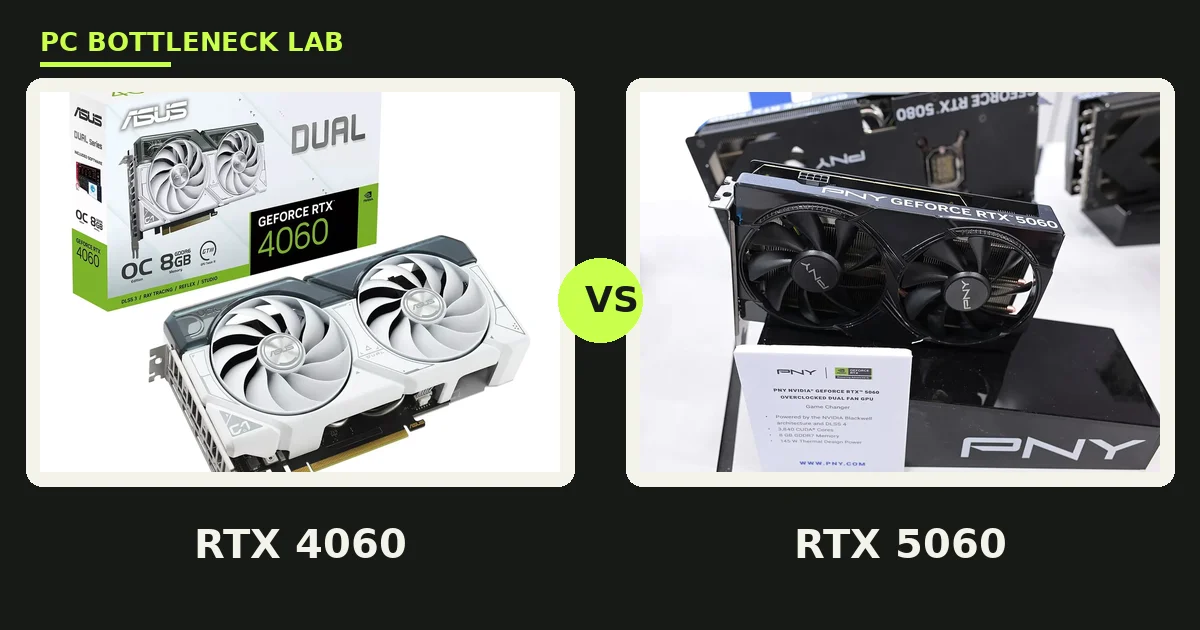
Key takeaways
- The RTX 5060 is about 20 to 30 percent faster in raster, based on TechSpot and other published suites.
- Both cards carry 8GB of VRAM, so the upgrade buys no extra memory headroom.
- At 1080p a modern 6-core CPU feeds either card, and the CPU rarely limits the result.
- DLSS 4 Multi Frame Generation is the clearest reason to pick the RTX 5060 over the RTX 4060.
- The RTX 4060 draws 30W less, and it now sells mostly as remaining stock or used.
RTX 4060 vs RTX 5060 bottleneck: the short answer
A bottleneck is the part that holds the rest of the system back, and for these two cards the answer is calm. At 1080p a modern 6-core CPU feeds either card with ease, so the GPU sets the pace in most games. The RTX 5060 is faster, but the gain is a fifth to a third, not a doubling. The RTX 4060 vs RTX 5060 bottleneck question is therefore about the card, not the CPU. Check your own pair first with the free bottleneck calculator before you spend on either card.
| Spec | RTX 4060 | RTX 5060 |
|---|---|---|
| Architecture | Ada Lovelace | Blackwell |
| CUDA cores | 3,072 | 3,840 |
| VRAM | 8GB GDDR6 | 8GB GDDR7 |
| Memory bus | 128-bit | 128-bit |
| Memory bandwidth | 272 GB/s | 448 GB/s |
| Boost clock | 2.46 GHz | 2.50 GHz |
| Power draw (TDP) | 115W | 145W |
| Launch price (MSRP) | $299, June 2023 | $299, May 2025 |
| Frame generation | DLSS 3 | DLSS 4 Multi Frame Generation |
Both cards have 8GB: the ceiling that did not move
VRAM is the memory on the graphics card that holds textures, models, and frame data while a game runs. Both cards carry 8GB, and that sameness is the most important fact in this comparison. The RTX 5060 moves its memory much faster, with GDDR7 at 448 GB/s against GDDR6 at 272 GB/s. But the size of the buffer is identical, so a game that needs more than 8GB will hit the same wall on either card. In the newest AAA titles at 1080p high settings, usage already pushes past 8GB, and the card starts swapping data to system RAM. That swap shows up as stutter, not as a lower average frame rate. The new card is faster, but it is not more future-proof. For the VRAM story in full, see this: VRAM bottleneck: 8GB vs 12GB vs 16GB.
How much faster is the 5060 in games
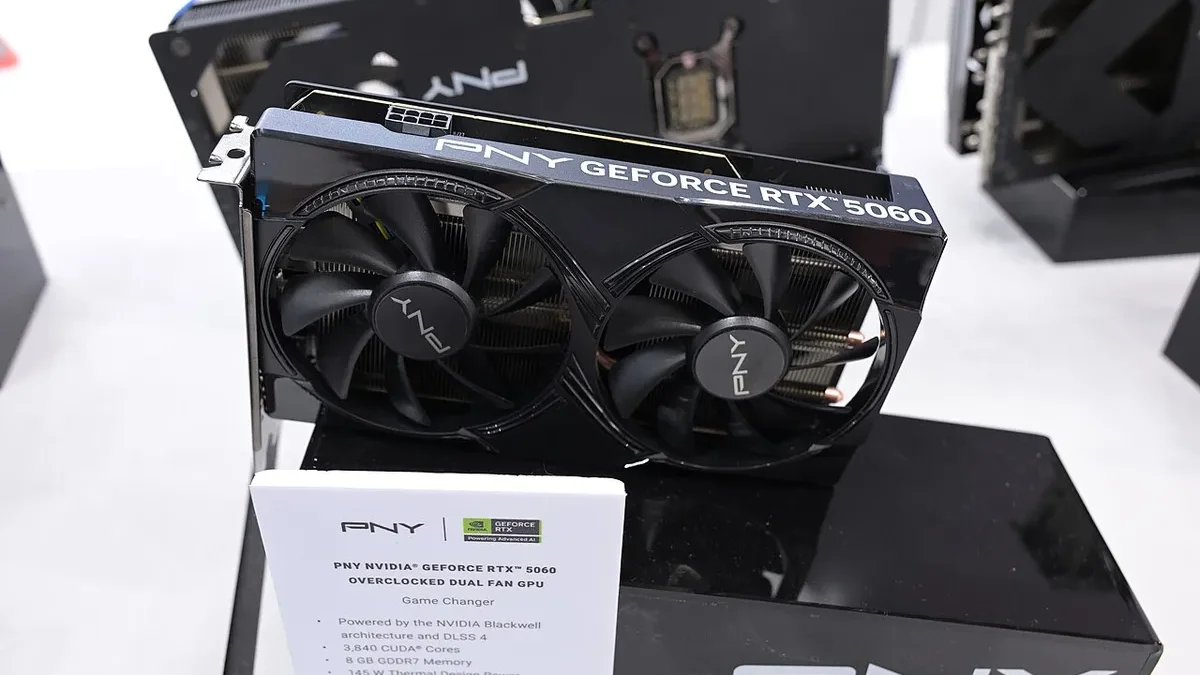
The RTX 5060 wins in games, and the size of the win depends on the test. TechSpot and Hardware Unboxed measured it 22 percent faster than the RTX 4060 at 1080p across 18 games, and 27 percent faster at 1440p. PCBuildHelper, using a 30-game dataset that is mostly estimated, put the 1080p lead near 32 percent. Technical City measured about 20 percent at 1080p, 15 percent at 1440p, and 30 percent at 4K. The honest range is roughly 20 to 30 percent in raster at 1080p. Esports titles show a smaller gain, near 12 to 18 percent, since those games already run at high frame rates and lean on the CPU. Bandwidth-heavy games with ray tracing show a bigger gap, since the GDDR7 memory helps most there. For the CPU side of this card, see this: RTX 5060 CPU bottleneck: which CPU you need.
| Source | What it measured | RTX 5060 lead |
|---|---|---|
| TechSpot / Hardware Unboxed | 1080p, 18 games | About 22% |
| TechSpot / Hardware Unboxed | 1440p, 18 games | About 27% |
| PCBuildHelper (mostly estimated) | 1080p, 30 games | About 32% |
| Technical City | 1080p, 1440p and 4K | About 20%, 15% and 30% |
Bottleneck by resolution: 1080p and 1440p
Resolution decides which part limits your frame rate, and these cards live at 1080p. At 1080p the GPU sets the pace in most games, while a modern 6-core CPU keeps up with ease. The RTX 5060 turns several games that sit near 60 frames per second on the RTX 4060 into smooth high-refresh experiences. At 1440p the RTX 5060 is faster too, but both cards need compromises in demanding games. High settings at 1440p push VRAM past 8GB in the heaviest titles, and then both cards stutter the same way. The RTX 4060 vs RTX 5060 bottleneck balance therefore barely changes with resolution. The faster card wins, but the 8GB wall binds both of them. For the 16GB step up from this tier, see this: RTX 5060 vs RTX 5060 Ti 16GB bottleneck: VRAM value.
| Resolution | What limits the frame rate | VRAM pressure | Pick |
|---|---|---|---|
| 1080p | GPU mostly | Medium | 5060 for new builds |
| 1080p high-refresh | GPU, CPU in esports | Medium | 5060, clear lead |
| 1440p | GPU | High | 5060 faster, both need compromises |
| 1440p ultra / ray tracing | VRAM binds both | Very high | Neither; consider a 16GB card |
DLSS 4: the real reason to pick the 5060
DLSS is NVIDIA upscaling tech that renders at a lower resolution and rebuilds the image, and frame generation adds AI-made frames between real ones. DLSS 4 Multi Frame Generation inserts up to three AI frames per real frame, and it runs only on RTX 50-series cards. The RTX 4060 keeps DLSS 3 frame generation, which adds one frame per real frame, plus the newer DLSS 4 transformer upscaling model. For a budget card, Multi Frame Generation matters more than raw speed. It can lift a 50 frame per second base into a smooth displayed rate in supported games. But it is not free speed. It raises the displayed frame rate while the real input latency stays tied to the base frame rate. So a weak base frame rate still feels sluggish, even with a high displayed number. For the frame generation story in full, see this: DLSS 4 Multi Frame Generation CPU bottleneck.
Power, size and PSU
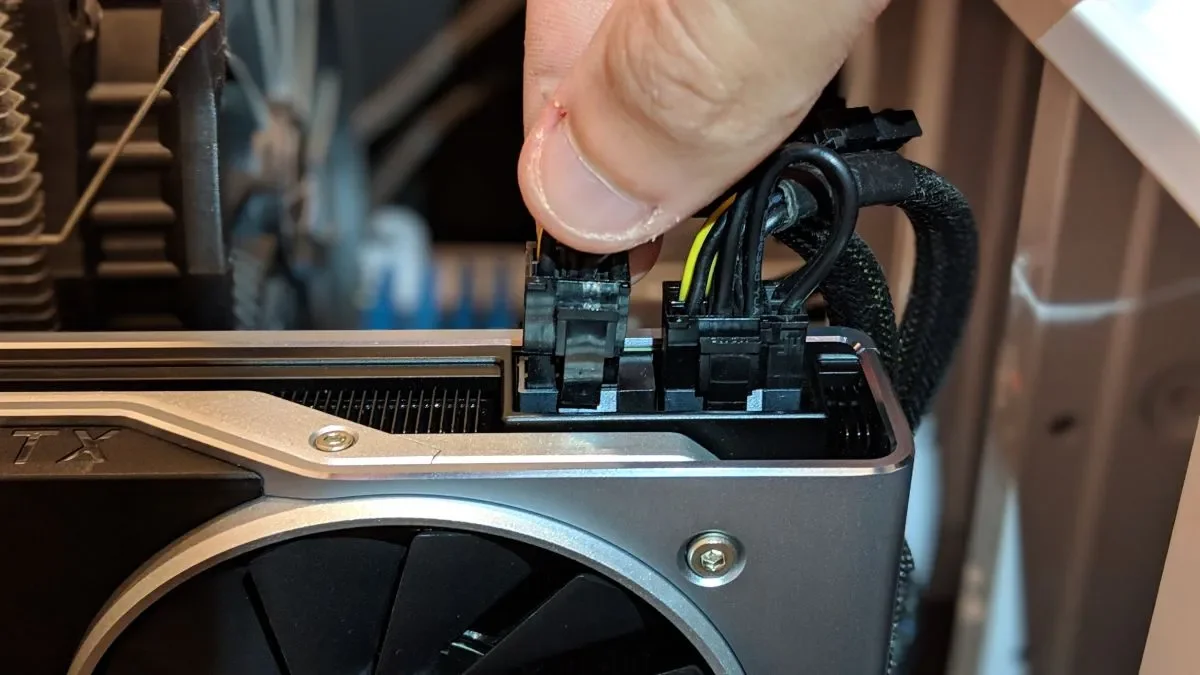
The RTX 5060 draws 145W against the RTX 4060 at 115W, so the newer card asks 30W more from your power supply. That gap is small, and nearly any build that runs a 4060 can run a 5060. Most RTX 5060 models use a single 8-pin power connector, while some use the 16-pin connector, so check the model you buy. A good 550W power supply covers either card in most builds. These are rule-of-thumb figures, not a guarantee for every build. A power-hungry CPU or many drives can push the real draw higher, so add headroom if your build is loaded.
Should you upgrade from a 4060
No, in most cases, and that is the honest answer. A 20 to 30 percent gain does not justify buying a whole new card when your 4060 already plays your games. The upgrade makes sense only in two cases. First, you want DLSS 4 Multi Frame Generation for smoother motion. Second, you are selling the 4060, so the real cost of the step up is small. If you are buying new, take the RTX 5060. It is faster, newer, and gets the new features at the same $299 launch price. If a used 4060 costs far less, take it and spend the rest on your CPU or monitor. For CPU pairings for the older card, see this: best CPU for RTX 4060.
The bottom line on the RTX 4060 vs RTX 5060 bottleneck
The RTX 4060 vs RTX 5060 bottleneck story is a modest step, not a new tier. At 1080p the RTX 5060 is about a fifth to a third faster, and the CPU rarely limits either card. Both cards share 8GB of VRAM, so the upgrade buys speed and DLSS 4, not memory. Keep the 4060 if you own one, and buy the 5060 only when you are building new. Run your exact parts through the CPU bottleneck calculator before you buy. Your CPU and monitor decide how much of the gap you will see.
Frequently asked questions
Is the RTX 5060 a big upgrade over the RTX 4060?
No, it is a modest upgrade. Published tests put the RTX 5060 about 20 to 30 percent faster in raster at 1080p, with TechSpot measuring 22 percent across 18 games. That is a real gain, but it is not a new tier of performance. The bigger reason to pick the 5060 is DLSS 4 Multi Frame Generation, not raw speed.
Will 8GB of VRAM hold back new games at 1080p in 2026?
Yes, in the heaviest new games it can. Most 1080p games still fit in 8GB. Some 2025 and 2026 titles push past it with high textures, and then the card swaps data to system RAM. That swap causes stutter even when average frame rates look fine. Lowering texture quality one step usually fixes it, and esports titles never come close to the limit.
Will a modest CPU hold back the RTX 5060 at 1080p?
No. A modern 6-core CPU feeds the RTX 5060 with ease at 1080p, since the card is light on the processor. The faster card does not raise the CPU floor in any meaningful way. Spend on the card and the monitor first, and upgrade the CPU only if you play esports at very high frame rates.
Is Multi Frame Generation locked to the RTX 5060 over the 4060?
Yes. Multi Frame Generation runs only on RTX 50-series cards, so the RTX 4060 cannot use it. The older card does support DLSS 3 frame generation, which adds one AI frame per real frame. It also gets the newer DLSS 4 transformer upscaling model. That model improves image quality on both generations of cards.
Is a second-hand RTX 4060 a smarter buy than a new RTX 5060?
Only if it costs far less and you play at 1080p. A new RTX 5060 is faster, gets DLSS 4, and carries a warranty, so it wins when the price gap is small. A second-hand 4060 makes sense as a budget pick, but check it carefully before you pay, and test it under load if you can. A cheap card with worn fans is no bargain.
What wattage power supply suits an RTX 5060 build?
A good 550W unit suits an RTX 5060 build, since the card draws 145W. The RTX 4060 draws 115W and is comfortable on the same supply. Most RTX 5060 models use a single 8-pin connector, while some use the 16-pin connector, so check the model you buy. These are rule-of-thumb figures for a typical build.
How this guide was prepared
This guide compares the RTX 4060 and RTX 5060 using TechSpot and Hardware Unboxed, PCBuildHelper, Technical City, and NVIDIA specification pages. Specs, launch prices, and power figures come from the manufacturers and those test pages. The performance gaps are reported as the ranges those sources published. No frame rates were measured by us, and no street price is claimed.
Last updated: November 12, 2026