
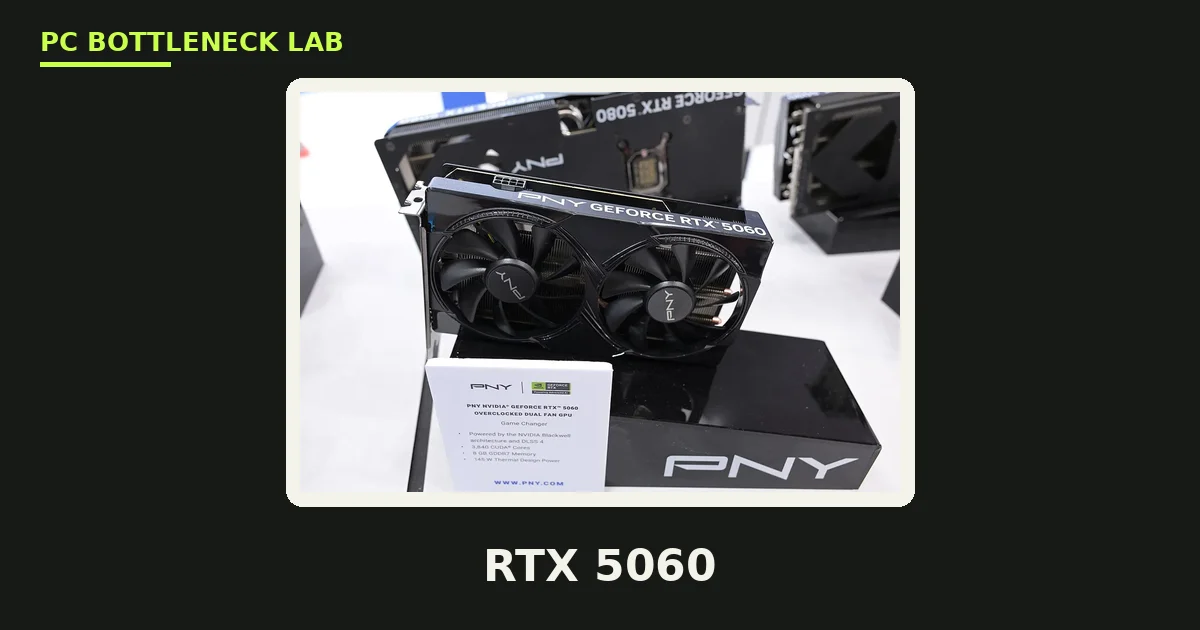
Key takeaways
- A modern 6-core CPU feeds an RTX 5060 at full speed in most games at 1440p.
- The RTX 5060 launched on 19 May 2025 at $299, with 8GB of GDDR7, a 145W power rating, and DLSS 4.
- At 1440p ultra, the 8GB VRAM limit hits before the CPU does in texture-heavy games.
- The card uses PCIe 5.0 x8, so on an old PCIe 3.0 board it runs at PCIe 3.0 x8.
- If the GPU sits near 100% while the CPU stays lower, the CPU is not the problem.
RTX 5060 CPU bottleneck: the short answer
Buy a modern 6-core CPU and stop worrying. A Ryzen 5 7600, Ryzen 5 9600X, Core i5-12400F, or Core i5-14400F feeds the RTX 5060 well at 1080p and 1440p.
A CPU bottleneck means the processor cannot feed the graphics card fast enough, so the GPU waits for work. With this card, that happens mostly at 1080p in CPU-heavy games, and rarely at 1440p. The card draws only 145W and targets 1080p and 1440p, so it asks less of a CPU than a flagship does. That is why the floor is low: a budget 6-core chip from the last few years is enough. At the same time, a weak old CPU still hurts at 1080p, where the CPU sets the frame ceiling. So the right question is not which CPU is fastest, but which CPU is the cheapest that feeds this card. The next sections answer that, then show how to check your own PC before you spend anything. You can also run your exact pair through the PC bottleneck calculator before you buy.
RTX 5060 specs that decide the CPU question
Three specs set the CPU floor: 145W of power, 8GB of VRAM, and a PCIe 5.0 x8 link. Each one points the same way: this is a modest card, so a modest CPU feeds it.
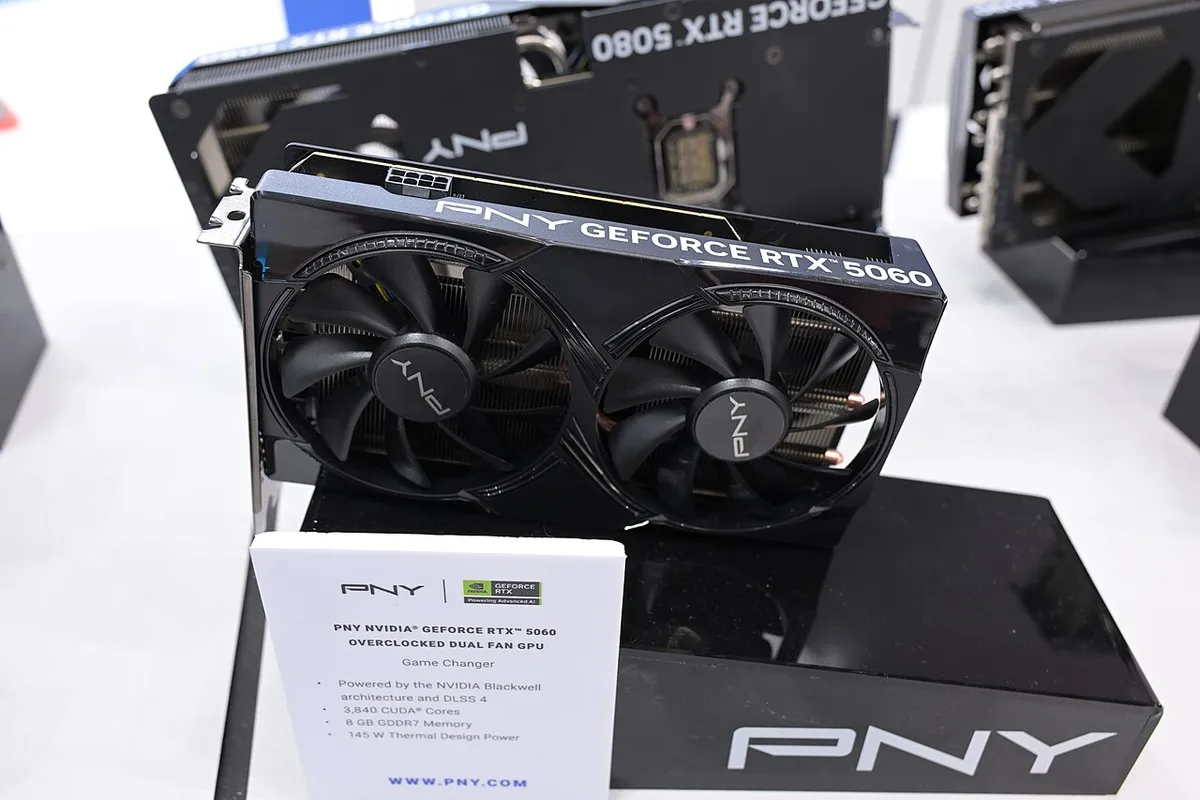
| Specification | RTX 5060 |
|---|---|
| Launch date | 19 May 2025 |
| Launch price | $299 |
| Architecture | Blackwell (GB206) |
| CUDA cores | 3,840 |
| Memory | 8GB GDDR7, 128-bit, 448 GB/s |
| Boost clock | 2,497 MHz |
| Power (TGP) | 145W |
| Power connector | 1x 8-pin |
| Recommended system power | 550W |
| Bus interface | PCIe 5.0 x8 |
| Upscaling | DLSS 4 with Multi Frame Generation |
Start with power: a 145W card needs only a 550W system supply and a single 8-pin plug. TGP is the total graphics power the card is rated to draw. So the CPU does not need a big platform around it. If you want the full power math for your build, see how many watts your PC needs.
Next, the 8GB of GDDR7. VRAM is the memory on the card that holds textures and frame data. At 8GB, it is the tightest part of this card. It matters more than the CPU at 1440p, which the VRAM section below covers in full.
Finally, the PCIe link: PCIe is the slot connection between the card and the motherboard, and this card uses eight PCIe 5.0 lanes. On a PCIe 4.0 board it runs at 4.0 x8, which is fine in most games. On a PCIe 3.0 board it runs at 3.0 x8, which is a real limit only when VRAM overflows.
DLSS 4 is the last spec that matters here. DLSS is NVIDIA's AI upscaling, and Multi Frame Generation is its frame-creation mode. It lifts the frame rate the screen shows without asking the CPU for more work, which is why it helps a CPU-limited setup feel smoother.
How the RTX 5060 CPU bottleneck changes with resolution
Resolution decides who works harder. At 1080p the CPU sets the ceiling, at 1440p the GPU takes over, and at 4K the CPU barely matters at all.
| Resolution | CPU floor | Sweet spot | What limits you first |
|---|---|---|---|
| 1080p | Ryzen 5 5600 / Core i5-12400F | Ryzen 5 7600 / Core i5-14400F | CPU in esports and simulation games |
| 1440p | Ryzen 5 5600 / Core i5-12400F | Ryzen 5 7600 / Ryzen 5 9600X | GPU in most games; VRAM at ultra settings |
| 4K | Any modern 6-core chip | Ryzen 5 7600 | GPU and 8GB VRAM, not the CPU |
At 1080p, the card renders frames fast, so the CPU must prepare each frame quickly. That is why a faster CPU still pays off here, mostly in competitive and simulation games that lean on one fast core. At 1440p, each frame costs the GPU more work, so the CPU gets more breathing room. A budget 6-core chip is enough for most games at this resolution. At 4K, the card is the limit in every game, so buying a faster CPU for 4K with this card wastes money. For the full picture of why this happens, read how resolution changes bottlenecks.
The limit most buyers miss: 8GB VRAM, not the CPU
Here is the angle most per-GPU guides skip: with this card, the memory runs out before the CPU does. At 1440p ultra, texture-heavy 2026 titles can ask for more than 8GB, and that is when the card stumbles. Guides from other hardware sites name five games that push past 8GB at high settings. They are Alan Wake 2, Cyberpunk 2077 with path tracing, Hogwarts Legacy, The Last of Us Part I, and Indiana Jones and the Great Circle. That is their finding, not a test we ran, and it matches what the 8GB figure predicts.
When VRAM fills up, the card pulls texture data over the PCIe link instead, and that is far slower than onboard memory. You feel it as hitches, sudden frame drops, and textures that load late. It looks like a CPU problem, but the CPU is idle while the card waits on data. On a PCIe 3.0 board the effect is worse, because the link runs at about a quarter of the speed the card was built for. For the full VRAM picture, see the 8GB VRAM bottleneck.
Three fixes help before you spend anything. First, drop texture quality one step, which cuts VRAM use at once. Second, turn on DLSS, which renders at a lower internal resolution and eases both the GPU and the memory. Third, close browser tabs and apps that hold VRAM while you play. If you play mostly at 1440p ultra and keep cards for years, the 16GB RTX 5060 Ti removes this worry. It costs more than the 5060, so weigh that against how long you keep a card.
Which CPUs feed the RTX 5060, and which hold it back
A budget 6-core chip feeds it, a mid-range 6-core chip is the sweet spot, and anything faster is overkill. The tiers below are decision rules, not lab results. They come from the card's power and performance class, plus how CPUs of each tier behave in games. No frame-rate figure here is a measured result. Treat the tiers as guidance, and test your own system with the steps in the next section.
The floor: the cheapest CPUs that feed the card
The Ryzen 5 5600, Ryzen 5 5600X, Core i5-12400F, and Ryzen 5 7500F all feed this card at 1440p in most games. Each one is a 6-core chip from the last few years, and each one costs far less than the card itself. On AM4, the 5600 is the classic drop-in upgrade for an old build. On a new build, the 7500F is the cheapest way onto AM5. Factory prices rose in November 2026, with the RTX 5060 8GB up about $30, so the street price matters more than the launch price now. That makes the floor tier worth a second look before you pay for a faster chip.
The sweet spot: the best value pairings
The Ryzen 5 7600, Ryzen 5 9600X, Core i5-13400F, and Core i5-14400F are the sweet spot for this card. They cover 1080p high-refresh play as well as 1440p, and they leave room for a stronger card later. If you are buying new today, start here. The 9600X is the pick if you play competitive games at 1080p, while the 7600 is the pick if 1440p is your home. For how the wider 50 series lines up, see which CPU the RTX 50 series needs.
Overkill: fast CPUs that waste money here
The Ryzen 7 7800X3D, Ryzen 7 9800X3D, Core i7-14700K, and Core i9-14900K are more CPU than this card needs. They will not hurt your games, but they will not raise the frame rate either, because the card is the limit. Buy one only if you already plan a stronger GPU later, or if you run heavy work beside gaming. If you already own one, keep it and enjoy the headroom. For the closest comparison on the last generation, see the best CPU for the RTX 4060.
Avoid: old chips that hold the card back
Four-core chips, first- and second-generation Ryzen CPUs, and 8th- and 9th-generation Core i5 chips can hold this card back at 1080p. They were fine in their day, but modern games ask for more threads and faster single-core speed. At 1440p the gap shrinks, since the GPU takes over, yet the stutter in CPU-heavy scenes stays. If your CPU is on this list, a CPU upgrade will help more than any setting change.
How to tell if your CPU is the limit
Do not guess: a five-minute test tells you more than any chart, and it uses tools you already have.
- Open a monitoring overlay that shows GPU usage and CPU usage per core, such as MSI Afterburner or the NVIDIA overlay.
- Play your most demanding game for ten minutes at your normal settings.
- Read the numbers: a GPU near 100% means the card is the limit, and the CPU is fine. A GPU well below 100% with one CPU core near 100% means the CPU is the limit.
- Repeat the test at a higher resolution. If the frame rate barely changes, the CPU is the limit. If it drops a lot, the GPU is.
- Check the RAM too: a single RAM stick, or a kit running at its slow default speed, can look like a CPU limit.
If the test is unclear, read how to check for a CPU bottleneck for the full method. To tell the two kinds of limit apart, see CPU vs GPU bottleneck: how to tell.
How to fix an RTX 5060 CPU bottleneck
Start with the free fixes, since they cost nothing and often close the gap.
- Raise the resolution or the graphics settings. That shifts work to the GPU, so the CPU stops being the limit.
- Turn on Multi Frame Generation. It adds frames the CPU never renders, so the game feels smoother even when the CPU caps the rendered rate.
- Close background apps: a browser, chat app, and launcher can eat enough CPU to matter on a 6-core chip.
- Enable XMP or EXPO, and run two RAM sticks. XMP and EXPO are one-click BIOS settings that run your RAM at its rated speed. Dual channel means two RAM sticks working as a pair, which doubles memory bandwidth.
- Update the GPU driver, since a new driver can fix a stutter that looks like a bottleneck.
If the CPU is still the limit after those steps, plan the upgrade instead of fighting settings. On AM4, a drop-in chip such as the Ryzen 7 5700X3D is the cheapest real fix. On a new build, move to the sweet-spot tier above. Before you buy, run the pair through the CPU GPU bottleneck calculator and check the price of the tier, not just the chip.
That is the whole RTX 5060 CPU bottleneck story in one line. A modest CPU feeds this card, 8GB of VRAM sets the real limit at 1440p, and a five-minute test tells you which one you face.
Frequently asked questions
Is the RTX 5060 a good upgrade from the RTX 3060?
Yes, if you play at 1080p or 1440p and want DLSS 4 and better ray tracing. The 5060 is roughly a tier faster than the 3060, and it uses less power. If you already own a 3060 Ti or better, the jump is smaller, so wait for a bigger card instead.
Is the RTX 5060 good for 1440p gaming?
Yes, for most games at high settings, where it runs well and DLSS fills the gaps. At ultra settings in texture-heavy 2026 titles, the 8GB of VRAM can fill up, which shows as hitches rather than a smooth low frame rate. Dropping textures one step or turning on DLSS fixes that. If ultra at 1440p is your home, the 16GB RTX 5060 Ti is the safer card.
Does the RTX 5060 need a new PSU?
No, not in most builds. NVIDIA asks for 550W of system power, and the card draws 145W through a single 8-pin plug. A decent 550W unit from a known brand is enough with a mainstream CPU. Only a very old or very cheap unit, or a build with a power-hungry flagship CPU, needs a new supply. Check the wattage math for your parts before you buy.
Will an old PCIe 3.0 motherboard bottleneck the RTX 5060?
Only in one case. The card uses eight PCIe 5.0 lanes, so on a PCIe 3.0 board it runs at PCIe 3.0 x8. That is about a quarter of its designed link speed. In most games that costs little. When VRAM overflows and the card pulls data over PCIe, the slow link hurts. At 1080p and 1440p, it is not a reason to buy a new board.
Does the RTX 5060 struggle in games that need more than 8GB of VRAM?
Yes, in some games at 1440p and above. Titles with large textures can use more than 8GB, and when VRAM runs out the game stutters as it swaps data to system memory. At 1080p most games still fit, so lower the texture setting first before you blame the card.
What is the cheapest CPU that fully feeds an RTX 5060?
Pick the Ryzen 5 5600, Ryzen 5 7500F, or Core i5-12400F. Each one is a 6-core chip that feeds the card at 1440p in most games, and each one costs far less than the card. Pick the one that fits the board you already own. If you are buying a board too, the 7500F is the cheapest way onto a current platform.
How this guide was prepared
This guide was prepared from NVIDIA's published RTX 5060 specifications and launch details. The facts were checked against independent reviews from TechPowerUp and other hardware sites on 10 November 2026. CPU pairings are decision rules based on the card's power and performance class, not lab measurements. Treat them as guidance, and test your own system with the steps inside. Where a number would need a test we have not run, the guide says so instead of guessing.
Last updated: November 10, 2026