
Why this pair was balanced — and what has changed
When the Ryzen 5 3600 launched in 2019, it was the value king: six cores and twelve threads for the price of a mid-range chip, on the AM4 platform. The RTX 2070, an 8 GB Turing card, sat in the same sensible middle of the market. Neither part outclassed the other, so in most games the two took turns being the limit depending on the scene — which is exactly what a balanced pairing looks like.
What has changed is not the parts, but the games. New releases ask for more VRAM, more ray tracing and more CPU work for open worlds and large maps. The 3600's six Zen 2 cores are still enough for most games at 60 frames per second, and the 2070 still renders 1080p well — but the margins are thinner. The pair has gone from comfortable to adequate.
Both parts are now bought used, and the opposite extreme — a 3600 with an RTX 4090 — shows what happens when the balance breaks entirely. The 2070 pairing is the calm middle: no part wasted, none obviously holding the other back.
Where the 3600 2070 bottleneck stands in 2026, by resolution
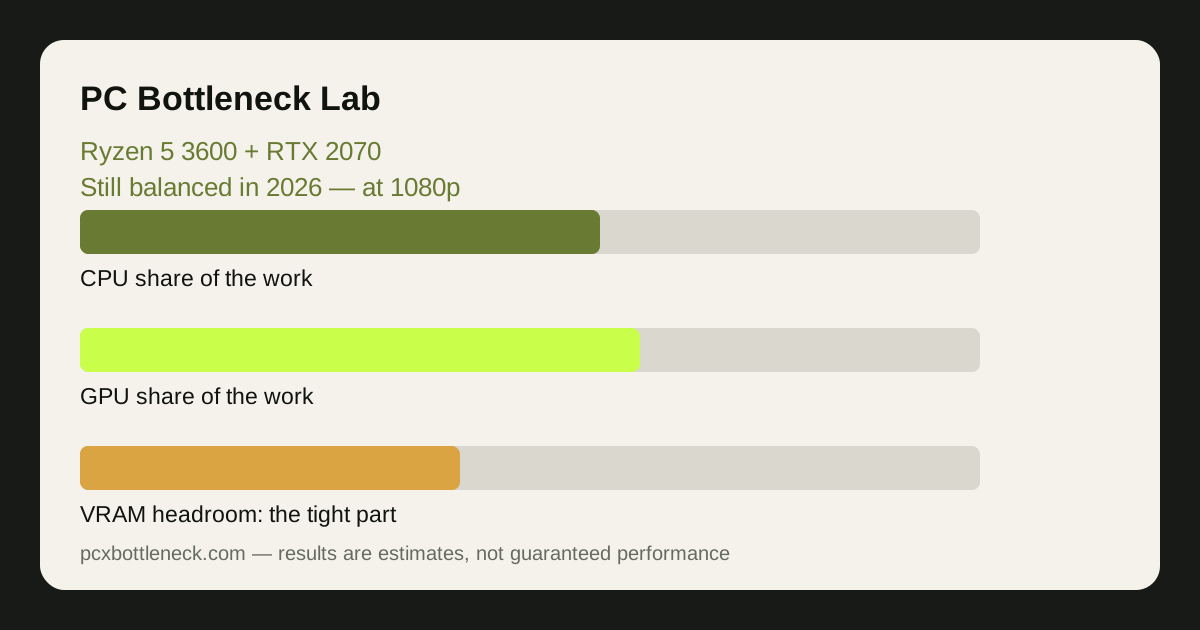
At 1080p this pairing still earns its keep. Most games from the last few years run at high settings around 60 frames per second, and competitive titles run much faster with settings turned down. The CPU and GPU share the work fairly evenly, which is why the pairing feels smooth: neither part is constantly maxed out while the other waits.
| Resolution and settings | Usual limit | What to expect in 2026 | First thing to change |
|---|---|---|---|
| 1080p, high settings | Shared — both parts work | Most games smooth at 60 FPS | Nothing yet |
| 1080p, competitive low settings | The CPU in busy scenes | High frame rates, dips in large fights | A faster AM4 CPU |
| 1440p, medium to high | The GPU, usually | Playable, but newer games need settings lowered | A newer GPU |
| 1440p with ray tracing | The GPU, clearly | Heavy for a Turing card; use DLSS | Turn ray tracing off |
| 4K | The GPU, heavily | Only light or older games | A much stronger GPU |
The table shows the real story: the pairing's weakness is not a CPU bottleneck, it is the graphics card running out of steam at higher resolutions and the 8 GB of VRAM filling up with high-resolution textures. That is a different problem from a mismatched pair, and it has a different fix.
The 8 GB VRAM limit is the real 2026 problem
The RTX 2070's 8 GB of video memory was generous in 2018. In 2026, some new games want more for their highest texture settings, and when VRAM fills up the card swaps textures in and out of system memory — sudden hitches rather than a steady low frame rate. Lowering texture quality one notch usually fixes it, because textures are the biggest VRAM consumer.
You can spot a VRAM limit in a monitoring tool: VRAM usage pinned near 8 GB while the GPU itself is not fully loaded, with stutters when you turn or enter a new area. That differs from a CPU limit, where the CPU is maxed out and the GPU waits. Our guide to telling a CPU bottleneck from a GPU bottleneck explains how to read those numbers, and the VRAM guide covers the 8 GB question in detail.
DLSS helps here too. The 2070 supports DLSS upscaling, which renders at a lower internal resolution and rebuilds the image — that takes pressure off both the GPU cores and the VRAM, and in supported games it can be the difference between smooth and stuttery at 1440p.
What to upgrade first from this pairing
For most owners, the graphics card is the next upgrade, not the CPU. At 1080p the 3600 still feeds the 2070 well, and a newer mid-range card would immediately lift frame rates and add VRAM headroom. A sensible next card is one or two tiers up — the RTX 4060 or 5070 class — rather than a flagship, which would flip the pair into the CPU-limited territory in our 3600 + 4090 article.
The exception is the high-refresh player: if you play competitive games at 144 Hz or above and chase every frame, the 3600 becomes the ceiling first, and a drop-in AM4 upgrade to a Ryzen 7 5700X3D or 5800X3D — after a BIOS update — is the cheaper fix. For everyone else, the CPU can wait until the platform move to AM5 makes sense.
Before spending, run the pair through the PC bottleneck calculator at your resolution, and check what a replacement card would do in the same calculator. The upgrade that moves your actual games is the right one — not the part that looks most impressive on a spec sheet.
Limitation: this is a general assessment of a seven-year-old pairing, not a measurement of your PC. Results vary with the game, the driver version, background programs and whether the card's VRAM is full, so check your own frame rates and VRAM use before deciding on an upgrade.
Frequently asked questions
Is the Ryzen 5 3600 still good for gaming in 2026?
Yes, for 60 FPS gaming at 1080p with a mid-range card. Its six cores and twelve threads handle most current games, though heavy simulation and large multiplayer titles can push it to its limit. For high-refresh competitive play, a newer CPU earns its keep.
Is the RTX 2070 still good in 2026?
At 1080p, yes — it still plays most games at high settings, and DLSS helps in newer titles. Its limits are 8 GB of VRAM and weak ray tracing, so 1440p with high textures or ray tracing is where it struggles.
Does the Ryzen 5 3600 bottleneck the RTX 2070?
Not in any meaningful way for most games. The two parts are from the same era and tier, so they share the work evenly. A bottleneck appears only at the edges — very high refresh rates on the CPU side, or high resolutions on the GPU side.
Should I upgrade my 3600 or my 2070 first?
Usually the 2070, because the graphics card limits frame rates and settings at 1440p and in newer games. Upgrade the CPU first only if you play competitive games at high refresh rates and the CPU is the ceiling you keep hitting.
Can this pairing run new AAA games in 2026?
Mostly yes at 1080p, with settings adjusted: high settings in many games, medium with DLSS in the most demanding ones. Ultra textures and ray tracing are the two settings most likely to cause stutter on 8 GB of VRAM.