
Why the 3600 4090 bottleneck is so large
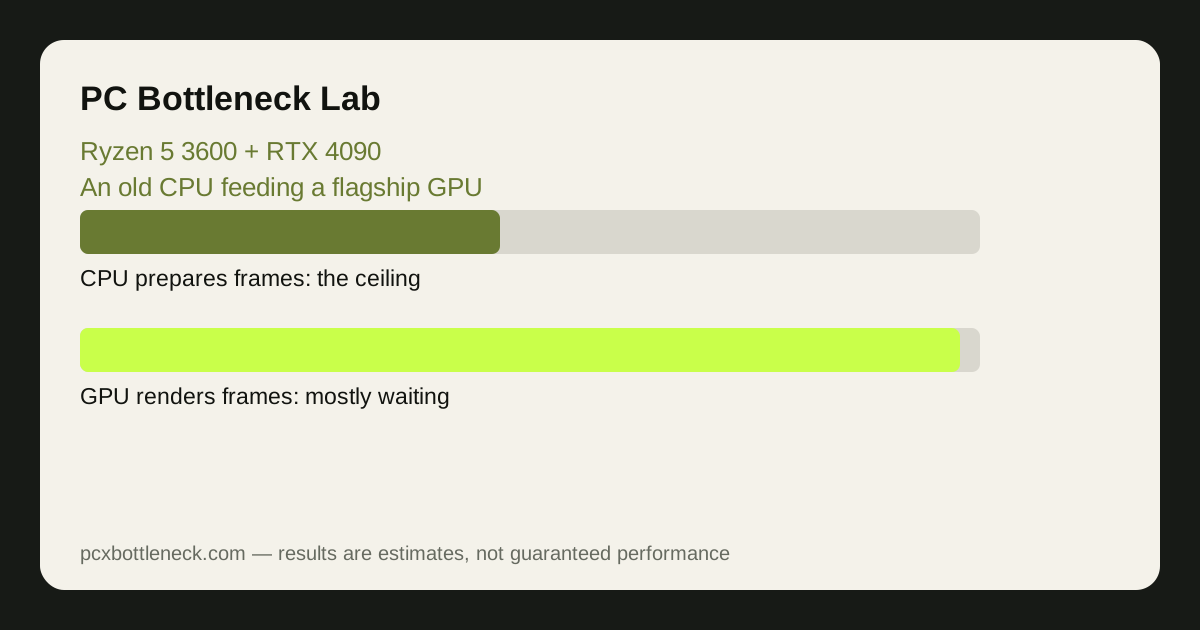
Every frame is a two-step job: the CPU prepares it, and the GPU renders it. The Ryzen 5 3600, a six-core Zen 2 chip from 2019, was a strong mid-range CPU in its day, but the RTX 4090 renders frames far faster than the 3600 can prepare them. When the CPU cannot keep up, the GPU idles between frames and frame rate stops rising.
The gap is widest in games that lean hardest on the CPU: competitive shooters, busy open worlds, and simulation titles. In those games the 3600 is working at its maximum while the 4090 may sit at well under half of its capacity. That is the core of the 3600 4090 bottleneck: not a faulty card or a broken CPU, but two parts from different performance eras.
It helps to compare with a pairing from the same era. The 3600 was a natural partner for cards like the RTX 2070 — see our Ryzen 5 3600 + RTX 2070 guide. The 4090 is several tiers above that, so the CPU that once fed its partner comfortably now feeds a card that is always hungry for more work.
What the imbalance costs you, by resolution
Resolution changes how long the GPU spends on each frame. At 1080p each frame is cheap to render, so the CPU's preparation speed is the limit and the 4090's extra power is mostly wasted. Raise the resolution and each frame takes the GPU longer, giving the CPU more time — the balance shifts back toward the graphics card.
| Resolution and settings | What usually limits FPS | What you typically see | What the 4090 is doing |
|---|---|---|---|
| 1080p, high settings | The Ryzen 5 3600 | Frame rate caps near what the CPU can prepare | Mostly waiting |
| 1440p, high settings | Still usually the CPU in fast games | Better use of the card, but the CPU ceiling still shows in busy scenes | Working harder, still underused |
| 4K, high settings | The GPU in most games | The closest this pairing gets to balance | Finally the main limit |
| 4K with ray tracing | The GPU, almost always | Smooth, GPU-bound play | Fully loaded |
| Competitive shooters, low settings | The CPU, at any resolution | Very high frame rates, capped by the CPU | Barely loaded |
The pairing is least wasteful where the 4090 is meant to shine: high resolutions with demanding settings. At 1080p on a 144 Hz monitor, a cheaper card would give you nearly the same experience, because the CPU is the ceiling either way.
When this pairing can still make sense
There are real situations where the two together are not a mistake. If you already own the 4090 — bought for rendering, AI work or a future build — and the 3600 is what you have today, the combination still plays every current game, just not at the frame rates a faster CPU would unlock. GPU-heavy work outside gaming barely notices the CPU at all.
It can also make sense as a staged upgrade: buy the card first, then replace the CPU and platform next, so the waste is temporary. What does not make sense is buying both parts new today — the 3600 is a used-market CPU in 2026, and pairing it with a flagship card as a fresh purchase means paying flagship money for mid-range gaming performance.
Two practical checks before you commit: power and case. The RTX 4090 is a 450 W card, so NVIDIA's published guidance points to a large, good-quality PSU, and the card is long and thick — measure the case first. A board running the card at PCIe 3.0 speeds costs little at x16 width, so the slot is rarely the real problem; the CPU is.
The sensible upgrade path from a 3600
If you own this pairing, the fix is a CPU upgrade, not a settings tweak. On the same AM4 motherboard, a drop-in upgrade to a Ryzen 7 5700X3D or 5800X3D — after a BIOS update — lifts frame rates substantially. That is usually the cheapest way to unlock a large share of the 4090's performance, and our guide to whether to upgrade the CPU or GPU first walks through the decision.
The bigger step is a platform move to AM5 — a Ryzen 7 9800X3D needs a new motherboard and DDR5 memory. It costs more, but it removes the CPU ceiling almost entirely. Which step is right depends on your budget and monitor: at 4K the AM4 drop-in is often enough, while a high-refresh player will feel the AM5 move more.
Run the pairing through the PC bottleneck calculator with your resolution and game type before spending anything — it shows the balance by resolution, so you can see whether the upgrade actually moves your games.
Limitation: the balance described here is a range depending on the game, settings and resolution, not a single measured number for your PC. A CPU-heavy game at 1080p and a GPU-heavy game at 4K can give very different results from the same parts, so test your own games after any change.
Frequently asked questions
Is a Ryzen 5 3600 too weak for an RTX 4090?
For gaming, yes. The 3600 caps frame rates in CPU-heavy games long before the 4090 is fully loaded, especially at 1080p and 1440p — but you are paying for graphics power you cannot use.
Will a Ryzen 5 3600 bottleneck an RTX 4090 at 4K?
Much less than at 1080p. At 4K the GPU takes longer per frame, so the CPU has more time and the card becomes the main limit. A CPU ceiling can still appear in simulation and competitive games, but 4K is where this pairing is closest to balanced.
Can I just lower settings to fix a 3600 and 4090 bottleneck?
Lowering settings usually makes it worse, because cheaper frames load the CPU even more. Raising resolution or turning on ray tracing shifts work to the GPU and hides the CPU limit, but does not remove it — the real fix is a faster CPU.
What CPU should I pair with an RTX 4090 instead?
On AM4, a Ryzen 7 5800X3D is the practical drop-in upgrade. For a new build, a modern eight-core CPU such as the Ryzen 7 9800X3D is a far better match — see our best CPUs for the RTX 4090 guide.
Does a 3600 + 4090 pairing damage either part?
No. A bottleneck does not damage hardware — the card runs below its maximum load and the CPU at its normal limit. The real risks are heat and power if the card is crammed into a small case with a weak supply, so check cooling and PSU capacity.