
Key takeaways
- The 7500F feeds the RX 9060 XT well at 1080p and 1440p, since both parts sit in the same budget tier.
- Buy the 16GB RX 9060 XT, not the 8GB one: same GPU, same clocks, double the memory for $50 more at launch.
- At 1080p esports play, the CPU can set the ceiling, though a user report on AMD forums notes this, not a lab test.
- AMD claims the 9060 XT beats the RTX 5060 Ti by 6 percent on average across 40 games at 1440p.
- AM5 gives this pair a long upgrade road, all the way to a 9800X3D on the same board.
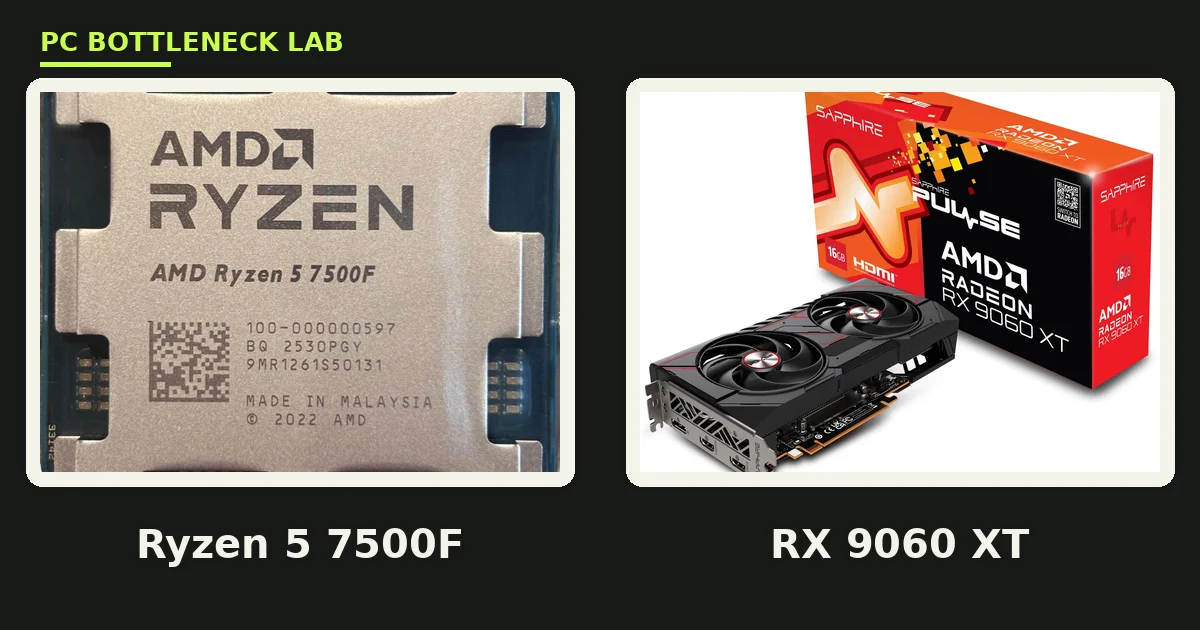
Ryzen 5 7500F + RX 9060 XT bottleneck: the short answer
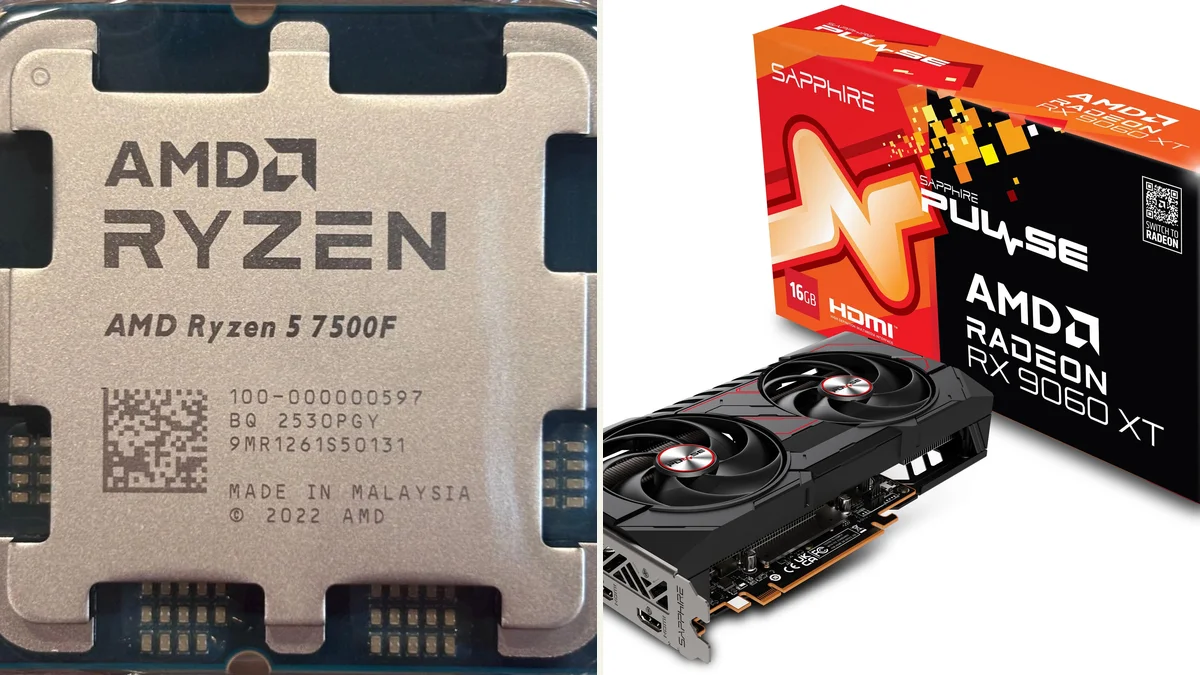
A bottleneck is the part that caps your frame rate first. For this pair, neither part dominates, which is the sign of a balanced budget build. The Ryzen 5 7500F is a six-core, twelve-thread Zen 4 chip with a 5.0 GHz boost. The RX 9060 XT is a 32-compute-unit RDNA 4 card. A Tom's Hardware forum thread asks whether the 7500F matches the 9060 XT 16GB. Mypcbottleneck names the 9060 XT 16GB the best-value GPU for the 7500F. PC-Builds also runs an indexed result page for the exact pair with no bottleneck flagged. Check your own build with the free tool: PC bottleneck calculator.
| Part | Key spec | Launch |
|---|---|---|
| Ryzen 5 7500F | 6 cores, 12 threads, 3.7 to 5.0 GHz, 32MB L3 | Q3 2023, Zen 4, AM5, 65W, no iGPU |
| RX 9060 XT 16GB | 32 compute units, 16GB GDDR6, 128-bit bus | June 5, 2025, $349 launch price |
| RX 9060 XT 8GB | Same GPU, same clocks, 8GB GDDR6 | June 5, 2025, $299 launch price |
| RX 9060 XT power | 3.13 GHz boost, 150W to 182W board power | FSR 4, PCIe 5.0 x16, GDDR6 at 20 Gbps |
8GB vs 16GB: the choice that decides the build
The two RX 9060 XT models share the same Navi 44 GPU, the same 32 compute units, and the same 3.13 GHz boost clock. The only difference is memory: 8GB or 16GB of GDDR6 on the same 128-bit bus, with the same 320 GB/s of bandwidth. The 8GB model draws 150W, while the 16GB model draws up to 182W in factory-overclocked form. At launch, the gap cost $50, which is the cheapest future-proofing in this tier. Modern AAA games at 1440p high settings already push past 8GB, so the smaller card stutters where the larger one stays smooth. Buy the 16GB model unless your budget truly cannot stretch. For the VRAM story in full, see this: VRAM bottleneck: 8GB vs 12GB vs 16GB.
| RX 9060 XT model | VRAM | Board power | Launch price |
|---|---|---|---|
| RX 9060 XT 8GB | 8GB GDDR6 | 150W | $299 |
| RX 9060 XT 16GB | 16GB GDDR6 | 160W reference, up to 182W OC | $349 |
| Shared specs | 128-bit bus, 320 GB/s | 32 compute units | 3.13 GHz boost |
1080p: esports first, and the one CPU-limit note
At 1080p, this pair is at its best in esports and competitive games. The 7500F boosts to 5.0 GHz, so it pushes high frame rates in Valorant, CS2, and Fortnite with ease. The 9060 XT then draws those frames without strain, and a 144Hz or 165Hz monitor is a fair match. One caution comes from an AMD forum user report, which notes a CPU limit in esports at 1080p. That is a user report, not a measurement. It fits the pattern, since low resolutions lean on the CPU, yet it is not a lab result. If you chase 240Hz at 1080p, a faster CPU helps more than a faster card. For the resolution story in full, see this: how resolution changes bottlenecks.
1440p: the sweet spot for the 16GB card
At 1440p, the balance shifts to the card, and the 16GB model shows its value. AMD claims the 9060 XT beats the RTX 5060 Ti by 6 percent on average across 40 games at 1440p. That is an AMD claim, not an independent test. FSR 4 upscaling helps further, since it rebuilds a lower-resolution image with AI, and it now rivals DLSS in image quality at the Quality preset. The 7500F stays out of the way here, because the card works hard on every frame. A 1440p 144Hz monitor suits this pair well, with AAA games at high settings and esports well above that. For the head-to-head with the NVIDIA rival, see this: RX 9060 XT vs RTX 5060 Ti 16GB bottleneck and VRAM value.
No integrated graphics, and the RAM that matters
The F in 7500F means no integrated graphics, so a discrete card is required for any display output. That is no problem in a gaming build, yet it matters for troubleshooting, since a dead card means a black screen. The chip needs DDR5 memory, because AM5 boards have no DDR4 slots at all. DDR5-5200 is the official support level, and a 6000 MT/s kit with EXPO is the common pick for this platform. A 16GB kit is the minimum for gaming, and 32GB is the safer buy in late 2026, when RAM prices are high. Dual-channel mode matters, so buy two sticks, not one. For the AM5 upgrade path in full, see this: AM5 upgrade path: 7600 to 9800X3D.
Power, cooling, and the total build cost
This pair keeps power and cooling cheap, which is the point of a budget AM5 build. The CPU draws 65W, the 16GB card draws up to 182W, and a quality 550W supply covers the pair with room for spikes. The 7500F ships with a Wraith Stealth cooler in the boxed version, and that cooler handles the 65W chip in most cases. A cheap tower cooler keeps it quieter under load, though it is not required. The card needs a single 8-pin connector, and most partner models fit in a mid-tower case without trouble. Spend the savings on the 16GB card and 32GB of RAM, not on a bigger cooler.
The upgrade road for the Ryzen 5 7500F + RX 9060 XT bottleneck: AM5 is the real value here
AM5 is the reason this budget pair ages well, since the same board takes far faster chips later. A Ryzen 7 9800X3D drops into most B650 boards with a BIOS update, and it turns this build into a high-refresh machine. The RX 9060 XT can then stay, or move up to a 9070 XT when prices allow. That path beats the Intel budget route, where LGA1700 has no new chips coming. Buy a B650 board with solid power delivery now, so the later CPU swap needs no new motherboard. For a close Intel cousin of this pair, see this: Ryzen 5 7600 + RTX 4060 Ti bottleneck.
The bottom line on the Ryzen 5 7500F + RX 9060 XT bottleneck
The Ryzen 5 7500F + RX 9060 XT bottleneck stays small with the 16GB card, and this is the cheapest AM5 pair that works well. It plays esports at high refresh rates, handles AAA games at 1080p and 1440p, and leaves a long AM5 upgrade road open. The 8GB card saves $50 at launch and costs you far more in stutter later. Run your own numbers on the GPU bottleneck calculator before you buy, and spend the savings on memory, not on a bigger cooler.
Frequently asked questions
Does the Ryzen 5 7500F bottleneck the RX 9060 XT?
No, it does not bottleneck the RX 9060 XT in most games at 1080p and 1440p. PC-Builds runs a result page for the exact pair with no bottleneck flagged, and mypcbottleneck names the card the best-value GPU for this CPU. At 1080p esports play, the CPU can set the ceiling, though that is a user report, not a lab test.
Should I buy the 8GB or 16GB RX 9060 XT with the 7500F?
Buy the 16GB model. Both cards share the same GPU, clocks, and bus, so you pay $50 more at launch for double the memory. Modern AAA games at 1440p high settings already push past 8GB, which causes stutter. The 16GB card stays smooth in the same scenes and lasts longer.
Is the 7500F + RX 9060 XT good for 1440p gaming?
Yes, it is good for 1440p gaming with the 16GB card. AMD claims the 9060 XT beats the RTX 5060 Ti by 6 percent on average across 40 games at 1440p. FSR 4 upscaling helps further in supported games. AAA titles run well at high settings, and esports games reach high refresh rates.
Does the Ryzen 5 7500F have integrated graphics?
No, the 7500F has no integrated graphics, so a discrete graphics card is required for any display output. That is normal for a gaming build, yet it matters for troubleshooting, since a dead card means a black screen. The boxed version ships with a Wraith Stealth cooler, which handles the 65W chip.
What size power supply covers a 7500F and 9060 XT system?
You need a quality 550W power supply for this pair. The CPU draws 65W and the 16GB card draws up to 182W, so a 550W unit leaves room for drives, fans, and short spikes. Pick a unit from a known brand with an 80 Plus Bronze rating or better. The card needs a single 8-pin connector.
Can I upgrade to a 9800X3D later on the same motherboard?
Yes, you can upgrade to a Ryzen 7 9800X3D later on most B650 boards with a BIOS update. AM5 is the same socket, so the swap needs no new motherboard or RAM. That upgrade turns the build into a high-refresh machine. Buy a board with solid power delivery now to make the swap easy.
How this guide was prepared
This guide uses Tom's Hardware forum thread on the RX 9060 XT 16GB build, mypcbottleneck best-GPU-for-7500F list, and PC-Builds result page for the exact pair. The 6 percent AMD claim comes from Notebookcheck report of AMD Computex 2025 launch material. Specs come from AMD launch material as reported by The FPS Review, Notebookcheck, and VideoCardz. The esports CPU-limit note is labelled as an AMD forum user report, not a measurement. No measured FPS is claimed as our own.
Last updated: November 12, 2026