
Why the 9800X3D 5070 pairing is so well matched
The Ryzen 7 9800X3D is an eight-core Zen 5 CPU with a large stack of 3D V-Cache on top of the cores. That extra cache keeps game data close to the cores, cutting the waiting time between frames in CPU-heavy games. The RTX 5070 is a mid-to-high-end card with 12 GB of memory and a 250 W draw, strong enough for 1440p high settings and capable at 4K with upscaling.
Put together, neither part is clearly stronger. At 1080p the CPU is fast enough that the graphics card still sets the pace in most games; at 1440p and 4K the GPU is the limit, as it should be. That is a balanced pair: the bottleneck moves with the resolution and the game, instead of one part always holding the other back.
It is also a pairing with a sensible upgrade path in both directions: a stronger card later would still be fed well by the 9800X3D, and a cheaper card today would not be wasted either. Our guide to the best GPUs for the 9800X3D covers the wider options, and the best CPUs for the RTX 5070 shows what else can feed this card.
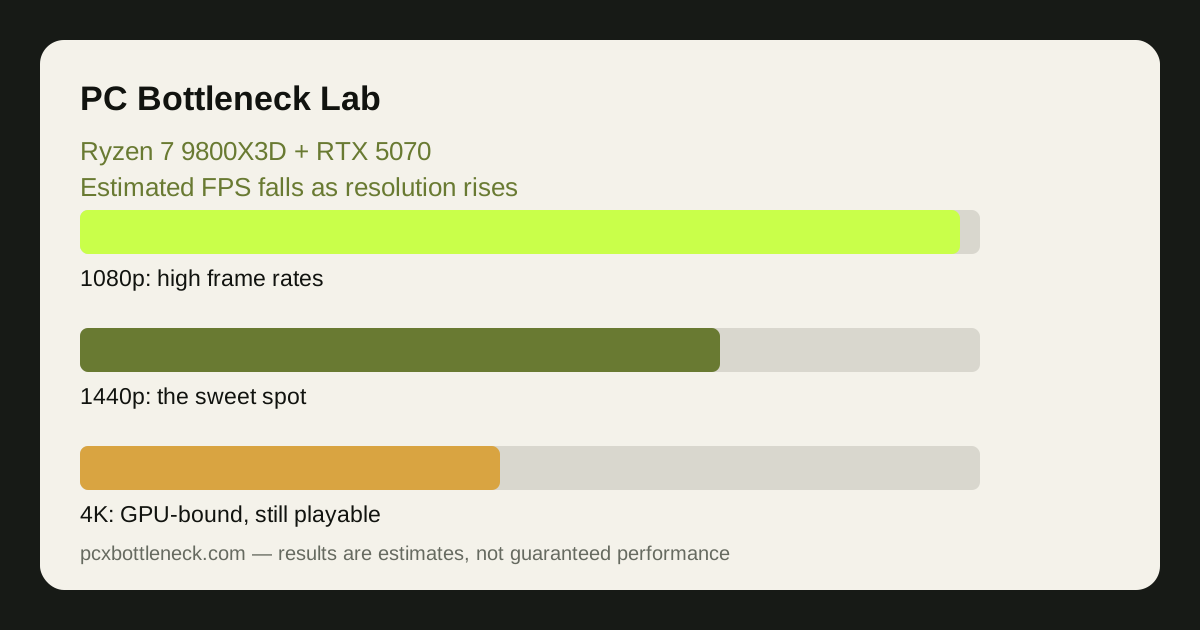
Estimated FPS by resolution
The ranges below are estimates for this pairing at high settings, not measurements from a test bench. They assume a clean system with 32 GB of dual-channel DDR5 memory and no thermal throttling. Competitive titles are shown separately from demanding AAA games, because the two kinds ask for very different things.
| Resolution and game type | Estimated FPS range | Usual limit | Notes |
|---|---|---|---|
| 1080p, competitive shooters | Roughly 240–400 FPS | Often the game engine | Frame rates so high the monitor matters more |
| 1080p, AAA high settings | Roughly 120–180 FPS | Mostly the GPU | CPU headroom to spare |
| 1440p, competitive shooters | Roughly 180–300 FPS | The GPU | The high-refresh sweet spot |
| 1440p, AAA high settings | Roughly 80–130 FPS | The GPU | Smooth on a 144 Hz monitor |
| 4K, AAA high settings | Roughly 45–70 FPS | The GPU, clearly | DLSS lifts this into comfort |
| 4K with ray tracing | Roughly 30–55 FPS | The GPU, heavily | DLSS and frame generation help most |
Read these as ranges, not promises: the same pairing can land near the top of a range in a well-optimised game and near the bottom in a demanding one. What matters is the pattern — frame rates fall as resolution rises and the graphics card takes over as the limit, the sign of a healthy pairing.
What moves the limit: settings, upscaling and VRAM
Ray tracing is the biggest single setting that shifts the balance. It loads the GPU's ray tracing cores heavily, so frame rates fall and the card becomes the limit even at 1080p — normal and expected, since ray tracing is a GPU workload a CPU upgrade would not help. DLSS does the opposite: rendering at a lower internal resolution lifts frame rates and can bring the CPU back into the picture at 1080p, though rarely enough to make it the limit.
The 5070's 12 GB of VRAM is enough for high textures at 1440p and most 4K play, but ultra texture packs in the newest games can push against it. If VRAM fills up, you get stutters rather than a smooth low frame rate — lowering textures one notch is the fix. Our VRAM guide explains how to tell a VRAM limit from a CPU one.
Background programs matter more than most builders expect. Streaming, a browser full of video tabs, or a launcher updating all take CPU time the 9800X3D would otherwise spend preparing frames. Close what you are not using before judging a frame rate, and check how resolution changes bottlenecks if the numbers surprise you.
What to upgrade next from this pairing
For most owners, the honest answer is: nothing yet. Both parts are current-generation and well matched — spend the money on the monitor instead, a 1440p 165 Hz display where this pair shows its best, or on 32 GB of fast DDR5 if you are still on 16 GB.
When an upgrade does make sense, it is usually the graphics card first: the 9800X3D can feed a much stronger card, so a future move to a higher tier would not be wasted. A CPU upgrade from the 9800X3D, by contrast, would buy very little for gaming in the near term, because the CPU is rarely the limit here.
Check the pairing in the PC bottleneck calculator at your own resolution and game type before planning any upgrade — and if you are still choosing the power supply, our RTX 5070 PSU guide covers the wattage and connector for this exact card.
Limitation: every FPS figure above is an estimate range, not a measured result from our own testing, and real frame rates vary with the game, driver, settings and rest of the system. Use the ranges to judge the balance of the pairing, not to predict an exact number in a specific game.
Frequently asked questions
Does the 9800X3D leave performance on the table with an RTX 5070 at 1080p?
No — it is a good match, not overkill. The 9800X3D keeps frame rates high at 1080p and leaves headroom for a stronger card later, while the 5070 is the limit at 1440p and 4K. Overkill would be a CPU costing far more without changing any frame rate.
What FPS can a 9800X3D and RTX 5070 get at 1440p?
As an estimate range, roughly 80–130 FPS in demanding AAA games at high settings, and roughly 180–300 FPS in competitive shooters. These are estimates, not promises — game, settings and driver all move the number.
Does the 9800X3D bottleneck the RTX 5070 at 1080p?
Rarely. At 1080p the 9800X3D is fast enough that the graphics card still sets the pace in most games. In a few very CPU-heavy competitive titles at low settings the CPU can become the limit — but frame rates there are already extremely high.
Is 12 GB of VRAM enough on the RTX 5070?
For 1080p and 1440p high settings, yes. At 4K with ultra textures some of the newest games can push against 12 GB, which shows up as stutter rather than low FPS — lowering texture quality one notch is the usual fix.
Should I get a 9800X3D + 5070 or a cheaper CPU + stronger GPU?
It depends on your resolution. At 1080p and 1440p high-refresh, the 9800X3D earns its price. At 4K the GPU matters far more than the CPU, so a cheaper CPU with a stronger card can be the better spend for the same budget.