
Key takeaways
- Can I run Counter-Strike 2? Yes, when your PC meets Valve's minimum: Windows 10, four CPU threads, 8GB of RAM, and a 1GB DirectX 11 card.
- Valve publishes no official recommended spec for CS2, so the realistic builds in this guide come from the game's needs, not from Valve.
- CS2 is CPU-first: the processor decides your frame rate far more than the graphics card does.
- A modern six-core CPU and 16GB of dual-channel RAM is the realistic floor for 144 Hz play.
- The game needs 85GB of free storage, and an SSD is a must for fast map loads.
Can I run Counter-Strike 2? The short answer
Counter-Strike 2 is Valve's free-to-play tactical shooter on the Source 2 engine. It replaced CS:GO on Steam in September 2023. The game is light on graphics hardware, yet it is heavy on the processor, since every shot, smoke, and player move runs through the CPU. Valve's official minimum is modest. It asks for Windows 10, a CPU with four hardware threads such as an Intel Core i5-750 or better, and 8GB of RAM. It also asks for a video card with 1GB or more that supports DirectX 11 and Shader Model 5.0, plus 85GB of free space. That bar is so low that most desktops from the last decade clear it. Yet the minimum only guarantees that the game starts. It does not give you stable 144 Hz in a busy round. It also does not give you smooth 1% lows when three smokes fly at once. For that, you need a modern six-core CPU, 16GB of RAM, an SSD, and an entry-level dedicated GPU.
Counter-Strike 2 system requirements, the official minimum
Valve lists only a minimum spec on the Steam store page. There is no official recommended tier for Windows or for Linux. That matters, because many guides invent a recommended spec and present it as Valve's. This guide does not do that. The table below is Valve's own minimum, and the realistic builds further down are our guidance, labelled as such. CS2 runs on 64-bit Windows and Linux only. There is no native macOS build, since Valve ended macOS support when CS2 replaced CS:GO. DirectX 9 and 32-bit Windows are gone too.
| Part | Official minimum (Valve, Steam) | Official recommended |
|---|---|---|
| OS | Windows 10, 64-bit | Not published |
| CPU | Four hardware threads, i5-750 or higher | Not published |
| RAM | 8GB | Not published |
| GPU | 1GB or more, DirectX 11, Shader Model 5.0 | Not published |
| Storage | 85GB available space | Not published |
| Linux | Ubuntu 20.04, Vulkan drivers | Not published |
Why CS2 is a CPU bottleneck game
A CPU bottleneck happens when the processor sets the speed limit, not the graphics card. CS2 is one of the most CPU-sensitive games you can play. The Source 2 engine tracks every player, bullet, grenade, and smoke on the server tick, and your CPU must keep up with that stream. The game uses sub-tick updates, which record the exact moment of each action between ticks. That design rewards a fast CPU with low latency, and it punishes a slow one with stutter. The GPU matters far less, since CS2 is not a heavy graphics game. A mid-range card from years ago can draw the scene, yet only a quick CPU can feed it frames fast enough. That is why a Ryzen 7 7800X3D or 9800X3D shines in CS2, while a big GPU upgrade adds little. For the CPU against GPU balance in other esports titles, see this: CPU bottlenecks: esports vs AAA games. For high-refresh CPU picks, see this: Valorant 360Hz best CPUs.
Realistic CS2 builds for 144 Hz and 240 Hz
The builds below are our guidance for smooth competitive play, not Valve specs. The budget build suits 1080p at 144 Hz. The mid build suits 1440p at 144 to 240 Hz. The high-end build suits 240 Hz and above with streaming. All three use 16GB of dual-channel RAM and an SSD, since 8GB and a hard drive will stutter in 2026. A modern six-core CPU is the floor for all three, since four cores cannot hold 144 Hz in busy rounds. Check your own pair before you buy with the free tool: bottleneck calculator.
| Build | CPU | GPU | RAM | Target |
|---|---|---|---|---|
| Budget 1080p | Ryzen 5 5600 / i5-12400F | GTX 1660 / RX 6600 | 16GB DDR4 | 1080p, 144 Hz |
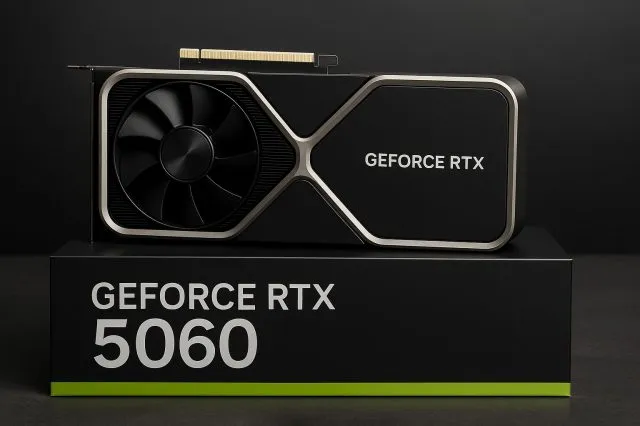
| Mid 1440p | Ryzen 5 7600X / i5-13400F | RTX 4060 / RX 7600 | 16GB DDR5 | 1440p, 144-240 Hz |
| High-end | Ryzen 7 7800X3D / 9800X3D | RTX 5070 / RX 9070 | 32GB DDR5 | 1440p, 240 Hz plus |
Best settings for Counter-Strike 2
Start with low settings for competitive play, since pros play on low for clarity and frames. Set shadows to low, effects to low, and shaders to low. Keep textures on medium with 8GB of VRAM, and on high with more. Turn off anti-aliasing or set it low, since it costs frames for little gain in a fast game. Turn on NVIDIA Reflex or AMD Anti-Lag when your GPU supports it, since it cuts input lag. Cap the frame rate at your monitor refresh rate, or leave it uncapped when your CPU can push past it. Use a 128-tick or sub-tick server when you can, since the server tick shapes how your shots register. For the full check method, see this: how to check for a CPU bottleneck. For the high-refresh story, see this: 240Hz high-refresh CPU test.
How to tell if your CPU is holding CS2 back
Open a hardware monitor and play a full competitive round, then look at the two use figures. If CPU use sits near 100% while GPU use stays low, the processor is the limit. If GPU use sits near 100%, the card is the limit, and that is rare in CS2. Also watch the 1% lows, which are the slowest frames in each second. A CPU limit shows up as stutter when smokes pop and fights break out, even when the average frame rate looks fine. Check your RAM use too: when it passes 14GB, 16GB is nearly full and background apps are eating it. Close Chrome and Discord before a match when you run 8GB or 16GB. For the stutter story in full, see this: stuttering and frame time: 1% lows explained. For the low FPS causes list, see this: low GPU usage and low FPS: causes and fixes. For the RAM picture, see this: how much RAM do you need for gaming in 2026.
CS2 on a laptop and on old hardware
CS2 runs on many laptops, yet laptop power limits change the result. A laptop GPU with the same name as a desktop card runs slower, since it draws less power and throttles sooner. Plug the laptop in before you play, since battery mode cuts CPU and GPU speed hard. Use a cooling pad or a stand when the laptop runs hot, since thermal throttling looks like a CPU bottleneck. On old hardware, the CPU is almost always the limit. A four-core chip from before 2020 will run CS2, yet it will stutter in busy rounds. The cheapest fix is a CPU upgrade on the same board when one exists, or a full platform move to AM5 when it does not. Do not buy a flagship GPU for an old CPU, since the CPU will cap the result.
The bottom line on can I run Counter-Strike 2
Can I run Counter-Strike 2? Yes, when your PC meets Valve's minimum, and smoothly when you pair a modern six-core CPU with 16GB of RAM and an SSD. The CPU decides your frame rate in CS2 far more than the GPU does, so spend on the processor first. Check your pair first on the CPU bottleneck calculator before you spend.
Frequently asked questions
What are the official minimum requirements for CS2?
Valve lists Windows 10, a CPU with four hardware threads such as an Intel Core i5-750 or higher, and 8GB of RAM. The video card needs 1GB or more with DirectX 11 and Shader Model 5.0 support, plus 85GB of free space. That is the full official minimum. Valve publishes no official recommended spec, so any recommended build you see is guidance, not Valve's own tier.
Is there an official recommended spec for CS2?
No, Valve publishes no recommended spec for Counter-Strike 2. The Steam store page has a minimum column and nothing else, for Windows and for Linux alike. Guides that list a recommended spec are giving their own advice, not Valve's. The realistic builds in this guide are labelled as guidance for 144 Hz and 240 Hz play, not as official Valve tiers.
Can I run CS2 on 8GB of RAM?
Yes, 8GB is the official minimum, and the game will start and run on it. Still, 8GB is tight in 2026, since Windows, Discord, and a browser eat RAM beside the game. For smooth play, use 16GB of dual-channel RAM. When RAM fills up, the PC pages to the SSD and the game stutters, which feels like a CPU problem even though it is not.
Is CS2 playable on a 4-core CPU?
Yes, at low settings, but a 4-core CPU is the floor, not the sweet spot. Valve lists 4 hardware CPU threads as the minimum, so the game starts and runs. For 144 Hz or 240 Hz play, a modern 6-core CPU is the safer pick, because CS2 is CPU heavy and frame times suffer on weak chips.
Why does my FPS drop in CS2 when smokes pop?
Smokes, molotovs, and multi-player fights spike the CPU load, since the engine tracks more particles and players at once. When the CPU cannot keep up, frames drop and 1% lows fall hard. Lower shadows and effects first, since those settings cost the CPU most. Close background apps, and check that your RAM runs in dual-channel mode before you blame the card.
Can I run CS2 on a laptop?
Yes, CS2 runs on many gaming laptops, yet laptop power limits change the result. A laptop GPU with the same name as a desktop card runs slower, and battery mode cuts CPU and GPU speed hard. Always plug in before you play, and keep the laptop cool. A modern six-core laptop CPU with 16GB of RAM and an SSD handles 144 Hz play well.
How this guide was prepared
This guide uses Valve's official minimum system requirements from the Counter-Strike 2 Steam store page, checked in October 2026. The realistic builds are our guidance, not Valve specs.
Last updated: November 10, 2026