
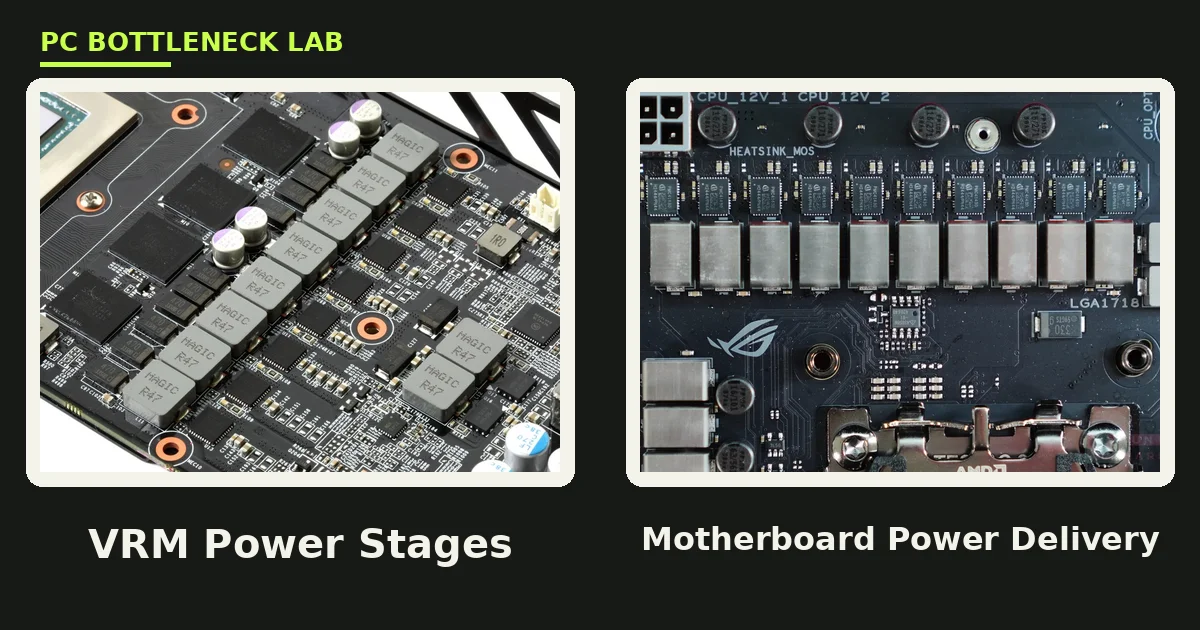
Key takeaways
- The VRM turns 12 volts from the PSU into the roughly 1 volt your CPU needs.
- Phase quality and heatsinks matter more than the phase count on the box.
- A 6 to 8 phase VRM feeds a Ryzen 5 or Core i5; flagships need 10 or more phases.
- A hot VRM throttles the CPU, so a fast chip runs slow on a cheap board.
- A 14-phase VRM with no heatsink throttles faster than an 8-phase VRM with one.
What is a motherboard VRM?
A motherboard VRM is the voltage regulator module, and it is the part of the board that feeds power to your CPU. Your power supply sends 12 volts, yet your CPU needs a much lower voltage, often near 1.3 volts, that shifts hundreds of times per second. The VRM turns that rough 12 volts into clean, stable, low-voltage power the chip can use. Check which part limits your rig with the free tool: pc bottleneck calculator.
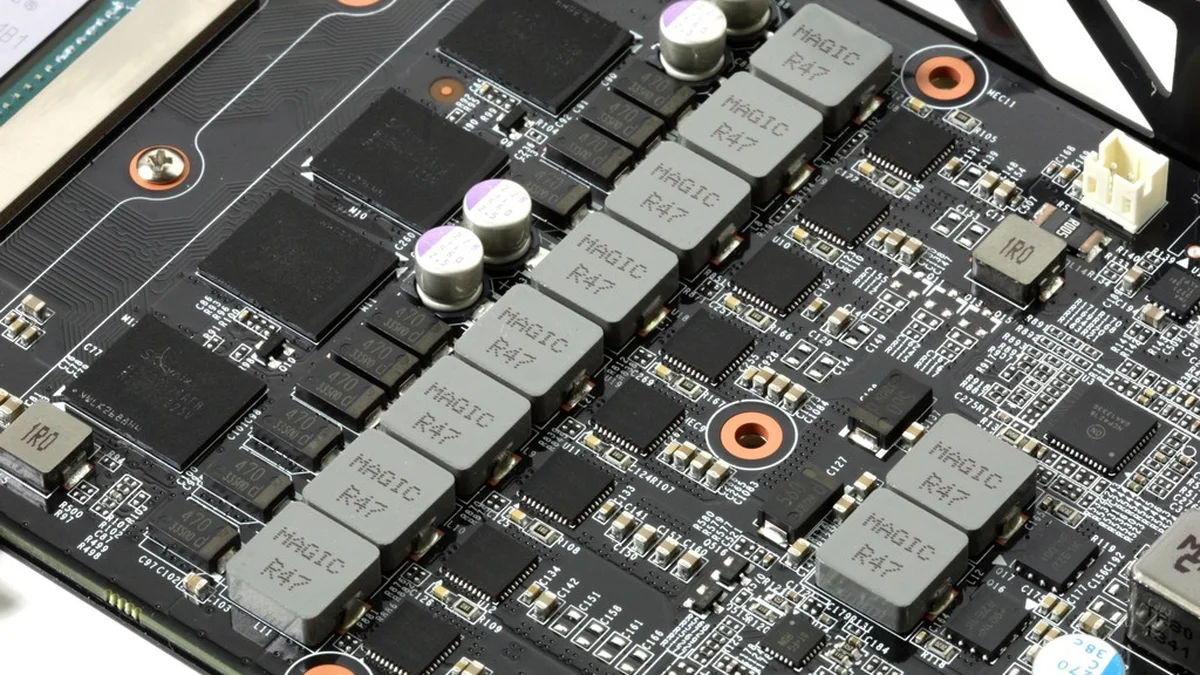
Each phase is one small circuit that handles part of the power job, and it holds a MOSFET, a choke and a capacitor. More phases spread the load across more parts, so each one runs cooler and the voltage stays steadier. Boards list phase counts like 6, 8, 10, 12 or 16, often written as 14+2+1. The table below matches phase counts to CPU tiers.
| CPU tier | Phases that fit | Example CPUs |
|---|---|---|
| Budget, 65 W | 6 to 8 phases | Ryzen 5, Core i5 |
| Mid-range | 8 to 10 phases | Ryzen 7, Core i7 |
| High-end | 10 to 12 phases | Ryzen 7, Core i7, overclocked |
| Flagship, 16+ cores | 12 to 16 phases | Ryzen 9, Core i9 |
Phases vs quality: the number that misleads buyers
Phase count alone misleads buyers, since a true 8-phase design with quality parts often beats a 12-phase design built from cheap parts. Makers use phase doublers to inflate the number. A board that claims 12 phases may hold only 6 real phases split by a doubler chip. The parts matter more than the count: strong MOSFETs, good chokes and solid capacitors carry more current with less heat.
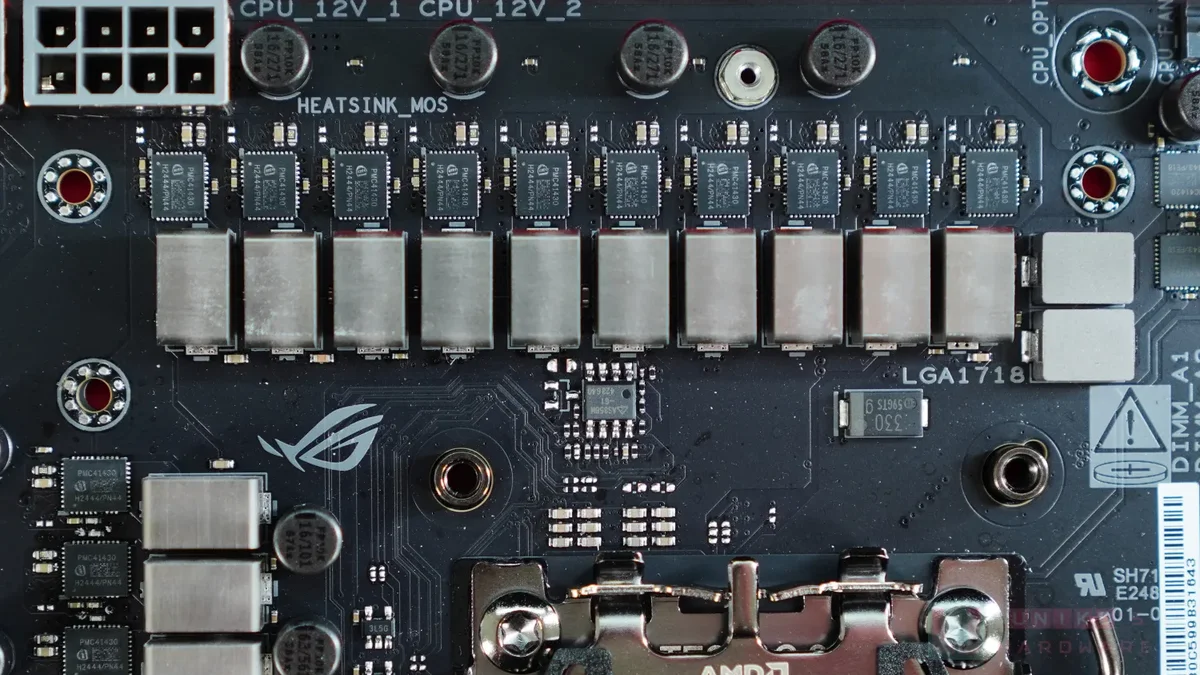
Heatsinks matter even more than phases, and this is where cheap boards fail. A 14-phase VRM with no heatsink throttles faster than an 8-phase VRM with a proper heatsink. Heat is what forces the board to cut power. Look for thick metal heatsinks over the VRM area, near the CPU socket. For the heat side of the story, see this: thermal throttling vs bottleneck.
How VRM throttling actually happens
VRM throttling starts with heat, not with a crash. A high-end CPU like a Ryzen 9 9950X can pull over 200 watts under all-core load. A weak 6-phase VRM cannot feed that power cleanly. Its MOSFETs overheat, so the board protects itself by limiting power to the CPU. Your CPU then drops its clock speed, and your frame rate falls with it.
The signs are easy to miss, since the PC still works, just slower. Clocks drop under sustained load, benchmark scores fall in long tests, and the system feels fine in short bursts yet slow in long sessions. Gamers blame the CPU or the GPU, yet the board is the part holding both back. For the temperature angle, see this: GPU hotspot temperature too high.
How to check your own board
Read the spec sheet first, and decode the phase number before you trust it. A board that lists 14+2+1 means 14 phases for the CPU core voltage, 2 for the SoC, and 1 for extra voltage. The first number is the one that matters for CPU power, so compare that number across boards. Then read reviews with thermal tests, since a spec sheet never shows how hot the VRM runs.
Check temperatures while you play, since numbers beat guesses. HWiNFO shows VRM temperatures on many boards, and 100 degrees or more under load means the VRM is struggling. Airflow helps too, since a tower cooler blows no air over the VRM, while a top-down cooler does. Add a small fan over the VRM area when your case airflow is weak. For the power side, see this: how many watts your PC needs.
Which board for which CPU?
Match the board to the CPU, not to the budget left over. A Ryzen 5 or Core i5 runs fine on a solid 6 to 8 phase board with a heatsink, even under long gaming sessions. A Ryzen 7 or Core i7 wants 10 to 12 phases with good cooling, and a Ryzen 9 or Core i9 needs 12 or more. A flagship chip like the Core i7-14700K pulls far more power than a budget board can feed cleanly.
Budget boards are fine for 65 W CPUs, yet they choke on 125 W chips under sustained load. That is the most common VRM mistake: a fast CPU on the cheapest board that fits the socket. Spend a little more on the board when the CPU is strong, since the board decides whether the CPU ever runs at full speed. To fix a CPU limit without new parts, read this: how to fix a CPU bottleneck without buying a new CPU.
| CPU | Board tier | Phase guidance | Watch out for |
|---|---|---|---|
| Ryzen 5 / Core i5 | Budget to mid-range | 6 to 8 phases | Missing VRM heatsink |
| Ryzen 7 / Core i7 | Mid-range | 10 to 12 phases | Doubled phases, thin heatsink |
| Ryzen 9 / Core i9 | High-end | 12 to 16 phases | Weak MOSFETs, no airflow |
| Any 125 W+ chip | Mid-range or better | 10 phases or more | Cheap board, hot VRM |
The bottom line on motherboard VRM power delivery
Motherboard VRM power delivery decides whether your CPU runs at full speed or quietly throttles under load. Phase count helps, yet part quality and heatsinks matter more, and a cheap board can waste a fast CPU. Match the board to the chip. Use 6 to 8 phases for a Ryzen 5 or Core i5, 10 or more for flagships, and a real heatsink in every case.
Check your own board before you blame the CPU, since a hot VRM looks exactly like a slow chip. Run your parts through the cpu gpu bottleneck calculator, then check VRM temperatures under load. A board upgrade is cheaper than a CPU upgrade, and it frees the speed you already paid for.
Frequently asked questions
How many power phases should a Ryzen 5 board have?
A solid 6 to 8 phase VRM is plenty for a Ryzen 5, for gaming and general use. Quality matters more than count, so a good 6-phase board with a heatsink beats a cheap 12-phase board. Move to 10 phases or more only when you step up to a Ryzen 7 or Ryzen 9, or when you plan to overclock.
Can a bad motherboard VRM damage my CPU?
A bad VRM rarely damages the CPU, since the board throttles power before parts fail. It costs you speed instead, as the CPU drops clocks to protect the overheating MOSFETs. Long-term heat can wear the board itself, so fix cooling or upgrade the board when VRM temperatures pass 100 degrees.
Do VRM heatsinks really matter for gaming?
Yes, heatsinks matter a lot, since they keep the MOSFETs cool enough to feed full power. A 14-phase VRM with no heatsink throttles faster than an 8-phase VRM with a proper heatsink. Gaming loads the CPU in bursts, yet long sessions heat the VRM, so a thick heatsink pays off in every build.
What does 14+2+1 mean on a motherboard spec sheet?
It means 14 phases feed the CPU core voltage, 2 phases feed the SoC voltage, and 1 phase feeds an extra rail. The first number matters most for CPU power delivery, so compare that number across boards. Note that some makers use doublers, so 14 phases on paper may mean fewer real phases inside.
Why does my CPU throttle on a cheap motherboard?
Your CPU throttles because the cheap board cannot feed it cleanly under load. Its MOSFETs overheat, so the board cuts power to protect itself, and the CPU drops clocks. This hits hardest with 125 W chips on budget boards. Fix airflow first, then move to a board with more phases and a real heatsink.
Is a doubled VRM worse than a true-phase VRM?
Yes, a true-phase VRM usually beats a doubled one, since each real phase has its own control and timing. A doubler splits one phase signal across two sets of parts, which looks like more phases on paper. A true 8-phase board with quality parts often outperforms a doubled 12-phase board built from cheap parts.
How this guide was prepared
This guide draws on WikiGamingPC, Motherboard Central and EveTech VRM guides, all read in November 2026, plus a motherboard bottleneck guide. Every number names its source, and phase guidance is given as ranges, not exact promises. No price appears, since prices move daily.
Last updated: November 17, 2026