
Key takeaways
- The Steam Summer Sale 2027 runs June 24 to July 8, 2027, for fourteen days, and it discounts games on Steam, not graphics cards.
- Fourteen days beat seven, since you can watch a card price for a week and buy only when it drops below its usual range.
- Summer heat matters: a hot room pushes a warm card into throttling, so cooling and airflow count double in July.
- Pick the tier by VRAM and resolution: 12 GB for 1440p, 16 GB for 4K or heavy ray tracing.
- Use the first days for games and the second week for hardware, after you have checked the CPU pair and power supply.
Steam Summer Sale 2027 GPU Upgrades: the short answer
The summer sale is the biggest Steam sale of the year, and its length is the advantage for Steam Summer Sale 2027 GPU upgrades. Valve lists the Summer Sale 2027 from June 24 to July 8, 2027, on its Steamworks seasonal sales page. The sale runs for fourteen days. Like every Steam sale, it discounts games, while graphics cards come from retailers running their own summer deals. That split shapes the plan: games from Steam, hardware from retailers, and no rush on either side. Our undated summer guide covers the general pattern, and you can read it here: Steam summer sale best GPU upgrades.
| Sale fact | Summer Sale 2027 |
|---|---|
| Dates | June 24 to July 8, 2027 |
| Length | Fourteen days |
| Start time | 10 AM Pacific, per Valve |
| What is discounted | Games on Steam |
| Where GPUs come from | Retailers, not Steam |
| Source | Valve Steamworks seasonal sales page |
Why fourteen days change the plan
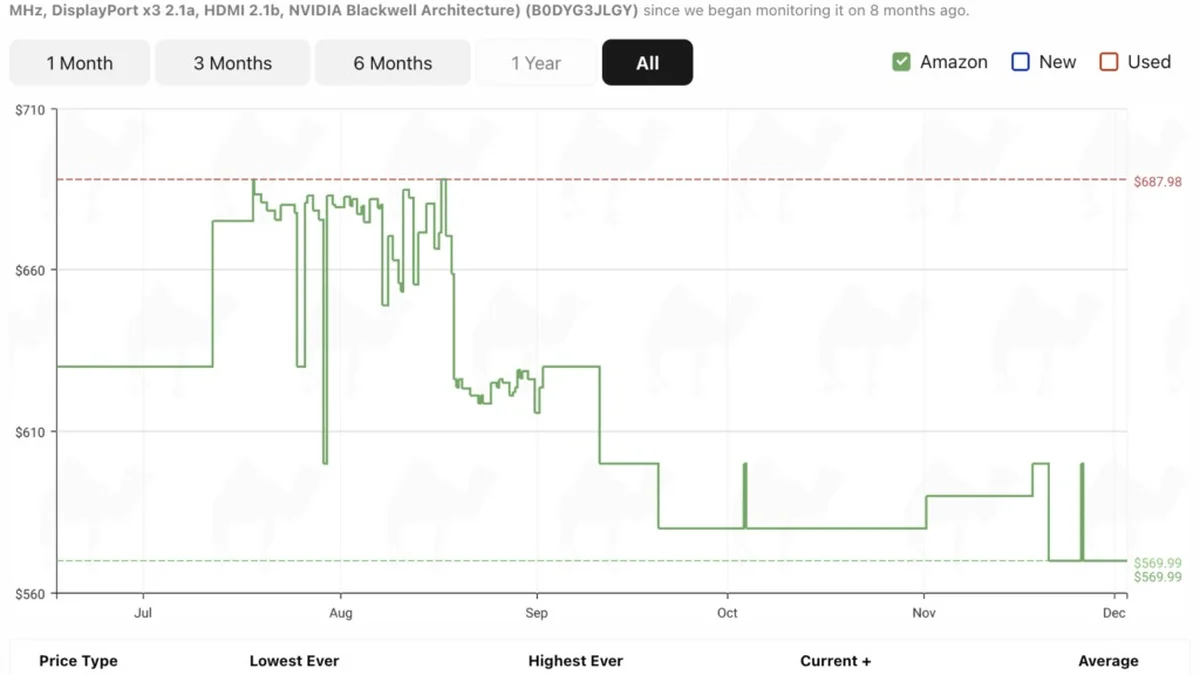
A seven-day sale pushes you to decide fast, while a fourteen-day sale lets you watch and wait. Card prices move during the sale week, and a price that looks good on day one can drop further by day eight. The smart move is to list two target cards before June 24, note their usual range, and check them every few days. When one drops below its usual range, buy it. When neither drops, keep the money for games instead.
The long window also helps with stock. A popular card can sell out on the first weekend. Retailers often restock mid-sale, so a sold-out card on June 25 can return by July 1. Set a stock alert with the retailer when one is offered, and check back rather than paying a markup from a reseller. Patience is the only discount that always works in a long sale.
Summer heat and your GPU choice
Summer heat is the part most buyers forget. A graphics card that runs fine in a cool room can throttle in a hot room. Its fans fight warmer air, and its boost clocks drop. A card with a large cooler and three fans handles heat better than a small two-fan card. A case with good intake airflow matters more in July than in March. For the cooling story in full, see this: summer cooling and thermal bottlenecks.
Check your room before the sale, not after the card arrives. A PC under a desk in a warm corner runs hotter than the same PC on a desk near airflow. Clean the dust filters, add an intake fan when the case allows it, and leave space behind the case for hot air to leave. These steps cost little, yet they protect the speed of any card you buy.
Which tier fits your monitor
Resolution decides the tier, and VRAM decides whether the tier holds up. A 1080p screen needs only an entry card, while a 1440p screen needs 12 GB of VRAM for modern AAA games at high settings. A 4K screen needs 16 GB, since high textures and ray tracing push usage past 12 GB fast. Buy the tier for the screen you play on, and do not pay for power your monitor cannot show. The 5060 versus 5060 Ti choice shows the VRAM trade clearly. You can read it here: RTX 5060 vs RTX 5060 Ti 16GB bottleneck and VRAM value.
| Monitor | VRAM floor | Tier | Watch out for |
|---|---|---|---|
| 1080p, high refresh | 8 GB | Entry | CPU limit at high frame rates |
| 1440p, 60 to 144 Hz | 12 GB | Mid | Texture spill in new AAA games |
| 1440p ultra, ray tracing | 16 GB | High | Power supply and case size |
| 4K | 16 GB or more | Top | Heat in summer rooms |
High refresh adds a CPU question on top of the GPU tier. At 144 Hz and above, the CPU must feed frames fast enough, or the GPU waits between frames. A mid-tier card on a weak CPU still stutters at high refresh, even when the card itself is strong. Check the pair before you pay, and read the CPU check here: is my CPU bottlenecking my GPU.
The two-week buying schedule
Split the sale into two halves. In the first half, from June 24 to July 1, buy Steam games and watch card prices, and do not buy hardware yet. Note the price of each target card every two days, and check the CPU pair with the free tool: PC bottleneck calculator. In the second half, from July 2 to July 8, buy the card only when its price beats the usual range you noted. When the price never beats that range, spend the budget on games and wait for the autumn sale.
This schedule also gives you time to fix the PC first. Measure the case, check the power supply connectors, and clean the dust filters in week one. When a fix is needed, order it early, so the card arrives into a PC that is ready for it. A card that waits in its box while you order a power supply is a wasted week of the sale.
Used cards and summer deals
Summer sales push some owners to sell their old cards, so used listings rise in June and July. A used card can be good value, yet it carries risks a new card does not. Ask for the purchase receipt, check the warranty left, and test the card before you pay when you can. Skip cards sold without a return window, and skip cards that ran hot in mining or heavy use without proof of care. For the 1080p side of the summer market, see this: summer sale best upgrades for 1080p gamers.
Compare the used price with the new price in the same week. A used card that costs nearly as much as a new one is a bad buy, since the warranty alone is worth the gap. A used card only wins when the saving is large and the seller can show the card works. When the numbers are close, buy new.
The bottom line on Steam Summer Sale 2027 GPU upgrades
The Steam Summer Sale 2027 GPU upgrades plan gives you fourteen days, and the best use of them is patience. Buy games early, watch card prices, fix cooling and power first, and buy the card only when it beats its usual range. Check the pair on the GPU bottleneck calculator before you pay, and pick the VRAM tier your monitor needs. When no card earns the money, the games alone still make the sale worth it.
Frequently asked questions
What dates does the Steam Summer Sale 2027 run?
June 24 to July 8, 2027. Valve lists those dates on its Steamworks seasonal sales page, and the sale runs for fourteen days. It starts at 10 AM Pacific, like other Steam seasonal sales. It is the longest Steam sale of the year, so you have two full weeks to plan.
Does the Steam Summer Sale discount graphics cards?
No. The Steam Summer Sale discounts games on Steam, and Steam does not sell graphics cards. GPU deals in summer come from retailers running their own sales. Compare any card price against its usual range, since a retailer discount is separate from the Steam sale.
How should I use the fourteen days of the summer sale?
Split them in two. In the first week, buy Steam games and watch card prices every few days. In the second week, buy the card only when its price beats the usual range you noted. Use week one to check the CPU pair, power supply, case fit, and cooling as well.
Does summer heat affect a new graphics card?
Yes. A card in a hot room throttles sooner, since its fans fight warmer air and its boost clocks drop. A large cooler and good case airflow help a lot in July. Clean dust filters, add intake airflow when the case allows it, and keep space behind the case for hot air to leave.
Which GPU should I buy for 1440p in the summer sale?
A 12 GB card suits 1440p at high settings in most modern games. Choose 16 GB when you play at 1440p ultra with ray tracing or high texture packs. Check your CPU pair too, since high refresh rates need a CPU that can feed frames fast enough for the card.
Is a second-hand GPU worth it in the summer sale?
Sometimes, when the saving is large and the seller can show the card works. Ask for the receipt, check the warranty left, and test the card before you pay when you can. Skip cards with no return window. When a used card costs nearly as much as a new one, buy new instead.
How this guide was prepared
This guide uses Valve's Steamworks seasonal sales page for the Summer Sale 2027 dates, checked in November 2026. The heat and tier advice comes from the site's own cooling, VRAM, and pairing guides. No card prices or discount rates are claimed, since retailer prices change weekly and Steam does not sell graphics cards. Budget tiers are planning bands by resolution and VRAM, not price promises.
Last updated: November 12, 2026