
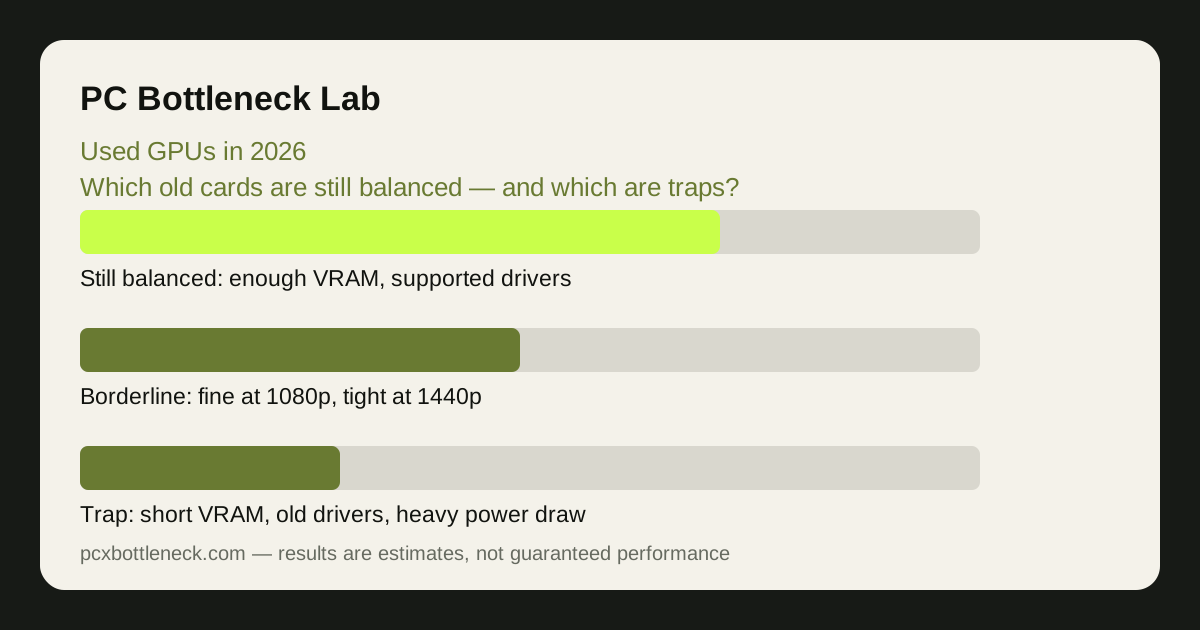
Why a used GPU 2026 deal tempts builders — and where it goes wrong
A used graphics card is tempting because graphics cards are the most expensive part of most builds, and last generation's card often costs far less than a new card with similar speed. For a 1080p build, that discount can be the difference between a playable machine and no machine at all. The bargain is real — but only if the card you buy is still suited to the games you will play.
The trap is that raw speed is only one of four things that decide whether a card works in 2026. The other three are video memory (VRAM), driver support and power draw, and an old card can fail on any of them while still looking fast in an old benchmark. A card that was excellent in its day can be a poor buy today for reasons that have nothing to do with its speed.
VRAM and drivers: the two quiet deal-breakers
VRAM is the card's own memory, and it decides how much texture and geometry the card can hold at once. When VRAM runs out, the card borrows slower system memory, and frame rates stutter even though the card's cores are fast. In 2026, a card with 8 GB of VRAM is workable at 1080p in most games but tight at 1440p with high textures, while a card with less than 8 GB is a real risk in new titles. Check VRAM bottlenecks in 8 GB, 12 GB and 16 GB cards for the full picture.
Driver support is the second quiet breaker. Manufacturers eventually stop optimising drivers for old cards, which means new games may run worse than the hardware deserves, or miss features such as modern upscaling. A card that still receives driver updates is a safer buy than a slightly faster card that no longer does — especially if you play new releases rather than old favourites.
Ask the seller which games the card ran recently, and at what settings. A card that handled recent games at your resolution is a better sign than a benchmark number from the year the card launched. If the seller cannot answer, treat that as information too.
Power draw, heat and age: what to inspect before paying
Old high-end cards can draw a lot of power, and that power has to come from your supply and be removed by your cooling. Before buying, check the card's power requirement against your power supply — its wattage, its age and whether it has the right connectors. A card that needs a bigger supply than you own is not a bargain; it is a bargain plus a power supply. See how many watts your PC needs and what PSU an RTX 5070 needs for the method, even though those guides name a newer card.
Heat and wear are harder to judge, but there are signs. Ask how the card was used: a card from a well-ventilated gaming PC is a different prospect from one that ran hot for years. Look at the fans — do they spin freely, do they rattle, is the card dusty or cleaned? Listen for bearing noise and check for a sagging cooler or missing screws. None of these proves a card is bad, but several together are a warning.
Age also matters for the warranty. Most used cards have no warranty left, so the price should reflect that risk. A used card should cost clearly less than a new card of similar performance, not slightly less — the discount is your compensation for the missing warranty and the unknown history.
Still balanced, borderline or trap: how to sort a card
Sort every candidate card into one of three groups before you compare prices. A still-balanced card has enough VRAM for your resolution, current driver support, a power draw your supply can handle, and a processor pairing that does not waste it. A borderline card meets most of those but fails one — it is fine at 1080p but tight at 1440p, or fine for older games but risky for new ones. A trap fails two or more, or its price is close to a new card that beats it on all four measures.
| Check | Still balanced | Borderline | Trap |
|---|---|---|---|
| VRAM for your resolution | Comfortable headroom at your settings | Enough at 1080p, tight at 1440p | Below what new games at your resolution need |
| Driver support | Still updated for new games | Updated, but new features missing | No longer optimised for new releases |
| Power and cooling | Fits your supply and case airflow | Fits, but runs hot or loud | Needs a new supply or a bigger case |
| Price vs new | Clearly cheaper than a similar new card | Only slightly cheaper than new | Near new-card price with no warranty |
Then check the pairing, not just the card. A strong used card with a weak old processor will wait for frames, and a weak used card with a strong new processor wastes the processor. Run the pair through the PC bottleneck calculator at your resolution before you pay, and compare the result with what happens when an old CPU meets a very strong card.
A buying checklist you can use in five minutes
Before you hand over money, run through this list. First, see the card working: ask for a photo or video of it running a game, with the temperature visible. Second, check the model exactly — the same card name can hide different VRAM amounts, and the VRAM amount matters more than the name. Third, confirm the connectors and the length fit your case and your supply.
If the card passes, you have a balanced buy. If it fails any single check badly, walk away — another used card will appear, and a trap bought in a hurry costs more than a bargain missed.
Limitation: this guide gives you the checks, not a price list: used prices change daily by seller, region and condition, and no two used cards have the same history. Judge each card on its own VRAM, drivers, power draw and condition, and do not trust a single benchmark from its launch year.
Frequently asked questions
Is a used graphics card worth it in 2026?
Often yes, if the card has enough VRAM for your resolution, still gets driver updates, and costs clearly less than a similar new card. It is not worth it if the card is short on VRAM, unsupported, or priced near a new card with a warranty.
How much VRAM do I need on a used card?
For 1080p in most games, 8 GB is workable; for 1440p with high textures, more headroom helps. Below 8 GB is a real risk in new titles. Check the games you play, not just the card's launch-year reviews.
What is the biggest risk when buying a used GPU?
Unknown history. A card that ran hot for years, or with worn fans, can fail sooner than one from a clean, cool gaming PC. Seeing it run a game, checking temperatures and agreeing a short testing window are the best protections.
Should I buy a used card or a new budget card?
Compare them on VRAM, driver support, power draw and warranty, not just speed. A used card that wins on speed but loses on VRAM and warranty can be the worse buy. If the prices are close, the new card usually wins.
Can a used GPU damage my PC?
A healthy used card will not damage a PC that can power and cool it. The risk is a card that draws more power than your supply can deliver, or a faulty card. Check the power requirement and test the card promptly after buying.