
What a balanced PC build 2026 actually means
A balanced, bottleneck-checked build is one where no single part wastes the others. The processor can feed the graphics card, the graphics card can use the processor's frames, the memory is fast and wide enough, and the power supply can run the whole machine without strain. Balance is not a single percentage — it changes with resolution, settings and the games you play, which is why this guide talks in shares of budget and in what each tier can do, not in one magic number.
The most common mistake is spending the whole budget on one hero part. A top graphics card with a weak processor will wait for frames that never arrive; a top processor with a weak card will produce frames the card cannot draw. Either way, part of the money sits idle. A balanced build accepts a slightly slower headline part in exchange for a machine where every part works.
The $500 build: the graphics card leads
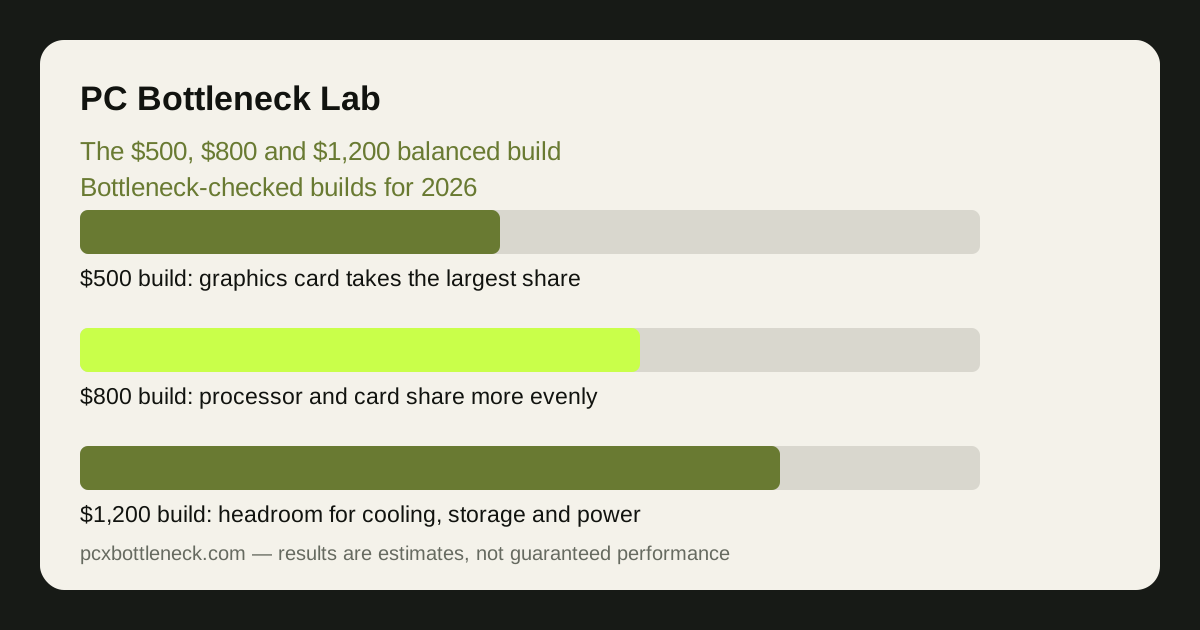
At $500, the graphics card should take the largest share — roughly two-fifths of the budget — because it decides the frame rate in most games at 1080p. The processor takes roughly a quarter, and the rest goes to the motherboard, memory, storage and power supply. That split only works if you choose a modest, efficient processor that is still fast enough per core to feed the card.
This tier is a 1080p machine. Expect smooth play in esports and older titles at high settings, and playable — not ultra — settings in demanding new games, with frame rates that are estimates, not promises, and that vary widely by title. 16 GB of memory in two sticks is the target; a single stick would throttle the processor for the sake of a small saving, as dual-channel RAM explains.
Storage should be a solid-state drive, even a modest one, because a hard drive makes the whole machine feel slow in ways no graphics card can fix. The power supply deserves a real brand and a safety margin, not the cheapest unit available — a failing power supply can take other parts with it. Check the total draw with how many watts your PC needs before you buy.
The $800 build: the sweet spot for most players
At $800, the balance shifts. The graphics card still takes the largest share, roughly a third of the budget, but the processor's share grows to roughly a quarter to a third, because the card is now fast enough to expose a weak CPU. This is the tier where a mid-range processor with strong per-core performance earns its money, especially in CPU-heavy games and at 1080p high refresh.
| Budget tier | Largest share goes to | What it is for | What to watch |
|---|---|---|---|
| $500 build | Graphics card, roughly two-fifths | 1080p gaming, esports and older titles | Weak CPU or single-channel RAM wasting the card |
| $800 build | Graphics card and CPU, roughly a third each | 1080p high refresh and entry 1440p | Power supply and cooling squeezed too thin |
| $1,200 build | Card and CPU, with a bigger share for the rest | 1440p high settings and some 4K | Paying for speed you will not use |
This tier is where 32 GB of memory starts to make sense if the price fits, and where a 1 TB solid-state drive becomes realistic. It is also where the motherboard matters: a board with decent power delivery and room for a later processor upgrade is worth more than a flashy board that locks you in. Think of the $800 build as a platform, not just a parts list.
Check the pairing before ordering: run the processor and graphics card through the PC bottleneck calculator at your resolution, and read whether to upgrade the CPU or GPU first if you already own part of the machine and are only filling the gaps.
The $1,200 build: headroom, not excess
At $1,200, the graphics card and processor together still take most of the budget, but the supporting parts finally get a proper share: better cooling, a larger and faster drive, a quality power supply with headroom, and a case with real airflow. That headroom is what makes the machine quiet, cool and reliable — and it is what the cheaper tiers had to sacrifice.
This tier is a 1440p machine first, with some 4K play in less demanding titles. It is also the first tier where streaming, recording and light editing alongside gaming are realistic without a second machine, because the processor has cores to spare. If you only play competitive shooters at 1080p, this tier buys you little extra smoothness — spend the difference on a better monitor instead.
The trap at $1,200 is the opposite of the trap at $500: overspending on the processor or the card while the monitor stays at 1080p and 60 Hz. A machine that can render far more frames than the display can show is not balanced, whatever the parts cost. Match the build to the screen you own, or budget for the screen too. See what your monitor hides before deciding.
How to check any build before you buy it
Write down the full parts list, then check it in three passes. First, compatibility: does the processor fit the motherboard socket, does the memory match the board, does the card fit the case, and does the power supply have the right connectors? Second, balance: run the processor and card through the calculator at your resolution and settings. Third, budget: add up the shares and ask what you gave up to afford the most expensive part.
Finally, plan one upgrade path. A $500 build that can take a better processor later is worth more than a $500 build that cannot. A $1,200 build that already has the cooling and power for a future card is worth more than one that would need both replaced. Balance is not only about today; it is about what the machine can become.
Limitation: budget shares are planning ranges, not quotes: part prices change with sales, stock and region, and frame rates are estimates that vary by game and settings. Use the shares to judge a parts list, then check current prices yourself before ordering.
Frequently asked questions
Is $800 enough for a good gaming PC in 2026?
For most players, yes — at 1080p high refresh and entry 1440p. It buys a balanced mid-range card and processor with 16 GB of memory and a solid-state drive. It will not max out demanding new games at 4K, and that is a fair trade for the price.
Should the graphics card always cost more than the CPU?
Usually, but not always. In most games the card decides the frame rate, so it takes the largest share. In simulation, strategy and high-refresh esports games the CPU matters more, so the split should move toward the processor.
Can I build a balanced PC for $500?
Yes, for 1080p gaming, if you keep the split disciplined: the card leads, the CPU is modest but fast per core, memory is two sticks, and the power supply is a real brand. The compromise is settings and resolution, not balance.
What part do builders most often cheap out on?
The power supply and the case airflow. Both are invisible in a parts list, and both decide whether the expensive parts run cool, quiet and reliably. A good supply and a case that breathes are worth more than a slightly faster card.
Should I spend $1,200 if I only play at 1080p?
Probably not, unless you also stream, edit or want high refresh rates. At 1080p a $1,200 build often renders frames your monitor cannot show. A balanced $800 build plus a better monitor is usually the smarter spend.