
Key takeaways
- No December 2026 GPU driver has been released yet as of November 12, 2026.
- NVIDIA Game Ready Driver 621.14, released November 4, adds World of Warcraft: Forever support and DLSS 5 in two games.
- AMD Adrenalin 26.10.2, released October 30, is a fix only release with ten fixes and no new game support.
- AMD Adrenalin 26.10.1 brought FSR 4.1 upscaling to RX 6000 cards, months earlier than first planned.
- The one December driver already dated is the MSI Claw A8 FSR 4.1 update, targeted for December 2026.
December 2026 GPU driver updates: the short answer
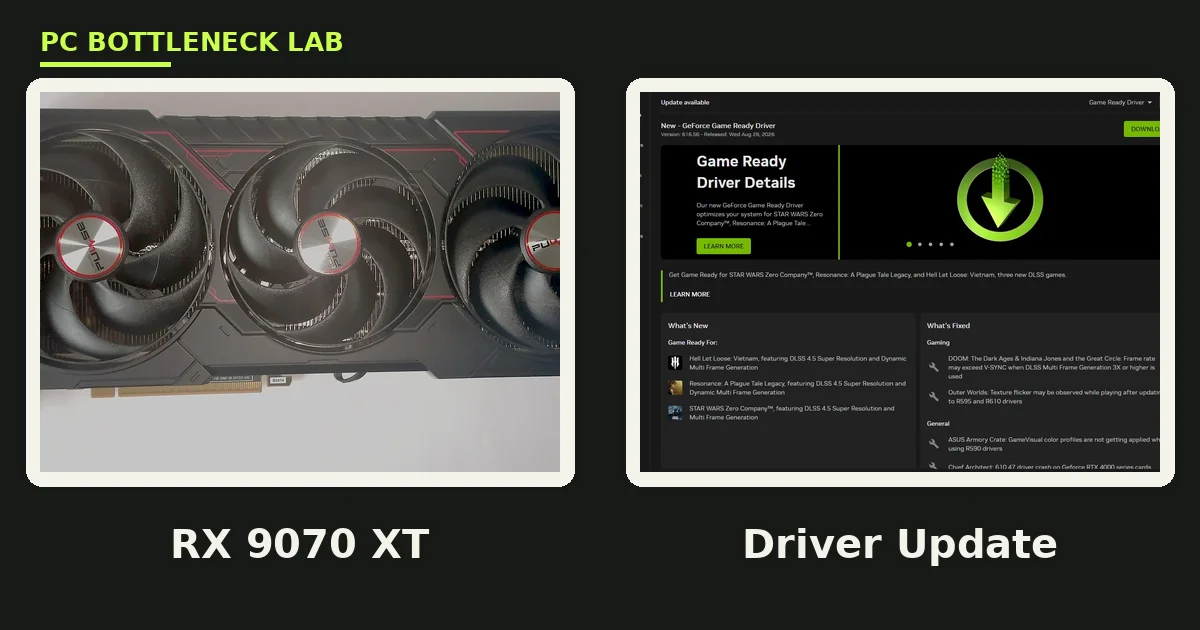
December 2026 GPU driver updates begin with the November drivers, since no December release exists yet. NVIDIA owners should install Game Ready Driver 621.14 from November 4, 2026. It fixes a video playback bug from the previous driver, and it adds DLSS 5 support to two games. AMD owners should install Adrenalin 26.10.2 from October 30, 2026 if they hit crashes. Stay on 26.10.1 for the FSR 4.1 upscaling it added, and check your pair first with the free tool: PC bottleneck calculator.
What NVIDIA changed in November
NVIDIA Game Ready Driver 621.14 WHQL arrived November 4, 2026 for Windows 10 and Windows 11. A Game Ready driver is timed to a new game; this one is Game Ready for World of Warcraft: Forever, which launched November 4, 2026. It also covers the DOOM: The Dark Ages Revelations update with its new Slaughter Mode. It also adds DLSS 5 with 3D Guided Neural Rendering to Hogwarts Legacy and War Thunder. DLSS 5 is NVIDIA's newest upscaling and neural rendering set; its 3D Guided Neural Rendering piece improves lighting, reflections, and material rendering.
The fixes matter more than the new game support for most owners. Driver 621.14 fixes video playback freezing or showing a black screen on some RTX 50 series GPUs and RTX Spark devices. The bug came from the previous driver, 621.01. It also fixes incorrect colours in Call of Duty: Modern Warfare 4, and the Studio Driver carries the same 621.14 version. One ending is worth noting: driver support for GeForce 10, 900, and 700 series cards is discontinued. The last driver for those cards is 582.78. For the frame generation side, see this: DLSS 4 multi frame generation and the CPU bottleneck.
| Driver | Release date | What it adds | What it fixes |
|---|---|---|---|
| NVIDIA GRD 621.14 WHQL | November 4, 2026 | WoW: Forever, DOOM Slaughter Mode, DLSS 5 in two games | Video playback freeze on RTX 50, CoD MW4 colours |
| AMD Adrenalin 26.10.1 WHQL | October 20 to 21, 2026 | FSR 4.1 on RX 6000, 400 plus titles | Game support for CoD MW4 and two more titles |
| AMD Adrenalin 26.10.2 optional | October 30, 2026 | Nothing new, fixes only | Ten crashes, timeouts, and shutdowns |
What AMD changed in October and November
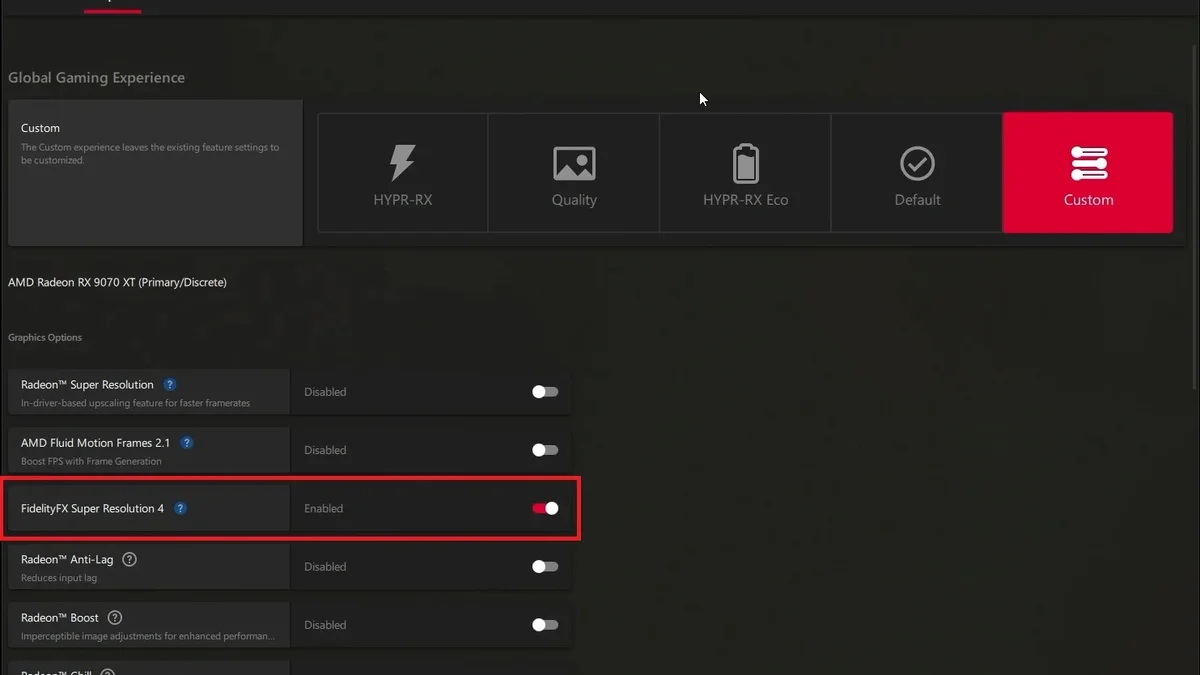
AMD Software: Adrenalin Edition 26.10.1 WHQL arrived October 20 to 21, 2026. Its headline is FSR Upscaling 4.1 support for the whole Radeon RX 6000 desktop line. FSR is AMD's upscaling technology, and version 4.1 uses a machine learning model to rebuild a lower resolution image. AMD first said RX 6000 cards would wait until early 2027, so this release came months early. The same driver extends FSR 4.1 to Ryzen AI Max and Ryzen AI 9 300 and 400 series. It also covers the Ryzen Z2 Extreme chips in handheld PCs, and AMD says FSR 4 now works in more than 400 titles.
Driver 26.10.1 also adds day one support for Call of Duty: Modern Warfare 4, STAR WARS: Galactic Racer, and FINAL FANTASY RESONANCE. A second AMD change matters for smooth play: Driver Assisted Frame Pacing for FSR frame generation shipped in SDK 2.4 and driver 26.10.1. It applies to RX 9000 cards only, on Windows 11 with hardware accelerated GPU scheduling. AMD has published no per game frame time numbers for it. Then came Adrenalin 26.10.2 on October 30, 2026, an optional driver with ten fixes and no new game support. It clears RX 9000 frame generation crashes and driver timeouts, yet nine known issues remain. War Thunder on RX 5000 cards still times out, and AMD tells those users to roll back to 26.9.1. For the FSR versus DLSS comparison, see this: FSR 4 vs DLSS 4 on CPU limited PCs.
What December should bring
No December driver version has been announced by either vendor as of November 12, 2026. That is normal: both vendors ship Game Ready or Adrenalin releases around big game launches, not on a fixed monthly date. The one December driver already dated is not a desktop Adrenalin release. MSI confirmed its Claw A8 handheld will get FSR 4.1 through a manufacturer driver, targeted for December 2026, if validation passes. Handheld drivers come from the maker, so Claw owners should watch MSI.
Until a December driver lands, the November drivers are current; check the vendor page or vendor app first. A driver from a random download mirror can carry old code or worse. If you play World of Warcraft: Forever, Hogwarts Legacy, War Thunder, or Call of Duty: Modern Warfare 4, install the November drivers. They are the ones built for those games.
How drivers change bottlenecks
A driver is the software layer between your games and your graphics card. A good driver update can smooth frame pacing, which is the even spacing of frames. It can also lift 1 percent lows, which are the slowest one percent of frames. Those two numbers decide how smooth a game feels, and AMD's Driver Assisted Frame Pacing targets this: steadier frame delivery when frame generation is on. But no driver can fix a CPU limit: if the processor cannot feed frames fast enough, the GPU still waits. Check which part limits you first with the free tool: CPU GPU bottleneck calculator.
Upscaling is the other driver lever: FSR 4.1 on older RX 6000 cards and DLSS 5 on RTX cards both render at a lower resolution. They rebuild the image, which cuts GPU load, and that helps a GPU bound rig most, since the card does less work per frame. It helps a CPU bound rig less, and VRAM behaviour also shifts with drivers. A driver can change how textures stream, yet it cannot add memory to a card that is short of it. For the stutter story, see this: stuttering and frame time: 1% lows explained.
The safe install order
Install in this order, and test between steps. First, note your current driver version and the problem game. Second, close background apps and save your work. Third, download from the vendor page or the vendor app only, then pick the right branch. Use Game Ready for gaming on NVIDIA, and Studio only if you earn from creative apps. On AMD, pick WHQL over optional, unless the optional driver fixes your exact bug. Fifth, restart, then test the same game at the same settings for ten minutes. For the no upgrade fixes first, see this: how to fix a GPU bottleneck without upgrading.
| Step | What to do | Why it matters |
|---|---|---|
| 1. Note the version | Write down the current driver and the problem game | You need it to roll back |
| 2. Close apps | Save work, close overlays and recorders | The installer restarts the display |
| 3. Vendor source only | NVIDIA App or AMD Software, or the vendor page | Third party mirrors can carry old code |
| 4. Right branch | Game Ready or WHQL first, optional only for a named fix | Optional drivers carry more risk |
| 5. Test the same game | Same settings, ten minutes, watch 1 percent lows | Average FPS hides stutter |
What to do when a driver breaks a game
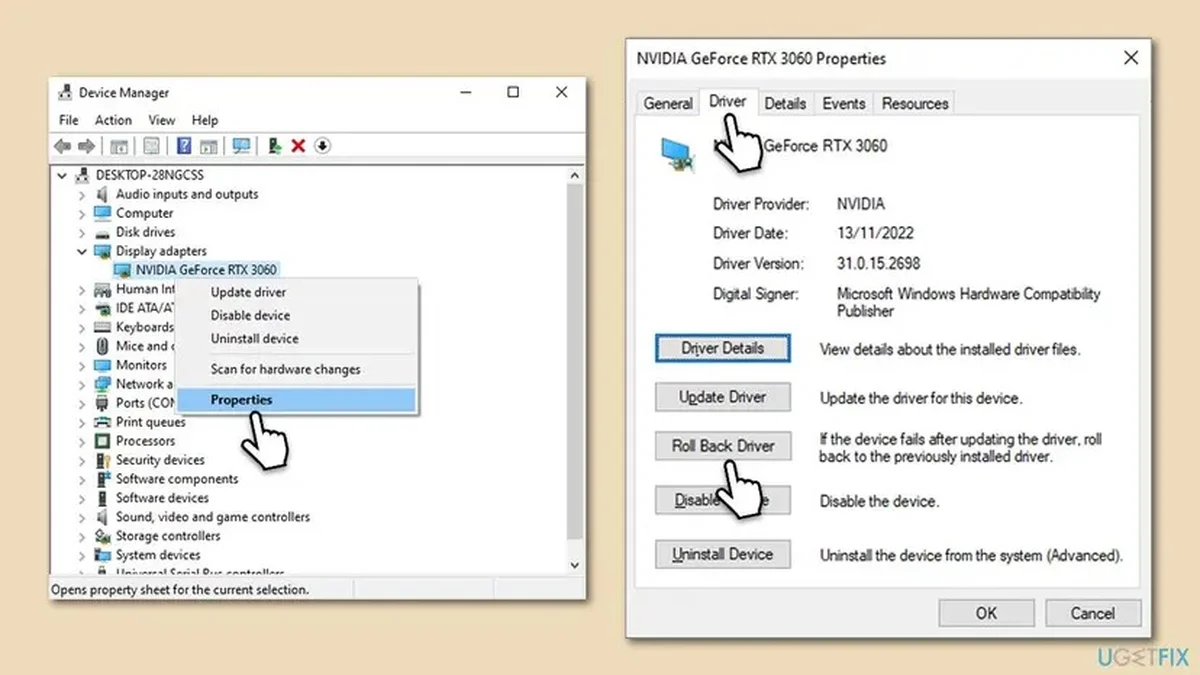
Roll back first: if a game worked before the update, the driver is the prime suspect. On AMD, the 26.10.2 notes themselves tell War Thunder players on RX 5000 cards to roll back to 26.9.1. Even the vendor expects rollbacks, so download the previous driver from the vendor page and test the same game again. If the card is not detected after an update, check Device Manager and the power cables. For that fault, see this: GPU not detected or not showing up: fix guide.
The bottom line on December 2026 GPU driver updates
December 2026 GPU driver updates are, for now, the November drivers. That means NVIDIA 621.14 from November 4 and AMD 26.10.2 from October 30, with 26.10.1 behind it. Install 621.14 if you own an NVIDIA card and play the games it supports. On AMD, install 26.10.1 for FSR 4.1, or 26.10.2 for the crash fixes; watch the vendor pages for the real December releases.
Frequently asked questions
What is the latest NVIDIA driver in December 2026?
Game Ready Driver 621.14 WHQL, released November 4, 2026, is the latest NVIDIA driver as of November 12. No December NVIDIA driver has been released, and version 621.14 adds World of Warcraft: Forever support and DLSS 5 in Hogwarts Legacy and War Thunder. It also fixes video playback freezing on RTX 50 cards; check the NVIDIA App for the first December release when it lands.
What is the latest AMD driver in December 2026?
Adrenalin 26.10.2, released October 30, 2026, is the latest AMD driver as of November 12; no December AMD driver has been released yet. Version 26.10.2 is an optional, fix only release with ten fixes, and the bigger release is 26.10.1 from October 20 to 21. It brought FSR 4.1 upscaling to RX 6000 cards and support for more than 400 titles.
Should I install the December 2026 GPU driver update?
Yes, install the current November driver now, and check again when a December release lands. NVIDIA owners should install 621.14, and AMD owners should install 26.10.1 for FSR 4.1 or 26.10.2 if they hit the crashes it fixes. Download from the vendor app only, note your old version, and test the same game for ten minutes. Roll back if the new driver is worse.
Does a new GPU driver improve FPS?
Sometimes, but rarely by a large amount. New drivers mostly fix bugs, add day one support for new games, and smooth frame pacing, which lifts 1 percent lows more than average FPS. AMD's Driver Assisted Frame Pacing targets steadier frame delivery on RX 9000 cards, with no published per game numbers. No driver can fix a CPU limit.
What is DLSS 5 in the NVIDIA 621.14 driver?
DLSS 5 is NVIDIA's newest upscaling and neural rendering set, and driver 621.14 adds it to Hogwarts Legacy and War Thunder. Its 3D Guided Neural Rendering piece improves lighting, reflections, and material rendering in supported games. World of Warcraft: Forever has no DLSS, even though the same driver supports it, and DLSS 5 is also planned for RTX 40 series cards.
How do I fix stutter after a GPU driver update?
Roll back to the previous driver first, then test the same game at the same settings. Download the older driver from the vendor page and install it; check whether frame generation or an overlay causes the stutter. If the old driver fixes it, wait for the next release instead of fighting the broken one.
How this guide was prepared
This guide uses the NVIDIA Game Ready Driver 621.14 release notes of November 4, 2026. It also uses the AMD Adrenalin 26.10.1 notes of October 20 to 21 and the 26.10.2 notes of October 30, 2026. The MSI Claw A8 FSR 4.1 report of November 6, 2026 completes the set. No December driver version is claimed, since none had been released as of November 12, 2026.
Last updated: November 12, 2026