
Key takeaways
- Coil whine is the sound of power coils vibrating under load, and it does not damage the card.
- It is loudest at very high frame rates, such as uncapped game menus that render hundreds of frames per second.
- Capping the frame rate at your monitor refresh rate is the first fix, and it costs nothing.
- Coil whine follows frame rate, while fan noise follows fan speed and temperature.
- Opening the card to pad or coat the coils voids most warranties, so try software fixes first.
What GPU coil whine actually is
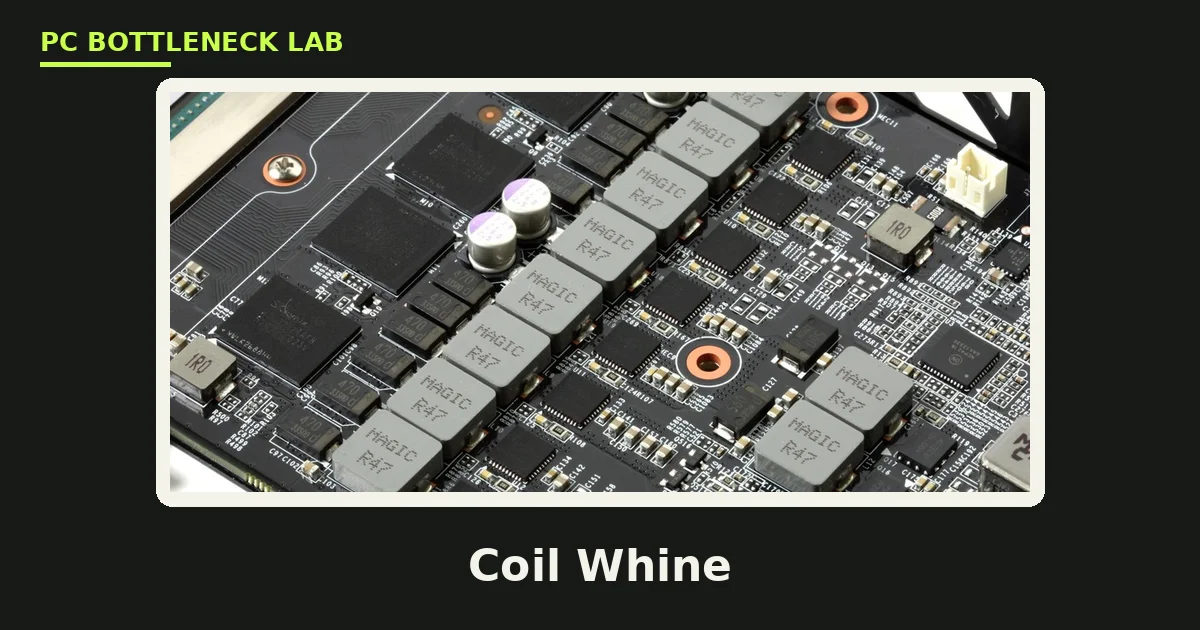
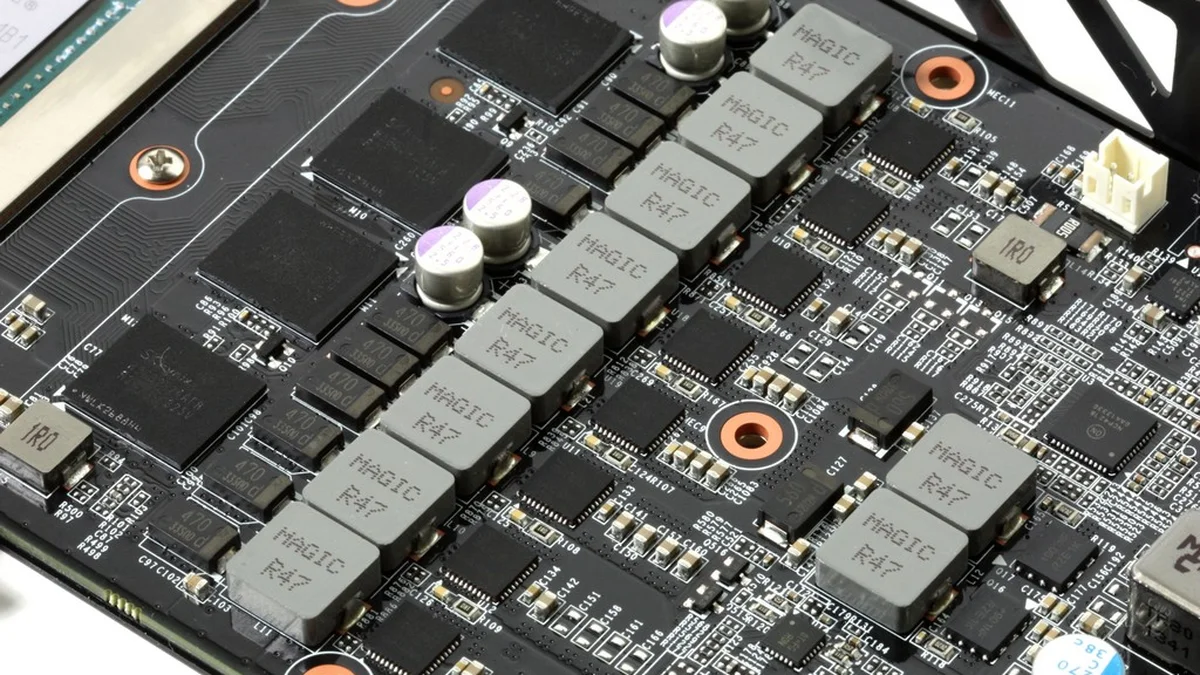
Coil whine is an acoustic side effect of normal operation from inductors, which are coils of copper wire wound around a magnetic core. They are also called chokes, and they smooth the fast-switching current that feeds the GPU in pulses, not in a smooth stream. Every pulse creates a magnetic field, and that field moves the winding by a tiny amount, which is the sound you hear. When the vibration lands in the range ears hear best, roughly 2 kHz to 15 kHz, you hear a whine, hiss, buzz, or squeal. The higher the current, the higher the pitch and often the louder the result, so a high-power card whines more than a low-power card. The power supply and the motherboard have coils too. Check your own pair first with the free tool: bottleneck calculator. For the heat angle, see this: thermal throttling vs bottleneck.
| Sound | What makes it | What it follows |
|---|---|---|
| High-pitched whine or squeal | Coils vibrating | Frame rate and load |
| Steady whoosh or hum | Fans spinning | Fan speed and temperature |
| Rattling or clicking | Fan bearing or cable | Fan speed, constant pitch |
| Buzz from the PSU | PSU coils vibrating | Load, often at idle too |
| Crackling or popping | Arcing or failing part | Nothing regular, stop and check |
Is GPU coil whine dangerous
No, coil whine is not dangerous. NZXT, PowerColor, and Intel all say the same thing. NZXT calls it normal, not a defect, and not a sign of anything about to fail, while PowerColor calls it a physical property of parts. Intel says the same about its Arc cards: annoying, yet it will not damage the card. The noise is acoustic vibration, not electrical arcing, so it does not shorten the life of the card or predict a failure. Coil whine alone is not a fault, but it can sit beside a failing voltage regulator or capacitor. A new buzz that arrives with crashes, artifacts, or a burning smell is a different problem. If the card runs fine and only whines, the card is fine.
How to tell coil whine from fan noise
Two different noises can sound alike from a metre away, so test them apart. The test takes about two minutes, and it needs no tools. First, cap the frame rate and listen by opening a game menu that whines loudly, then turning on V-Sync or setting a 60 FPS limit. Real coil whine drops in pitch or disappears within a second, since a card at 400 frames per second pulls more current than at 60. Next, test the fans on their own by forcing them to 100 percent while the card sits at idle, then dropping them to 30 percent. If the noise arrives with the fan command and leaves with it, you hear something mechanical. Fan noise follows fan speed and temperature, while coil whine follows frame rate and load, so check for a cable touching a blade. For the frame-time angle, see this: stuttering and frame time: 1% lows explained.
How to quiet the buzz
Work through the fixes in order, since the first one solves it for most people. Each step is software, so none of them voids your warranty. Test the game after each step, and stop when the noise drops to a level you can live with.
Cap the frame rate first
Cap the frame rate at your monitor refresh rate, or a little below it. On NVIDIA, open NVIDIA Control Panel, go to Manage 3D Settings, and set Max Frame Rate to On. On AMD, open Adrenalin and set a frame rate target in the same way. You can also turn on V-Sync in the game, which caps the rate at the refresh rate. Uncapped menus are the worst case, since a simple menu can render hundreds of frames per second. Those extra frames are pure current draw for no benefit. Capping them removes the load state where whine is loudest.
Lower the power limit or undervolt
Reducing voltage lowers the current through the coils, so the whine drops with it. Lower the power limit by a small step in MSI Afterburner or the vendor tool, then test the game. A mild undervolt costs a few percent at most, and it also lowers temperatures, so go in small steps and test after each change. If the game crashes, step back to the last stable value.
Check the power supply
The PSU and the card interact, so a different unit can change the whine. A low-quality PSU with high ripple can make the coils sing louder. If you can borrow a good PSU, test with it before you buy one. Use separate power cables for each connector on the card, not one cable split across two plugs. A single cable can starve the card under load. For the wattage question, see this: how many watts does my PC need. For the PSU pick, see this: what PSU do you need for RTX 5070.
Move the case and wait it out
Coil whine is quiet in absolute terms, so placement matters, and a case on a hard desk beside your ear is the worst spot. Move the case to the floor or further away, and the noise drops a lot. Some cards also quiet down after weeks of use, as the coils settle in, yet that change is not guaranteed. It is still worth a few weeks of patience before you spend money.
| Fix | Cost | Risk | What it does |
|---|---|---|---|
| Cap frame rate | Free | None | Removes high-FPS load states |
| Enable V-Sync | Free | None | Caps rate at refresh rate |
| Lower power limit | Free | Small FPS loss | Cuts current through coils |
| Undervolt | Free | Crashes if pushed too far | Cuts voltage and current |
| Better PSU | New part | None | Cleaner power, less ripple |
| Move the case | Free | None | Distance lowers the sound |
| Pad or coat coils | Parts plus labour | Voids warranty | Dampens vibration directly |
What about physical fixes and warranty
Physical fixes exist, yet they carry a real cost. Adding a thermal pad on top of the inductors can dampen the vibration. Applying a conformal coating to the coils can do the same. Both need the card opened and the cooler removed, and both void most warranties. Do not open a card that is still under warranty for a noise that harms nothing. Makers class ordinary whine as normal operation, so warranty claims for whine alone are usually refused. NZXT states plainly that coil whine is not covered as a reason for replacement. Some retailers will swap a very loud card within the return window, so ask the seller first if the card is new. If the card is out of warranty, a repair shop can do the pad mod for you. Before you spend on new parts, check the balance of your build on the GPU bottleneck calculator. For the upgrade path without a new card, see this: how to fix a GPU bottleneck without upgrading.
When the noise means stop and check
Most whine is harmless, yet some sounds mean stop. A crackling or popping sound can mean arcing, so turn the PC off and check the card and cables. A buzz that arrives with a burning smell means the same. A new whine that starts with crashes, blue screens, or artifacts points at the voltage regulator, not at normal coil noise. A fan that grinds or rattles may have a failing bearing. In each case, stop using the PC under load and inspect it. Look for swollen capacitors, scorched marks, or a cable touching a fan blade. If you find damage, get the card checked by a repair shop.
The bottom line on GPU coil whine
GPU coil whine is a normal sound, not a dying card. The coils vibrate as current passes through them, and the noise grows with frame rate. Cap the frame rate at your monitor refresh rate first, then try a lower power limit or a mild undervolt. Move the case further away if the sound still reaches you. Leave physical pad and coating mods alone while the card is under warranty.
Frequently asked questions
Is GPU coil whine dangerous for my graphics card?
No, coil whine is not dangerous for your graphics card. It is the sound of power coils vibrating as current passes through them, and it does not damage the card or shorten its life. NZXT, PowerColor, and Intel all describe it as normal. It does not affect performance, and it does not predict a failure.
Why is coil whine louder in game menus?
Game menus often run uncapped, so the GPU renders hundreds of simple frames per second, and each frame draws current through the coils. Capping the frame rate at your monitor refresh rate removes that load state. The whine usually drops or disappears at once.
Can capping my frame rate really fix coil whine?
Yes, capping the frame rate is the most reliable fix, and it costs nothing. Set a limit in the game or in the driver control panel, at or below your monitor refresh rate. Fewer frames mean less current through the coils, so the vibration drops. Many cards go quiet with this one change alone.
Will undervolting my GPU stop coil whine?
Undervolting can reduce coil whine, since lower voltage means less current through the coils. Use MSI Afterburner or the vendor tool, and lower the voltage in small steps. Test the game after each step for stability. A mild undervolt costs a few percent of performance at most, and it also lowers temperatures.
Can I claim coil whine under warranty?
Usually not, since makers class ordinary coil whine as normal operation rather than a defect. NZXT states that whine is not covered as a reason for replacement under its warranty. Some retailers will swap a very loud card within the return window, so ask the seller first if the card is new.
Does coil whine go away on its own over time?
Sometimes it does, since some cards quiet down after weeks of use as the coils settle in. That change is not guaranteed, and some cards whine at the same level for years. Do not buy a card on the hope that it will go quiet. Cap the frame rate first, since that fix works right away.
How this guide was prepared
This guide uses the coil whine explainers of NZXT, CyberPowerPC, and CheckThatNoise. The safety wording comes from NZXT, PowerColor, and Intel, who all call whine normal. The frame-rate cap test comes from CheckThatNoise. No share of affected cards is claimed, since the cited sources report their own bench experience only.
Last updated: November 12, 2026